
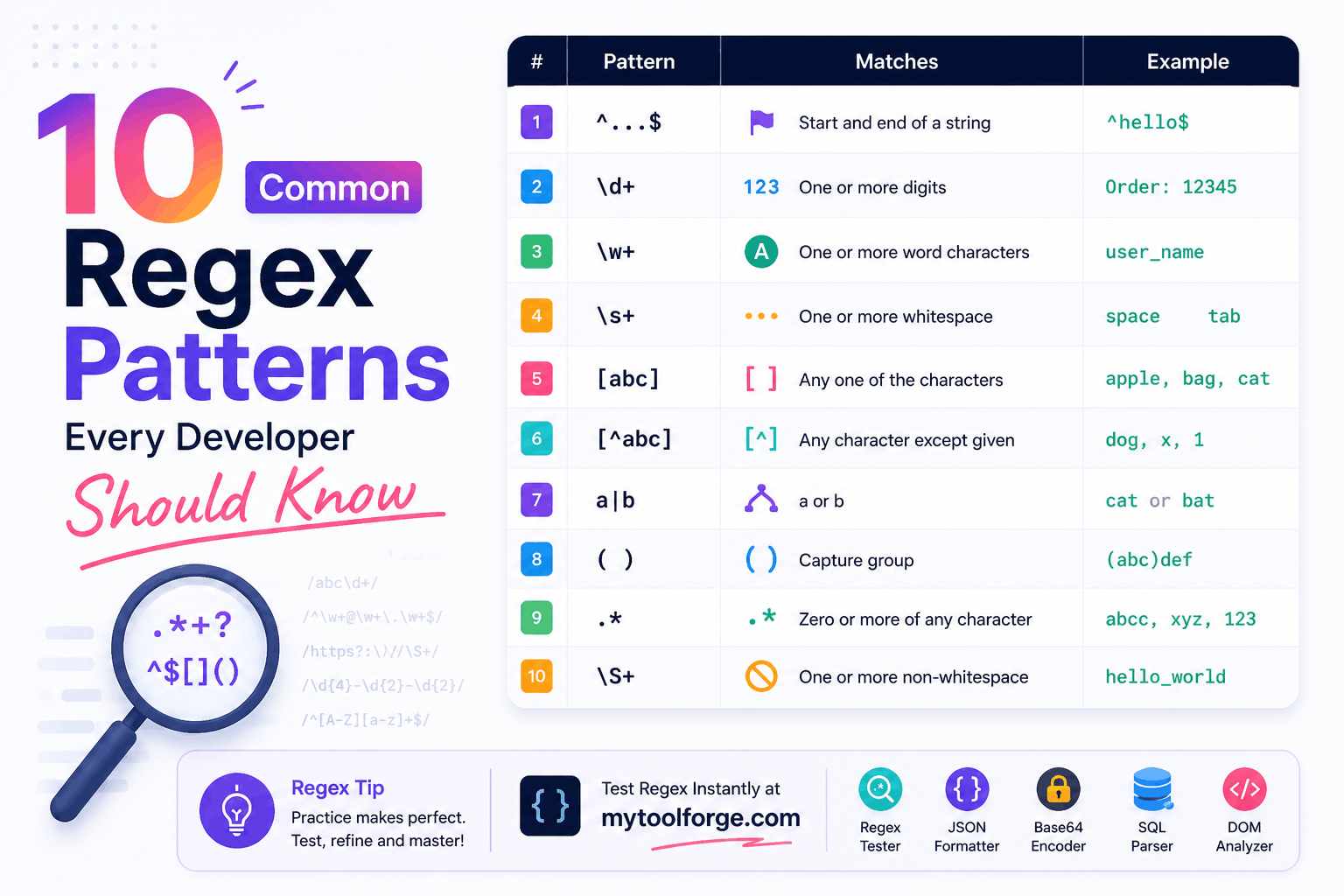
10 Common Regex Patterns Every Developer Should Know
Regular expressions are most useful when they solve a clearly defined text-processing problem.
You do not need to memorize hundreds of symbols or copy enormous validation patterns. A small collection of readable patterns can handle many everyday tasks, including extracting numbers, finding dates, validating internal identifiers, parsing logs, and cleaning text.
The examples in this guide use JavaScript regex syntax. Features and character-class behavior can differ in PHP, Python, Java, .NET, and command-line tools, so always test a pattern in the engine where it will run.
JavaScript Regex Basics
JavaScript regex literals use forward slashes:
const pattern = /\d+/;Flags appear after the closing slash:
const pattern = /\d+/g;Common JavaScript flags include:
g— find every matchi— case-insensitive matchingm— multiline anchor behaviors— allow.to match line terminatorsu— Unicode-aware matchingv— enhanced Unicode-set features where supported
JavaScript’s complete regex syntax and flag behavior are documented by MDN.
1. Extract One or More Digits
Pattern
\d+JavaScript
const input = "Order 4589 contains 12 items";
const matches = input.match(/\d+/g) ?? [];

console.log(matches);
// ["4589", "12"]
How it works
\dmatches an ASCII digit from0to9in JavaScript.+means one or more repetitions.gfinds all matches instead of stopping after the first.
Without +, each digit is matched separately:
"4589".match(/\d/g);
// ["4", "5", "8", "9"]
With +, consecutive digits form one match:
"4589".match(/\d+/g);
// ["4589"]
Use cases
- Extracting order numbers
- Finding quantities
- Parsing numeric sections from text
- Locating numbers in logs
The matches are strings. Convert them to numbers only if you need arithmetic:
const values = matches.map(Number);Identifiers such as account numbers should often remain strings because leading zeros may be meaningful.
2. Extract Signed Integers and Decimals
Pattern
[-+]?(?:\d+(?:\.\d+)?|\.\d+)JavaScript
const input =
  "Temperature: -12.5, change: +2, ratio: .75";

const values = input.match(
  /[-+]?(?:\d+(?:\.\d+)?|\.\d+)/g
) ?? [];

console.log(values);
// ["-12.5", "+2", ".75"]
How it works
[-+]?allows an optional sign.\d+matches one or more digits.(?:...)creates a noncapturing group.\.\d+supports a decimal beginning with a period.|separates alternatives.
Limitations
This is a text-extraction pattern, not a complete numeric parser. It does not handle every possible format, such as:
- Thousands separators
- Scientific notation
- Locale-specific decimal separators
- Currency symbols
- Accounting notation
Use a dedicated number parser when those formats are required.
3. Normalize Repeated Horizontal Whitespace
Pattern
[ \t]+JavaScript
const input = "Hello     world\tfrom regex";

const normalized = input
  .replace(/[ \t]+/g, " ")
  .trim();

console.log(normalized);
// Hello world from regex
Why not always use \s+?
\s includes spaces, tabs, line breaks, and other whitespace.
This code:
input.replace(/\s+/g, " ");also removes paragraph and line-break structure.
Use [ \t]+ when you want to normalize spaces and tabs while preserving line breaks.
Use \s+ only when converting all whitespace sequences to one space is intentional.
4. Find ISO-Style Date Candidates
Pattern
\b\d{4}-\d{2}-\d{2}\bJavaScript
const input =
  "Created 2026-09-28; expires 2026-10-15.";

const dates = input.match(
  /\b\d{4}-\d{2}-\d{2}\b/g
) ?? [];

console.log(dates);
// ["2026-09-28", "2026-10-15"]
How it works
\bmarks a word boundary.\d{4}matches four digits.-matches a literal hyphen.\d{2}matches two digits.
Important limitation
This pattern checks only the shape.
It will also match:
2026-99-99Use a date parser to confirm that the calendar date exists:
function isValidIsoDate(value) {
  const match =
    /^(?<year>\d{4})-(?<month>\d{2})-(?<day>\d{2})$/
      .exec(value);

  if (!match) {
    return false;
  }

  const { year, month, day } = match.groups;

  const date = new Date(Date.UTC(
    Number(year),
    Number(month) - 1,
    Number(day)
  ));

  return (
    date.getUTCFullYear() === Number(year) &&
    date.getUTCMonth() === Number(month) - 1 &&
    date.getUTCDate() === Number(day)
  );
}
Regex finds candidates. Date logic validates their meaning.
5. Validate a Simple Slug
Pattern
^[a-z0-9]+(?:-[a-z0-9]+)*$JavaScript
const slugPattern =
  /^[a-z0-9]+(?:-[a-z0-9]+)*$/;

console.log(
  slugPattern.test("regex-patterns-for-developers")
);
// true

console.log(
  slugPattern.test("-regex-patterns-")
);
// false

console.log(
  slugPattern.test("regex--patterns")
);
// false
How it works
^marks the beginning.[a-z0-9]+requires at least one lowercase letter or digit.(?:-[a-z0-9]+)*allows additional hyphen-separated sections.$marks the end.
The pattern prevents:
- Leading hyphens
- Trailing hyphens
- Consecutive hyphens
- Spaces
- Uppercase letters
- Unsupported punctuation
Use cases
- Blog slugs
- Internal resource names
- Route parameters
- Human-readable identifiers
If Unicode slugs are supported, use a dedicated slug-generation library and define a normalization policy.
6. Extract File Extensions
Pattern
\.([A-Za-z0-9]+)$JavaScript
function getExtension(filename) {
  const match =
    /\.([A-Za-z0-9]+)$/.exec(filename);

  return match
    ? match[1].toLowerCase()
    : null;
}

console.log(getExtension("report.final.PDF"));
// pdf

console.log(getExtension("README"));
// null
How it works
\.matches a literal period.([A-Za-z0-9]+)captures the extension.$requires it to occur at the end.
Security warning
A filename extension does not prove a file’s actual type.
This filename:
photo.jpgcould contain something other than a JPEG image.
For uploaded files, also validate:
- File size
- Actual content
- File signature or magic bytes
- Detected MIME type
- Storage location
- User authorization
Never use the extension as the only security check.
7. Extract Text Inside Non-Nested Parentheses
Pattern
\(([^()]*)\)JavaScript
const input =
  "Available in red (large) and blue (small)";

const values = [
  ...input.matchAll(/\(([^()]*)\)/g)
].map(match => match[1]);

console.log(values);
// ["large", "small"]
How it works
\(matches an opening parenthesis.[^()]*matches zero or more characters that are not parentheses.\)matches a closing parenthesis.- The capture group returns the content without the surrounding characters.
This is more precise than:
\(.*?\)because it explicitly prevents crossing another parenthesis.
Limitation
It does not parse nested parentheses:
outer (first (nested) value)Most common regex engines cannot reliably parse arbitrary recursive nesting. Use a parser or a small character-by-character function for nested structures.
8. Parse a Structured Log Line
Suppose an application writes logs like:
2026-09-28T06:30:35Z ERROR Payment failedPattern
^(?<timestamp>\S+)\s+(?<level>INFO|WARN|ERROR)\s+(?<message>.+)$JavaScript
const pattern =
  /^(?<timestamp>\S+)\s+(?<level>INFO|WARN|ERROR)\s+(?<message>.+)$/;

const input =
  "2026-09-28T06:30:35Z ERROR Payment failed";

const match = pattern.exec(input);

if (match) {
  console.log(match.groups);
}
Output:
{
  timestamp: "2026-09-28T06:30:35Z",
  level: "ERROR",
  message: "Payment failed"
}
Why named groups help
Compare:
match[1]
match[2]
match[3]
with:
match.groups.timestamp
match.groups.level
match.groups.message
Named groups make the pattern easier to understand and maintain.
The regex checks structure, not whether the timestamp represents a valid instant. Parse the captured timestamp separately if semantic validation is required.
9. Find Repeated Consecutive Words
Pattern
\b([A-Za-z]+)(?:\s+\1\b)+JavaScript
const input =
  "This is is a repeated repeated word.";

const cleaned = input.replace(
  /\b([A-Za-z]+)(?:\s+\1\b)+/gi,
  "$1"
);

console.log(cleaned);
// This is a repeated word.
How it works
\bstarts at a word boundary.([A-Za-z]+)captures a word.\1refers to the first capture group.(?:\s+\1\b)+finds one or more repetitions.imakes comparison case-insensitive.greplaces every occurrence.
Unicode-aware version
For text containing letters from other scripts:
const repeatedWordPattern =
  /\b(\p{L}+)(?:\s+\1\b)+/giu;
Unicode word-boundary behavior can still vary from human language rules. Test the languages your application supports.
10. Match Hexadecimal Color Values
Pattern
#(?:[0-9a-fA-F]{6}|[0-9a-fA-F]{3})\bJavaScript
const input =
  "Colors: #fff, #1a2b3c, and invalid #12xz90";

const colors = input.match(
  /#(?:[0-9a-fA-F]{6}|[0-9a-fA-F]{3})\b/g
) ?? [];

console.log(colors);
// ["#fff", "#1a2b3c"]
How it works
#matches the hash character.[0-9a-fA-F]{6}matches six hexadecimal characters.|allows the three-character alternative.\bprevents matching the start of a longer alphanumeric sequence.
Full-input validation
To validate an entire field instead of searching within text:
const hexColorPattern =
  /^#(?:[0-9a-fA-F]{6}|[0-9a-fA-F]{3})$/;
Add other lengths only if your application supports formats such as CSS colors containing an alpha channel.
Bonus: Escape Dynamic Search Text
Suppose a user searches for:
price ($10)This input contains regex metacharacters. Inserting it directly into RegExp changes its meaning:
const unsafePattern =
  new RegExp("price ($10)", "i");
When supported by the target environment, use RegExp.escape():
const searchText = "price ($10)";

const pattern = new RegExp(
  RegExp.escape(searchText),
  "i"
);
This treats the search value as literal text rather than executable regex syntax.
If older environments must be supported, use a carefully tested escaping helper or maintained library.
Common Quantifiers
| Quantifier | Meaning |
|---|---|
* | Zero or more |
+ | One or more |
? | Zero or one |
{3} | Exactly three |
{2,5} | Between two and five |
{2,} | At least two |
Example:
\d{3,5}This finds a digit sequence between three and five characters long.
If the entire input must contain only three to five digits:
^\d{3,5}$Without anchors, a longer string can contain a matching substring.
Greedy and Lazy Matching
Quantifiers are greedy by default.
Given:
<tag>First</tag><tag>Second</tag>This pattern:
<.*>can match from the first < through the final >.
A lazy quantifier stops at the earliest point that allows the pattern to succeed:
<.*?>However, this is not a reliable HTML parser. Attributes, quoted characters, comments, scripts, malformed markup, and nesting create cases that simple patterns cannot handle.
Use a DOM parser when processing HTML.
Patterns You Should Not Copy Blindly
Email validation
Avoid presenting a small regex as a complete email validator.
For web forms, begin with:
<input type="email" name="email" required>Validate again on the server and send a verification link. A regex cannot prove that the mailbox exists.
Keep complete email guidance in your dedicated Regex Patterns for Email Validation article rather than duplicating it here.
URL validation
Do not validate complete URLs with a short regex.
Use JavaScript’s URL parser:
function isAllowedWebUrl(input) {
  try {
    const url = new URL(input);

    return (
      url.protocol === "https:" ||
      url.protocol === "http:"
    );
  } catch {
    return false;
  }
}
Parsing a URL does not make it safe for the server to fetch. Outbound requests also require protection against internal addresses, unexpected redirects, and server-side request forgery.
Phone numbers
A universal phone-number regex does not exist. Lengths, prefixes, and formatting vary by country.
For a known application requirement, validate the exact supported format. For global phone numbers, use a maintained phone-number library.
The original pattern:
^\d{10}$cannot match:
03001234567because the example contains 11 digits.
Regex Safety and ReDoS
Some expressions can perform excessive backtracking when given carefully constructed input. This can lead to Regular Expression Denial of Service, or ReDoS.
A risky pattern shape is:
^(a+)+$Reduce the risk by:
- Limiting input length
- Avoiding ambiguous nested quantifiers
- Keeping patterns simple
- Testing worst-case nonmatches
- Escaping dynamic input
- Using timeouts or safer engines where available
- Replacing regex with direct string operations when simpler
OWASP identifies vulnerable regular expressions as a potential denial-of-service problem.
Testing Regex Patterns
Every production pattern should have positive and negative tests.
const slugPattern =
  /^[a-z0-9]+(?:-[a-z0-9]+)*$/;

const valid = [
  "regex",
  "regex-guide",
  "regex-guide-2026"
];

const invalid = [
  "",
  "-regex",
  "regex-",
  "regex--guide",
  "Regex Guide"
];

for (const value of valid) {
  console.assert(
    slugPattern.test(value),
    `Expected valid: ${value}`
  );
}

for (const value of invalid) {
  console.assert(
    !slugPattern.test(value),
    `Expected invalid: ${value}`
  );
}
Test:
- Empty input
- Minimum and maximum length
- One character beyond each boundary
- Unicode characters
- Newlines
- Unexpected punctuation
- Very long input
- Nearly matching malicious input
Final Thoughts
The most useful regex patterns are not necessarily the most complicated. They are patterns with a clear purpose, documented limitations, and automated tests.
Use regex for well-defined text operations such as:
- Extracting numbers
- Finding date candidates
- Normalizing whitespace
- Validating internal slugs
- Parsing predictable log lines
- Finding repeated words
- Matching simple color codes
Use a parser or specialist library for complex formats such as email addresses, URLs, phone numbers, HTML, and nested data.
Try Next
Other utilities you might find helpful
Regex Tester
Test and debug regular expressions with live matches.
Regex Debugger
Understand regex step-by-step with explanations.
JSON Formatter
Format, validate, and minify JSON instantly.
Base64 Encoder/Decoder
Encode and decode Base64 strings and files.
SQL Explain Parser
Analyze SQL execution plans and optimize queries.
DOM Complexity Analyzer
Analyze HTML DOM structure, detect deep nesting, count nodes, and identify performance issues instantly.