
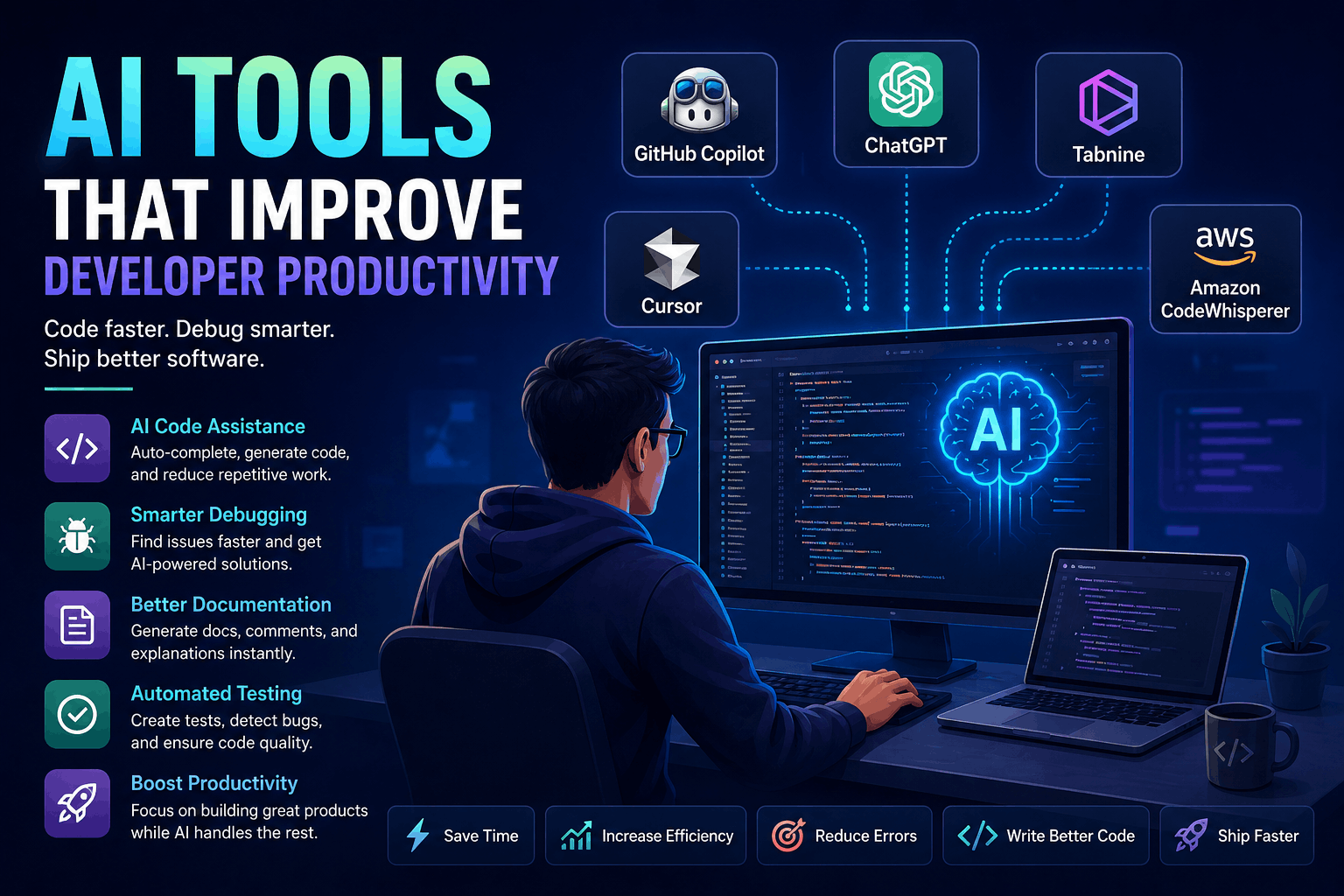
AI Tools That Improve Developer Productivity
AI developer tools have moved beyond simple autocomplete.
Modern tools can:
- Explain unfamiliar code
- Search an entire repository
- Generate and edit multiple files
- Run tests and commands
- Review pull requests
- Investigate errors
- Create documentation
- Assist with cloud infrastructure
- Implement scoped issues in isolated environments
However, access to an AI tool does not automatically make a developer more productive.
Poorly defined tasks, weak review practices, excessive context, and unverified generated code can create more work than they save. The greatest benefit comes from matching the right tool to the right task and keeping developers responsible for the final result.
This guide compares useful categories of AI development tools, explains where each one fits, and provides a practical workflow for using them safely.
Product features, pricing, model availability, and plan names change frequently. Confirm current capabilities in each product’s official documentation before adopting it for a team.
What Is an AI Developer Tool?
An AI developer tool uses a language model or related machine-learning system to assist with software-development activities.
Depending on the product, it may work as:
- A conversational assistant
- An editor extension
- An AI-native code editor
- A terminal agent
- A pull-request reviewer
- A testing assistant
- An observability assistant
- A cloud-development assistant
- An autonomous coding agent
The level of access varies significantly.
One tool might only suggest the next line of code. Another may be allowed to:
- Read the repository
- Modify files
- Run shell commands
- Install dependencies
- Execute tests
- Open a pull request
Greater autonomy can save more time, but it also increases the need for permissions, isolation, review, and auditability.
Where AI Usually Saves Developers the Most Time
AI performs best when the task has:
- A clear objective
- Relevant context
- Defined constraints
- A verifiable result
- Existing project conventions
- Automated tests or static analysis
Examples include:
- Generating repetitive boilerplate
- Explaining unfamiliar functions
- Creating test cases
- Converting data structures
- Writing migration drafts
- Summarizing logs
- Refactoring small modules
- Drafting documentation
- Searching a large repository
- Implementing a well-scoped issue
AI is less reliable when the task requires:
- Undocumented business knowledge
- Ambiguous product decisions
- Complex architectural judgment
- Unverified security assumptions
- Large changes with no tests
- Access to sensitive production systems
The key distinction is whether the generated result can be reviewed and tested efficiently.
1. ChatGPT and General-Purpose AI Assistants
Conversational assistants are useful when the work begins with a question rather than an obvious file edit.
Developers can use them to:
- Explain an error message
- Compare implementation approaches
- Draft a SQL query
- Review a regular expression
- Generate edge cases
- Explain unfamiliar code
- Create a migration plan
- Draft API documentation
- Translate code between languages
- Prepare debugging checklists
Better use case
Instead of asking:
Write a Laravel API.Provide a bounded task:
Create a Laravel controller method for updating a user profile.

Constraints:
- Laravel 12 conventions
- Validate name, timezone, and nullable avatar URL
- Authorize against the current user
- Use a Form Request
- Return a JSON resource
- Do not perform mass assignment
- Include feature-test cases
The second prompt provides the information needed to produce a more reviewable answer.
Where conversational tools become risky
Be careful when asking a general assistant to:
- Design authentication from scratch
- Generate cryptographic code
- Write production database migrations without schema context
- Diagnose incomplete logs
- recommend package versions without verification
- Handle confidential source code in an unapproved service
Use the answer as a draft or analysis aid—not as automatically trusted code.
2. OpenAI Codex for Delegated Coding Tasks
Codex is designed for software-engineering tasks that can involve reading code, editing files, running commands, and producing changes for review.
It is useful for bounded tasks such as:
- Fixing a reproducible bug
- Adding test coverage
- Refactoring a small module
- Updating documentation
- Implementing a defined endpoint
- Investigating a failing test
- Preparing a pull request
OpenAI describes Codex as a coding agent that can work on software tasks in an isolated environment and produce changes for review.
Good task for a coding agent
The order export fails when an order has no shipping address.

Reproduce the failure using the existing test suite, add a regression
test, and update the smallest possible amount of application code.

Do not change the public response schema.
This prompt includes:
- The observed defect
- A reproduction expectation
- A testing requirement
- A scope limitation
- A compatibility constraint
Poor task
Improve the checkout system.The second request has no measurable completion condition and gives the agent too much architectural freedom.
3. GitHub Copilot
GitHub Copilot integrates AI assistance into development environments and the GitHub workflow.
Depending on the environment and plan, its capabilities can include:
- Inline code completion
- IDE chat
- Code explanation
- Multi-file edits
- Test generation
- Pull-request assistance
- Code review
- Agent-based issue implementation
GitHub’s documentation distinguishes between code suggestions, chat, code review, and agents that can work on development tasks.
Best fit
Copilot is a practical choice for teams whose workflow already centers on:
- GitHub repositories
- Pull requests
- GitHub Issues
- Visual Studio Code
- Visual Studio
- JetBrains IDEs
- GitHub Actions
Productive uses
Use it to:
- Complete repetitive code
- Generate tests beside existing tests
- Explain a selected function
- Draft a small refactor
- Summarize a pull request
- Suggest documentation for changed behavior
Review requirement
A suggestion appearing inside a trusted repository is not evidence that it follows the repository’s security or business requirements.
Review it as carefully as code submitted by any other contributor.
4. Cursor
Cursor is an AI-focused code editor designed for repository-aware assistance.
Its documentation describes agent capabilities for exploring a codebase, editing files, running commands, and working through development tasks.
It is particularly useful when developers want conversational and agent-based workflows directly inside the editor.
Common uses
- Search for where a feature is implemented
- Explain interactions across multiple files
- Apply coordinated edits
- Generate tests
- Run validation commands
- Investigate compiler failures
- Navigate an unfamiliar repository
Example repository question
Trace how a failed payment moves from the webhook handler to the
customer notification. List the relevant files and explain where
idempotency is enforced. Do not modify code.
This is more useful than asking for a general explanation because it directs the tool to investigate the actual repository.
Best practice
Begin with a read-only investigation before asking for changes:
- Ask the tool to identify relevant files.
- Confirm its explanation.
- Define the intended behavior.
- Request a small implementation.
- Review the diff.
- Run tests and static analysis.
This reduces the chance of a confident edit based on an incorrect understanding of the codebase.
5. Claude Code
Claude Code is a terminal-oriented coding assistant that can inspect repositories, modify files, run commands, and help complete engineering tasks.
Its command-line workflow is useful for developers who prefer working in:
- Terminals
- Remote development environments
- Containers
- Server-side repositories
- Scripted engineering workflows
Official documentation covers repository exploration, file changes, command execution, configuration, and permission behavior.
Suitable tasks
- Investigating failing builds
- Refactoring modules
- Updating dependencies
- Generating tests
- Searching large repositories
- Preparing implementation plans
- Reviewing a change before commit
Security consideration
A terminal agent can potentially run commands that modify files or access the environment.
Use:
- Restricted permissions
- Repository isolation
- Secret management
- Command confirmation
- Version control
- Reproducible test environments
Do not grant unrestricted access to production infrastructure simply because the tool is convenient.
6. Gemini Code Assist
Gemini Code Assist provides AI coding assistance in supported editors and development workflows.
Capabilities vary by offering, but can include:
- Code generation
- Code completion
- Code explanation
- Test generation
- Repository-aware assistance
- Google Cloud development support
- Enterprise administration
Google positions Gemini Code Assist for individual and organizational software-development workflows, including assistance connected to development environments and Google Cloud.
Best fit
It may be particularly relevant for teams using:
- Google Cloud
- Android development
- Firebase
- Visual Studio Code
- JetBrains IDEs
- Organization-managed Google services
Evaluate it on repository understanding and everyday tasks rather than choosing it only because the project runs on Google Cloud.
7. Amazon Q Developer
Amazon CodeWhisperer should no longer be presented as a separate current product in a new article. Its capabilities became part of Amazon Q Developer.
Amazon Q Developer supports development tasks related to code, AWS services, troubleshooting, transformation, and cloud workflows.
Useful scenarios
- Explaining AWS APIs
- Generating infrastructure-related code
- Troubleshooting cloud configurations
- Working with serverless applications
- Understanding AWS service integration
- Assisting with application upgrades
- Reviewing cloud-development tasks
Important limitation
AI-generated infrastructure code can create security or cost problems when applied without review.
Check:
- IAM permissions
- Network exposure
- Encryption
- Logging
- Data retention
- Scaling limits
- Estimated cost
- Destructive operations
Never deploy generated infrastructure changes merely because they are syntactically valid.
8. JetBrains AI Assistant
JetBrains AI Assistant is integrated into supported JetBrains development environments.
Depending on the IDE and subscription, it can help with:
- Code generation
- Code explanation
- Refactoring
- Documentation
- Commit messages
- Test generation
- Terminal assistance
- Project-aware chat
JetBrains documents the assistant as an IDE-integrated set of AI features rather than a standalone code editor.
Best fit
It can be a natural option for developers already using:
- IntelliJ IDEA
- PhpStorm
- WebStorm
- PyCharm
- Rider
- Android Studio integrations where supported
For Laravel and PHP developers using PhpStorm, an existing IDE-integrated assistant may introduce less workflow disruption than changing editors.
9. Tabnine
Tabnine focuses on AI coding assistance for development teams and organizations.
It is often evaluated by businesses that need controls around:
- Deployment options
- Code privacy
- Administration
- Model access
- Repository context
- Enterprise policies
Do not describe any AI coding product as automatically private or secure. Privacy behavior can differ by:
- Product plan
- Account configuration
- Deployment method
- Data-retention policy
- Telemetry settings
- Organization controls
Review the exact terms and technical controls for the plan you intend to use.
10. AI-Assisted Testing Tools
AI can accelerate testing, but automatically generated tests are only useful when they verify meaningful behavior.
Playwright test agents
Playwright documents agents for planning, generating, and repairing browser tests.
They can help:
- Explore an application
- Generate browser-test drafts
- Build test plans
- Repair certain failing tests
- Automate repetitive interaction flows
Visual testing tools
Platforms such as Applitools use visual comparison and AI-assisted analysis to detect interface regressions.
They are useful for:
- Cross-browser layout changes
- Component libraries
- Responsive interfaces
- Design-system validation
- Screenshot comparison
AI-driven end-to-end platforms
Tools such as mabl and Testim provide assisted test creation and maintenance capabilities.
Evaluate them using real workflows rather than vendor demos.
Review generated tests for weak assertions
A low-value generated test might confirm only that a page loaded:
await page.goto("/checkout");
await expect(page).toHaveTitle(/Checkout/);
A stronger test verifies business behavior:
await page.goto("/checkout");
await page.getByLabel("Email").fill("buyer@example.com");
await page.getByRole("button", {
  name: "Place order"
}).click();

await expect(
  page.getByRole("heading", {
    name: "Order confirmed"
  })
).toBeVisible();

await expect(page).toHaveURL(/\/orders\/\d+$/);
The number of generated tests is not a useful productivity metric if they fail to protect important behavior.
11. AI for Code Review
AI review tools can inspect changes for patterns such as:
- Missing error handling
- Inconsistent naming
- Duplicated logic
- Test gaps
- Obvious security risks
- Documentation inconsistencies
- Potential null handling
- Style violations
Possible tools include:
- GitHub Copilot code review
- IDE-integrated review assistants
- Repository agents
- Security-analysis platforms
- Organization-specific review bots
What AI review should not replace
It cannot reliably replace human review of:
- Product requirements
- Authorization rules
- Data ownership
- Architecture
- Privacy implications
- Migration safety
- Operational risk
- User experience
Use AI as an additional reviewer, not the approving authority.
12. AI for Debugging and Observability
Modern observability tools increasingly use AI to summarize incidents, correlate telemetry, and explain likely causes.
Possible capabilities include:
- Error grouping
- Stack-trace explanation
- Log summarization
- Trace correlation
- Anomaly detection
- Suspected root-cause analysis
- Suggested remediation steps
Products in this category include platforms such as:
- Sentry
- Datadog
- New Relic
- Dynatrace
Best workflow
- Reproduce or confirm the incident.
- Collect logs, traces, metrics, and deployment information.
- Ask the assistant to summarize the evidence.
- Verify every claim against the underlying telemetry.
- Test the proposed cause.
- Implement and validate the smallest safe fix.
An AI-generated incident explanation is a hypothesis, not proof.
13. AI for Documentation
Documentation is a strong AI use case because drafts can be reviewed without executing them in production.
AI can help prepare:
- README files
- API descriptions
- Architecture summaries
- Upgrade guides
- Changelogs
- Pull-request summaries
- Onboarding documents
- Function documentation
- Troubleshooting instructions
Provide source material
A good documentation request includes:
- Relevant code
- Existing terminology
- Intended audience
- Required sections
- Examples
- Limitations
- Links to authoritative sources
Example:
Using the attached controller, request schema, and integration tests,
draft API documentation for the endpoint.

Include:
- Authentication requirements
- Request fields
- Success response
- Validation errors
- Authorization errors
- One curl example

Do not invent fields that are not present in the source.
AI-written documentation becomes harmful when it confidently describes behavior that the application does not implement.
How Laravel Developers Can Use AI Effectively
Laravel contains predictable conventions, which makes it suitable for carefully scoped assistance.
AI can help draft:
- Artisan commands
- Migrations
- Form Requests
- Eloquent relationships
- API resources
- Policies
- Feature tests
- Queue jobs
- Blade components
- Validation rules
Example Laravel workflow
Suppose you need an endpoint for updating an order status.
1. Ask for an implementation plan
Identify the Laravel files required to add an authenticated endpoint
that changes an order from pending to cancelled.

Existing constraints:
- Only the order owner can cancel
- Paid orders cannot be cancelled
- The transition must be transactional
- An OrderCancelled event must be dispatched after commit
2. Confirm the proposed files
The expected scope might include:
- Route
- Controller
- Form Request
- Policy
- Domain service
- Event
- Feature test
3. Request a small implementation
Ask the tool to modify only the agreed files.
4. Run project checks
For example:
php artisan testvendor/bin/pint --testvendor/bin/phpstan analyse5. Review important details manually
Check:
- Authorization
- Mass-assignment protection
- Transaction boundaries
- Race conditions
- Event timing
- Error responses
- Test quality
AI can accelerate the draft, but the developer remains responsible for Laravel and business correctness.
A Safe AI-Assisted Development Workflow
Step 1: Define the task
State:
- Desired result
- Relevant files
- Constraints
- Non-goals
- Acceptance criteria
- Commands that verify completion
Step 2: Ask for analysis before editing
Have the assistant explain:
- Existing behavior
- Relevant modules
- Risks
- Proposed changes
This exposes misunderstandings before code is modified.
Step 3: Limit the scope
Prefer:
Update the validation layer and tests only.
Do not change the database schema or public API.
Avoid:
Refactor everything that looks outdated.Step 4: Generate a small diff
Smaller changes are easier to:
- Understand
- Review
- Test
- Revert
- Secure
Step 5: Inspect every changed file
Do not rely only on the assistant’s summary.
Review the actual diff for:
- Unrelated changes
- Removed validation
- Changed permissions
- Hard-coded values
- New dependencies
- Hidden error handling
- Test weakening
Step 6: Run deterministic checks
Depending on the project, run:
- Unit tests
- Integration tests
- Browser tests
- Linters
- Formatters
- Type checking
- Static analysis
- Security scans
- Build commands
Step 7: Test behavior manually
Automated checks may not cover:
- User experience
- Accessibility
- Browser behavior
- Data migrations
- Failure states
- Production configuration
Step 8: Record the reasoning
The pull request should explain:
- Why the change was needed
- What behavior changed
- How it was tested
- Which risks remain
“Generated by AI” is not an adequate implementation explanation.
Security Risks of AI Development Tools
Sensitive-data exposure
Do not paste the following into an unapproved tool:
- API keys
- Passwords
- Session cookies
- Private customer data
- Production database records
- Private encryption keys
- Confidential source code
- Internal incident logs
Check the product’s:
- Data-retention policy
- Training policy
- Administrative controls
- Regional processing
- Subprocessors
- Enterprise configuration
- Deletion procedures
Incorrect generated code
Generated code may:
- Call nonexistent APIs
- Use outdated libraries
- Mishandle errors
- Introduce SQL injection
- Weaken authorization
- Expose secrets
- Create race conditions
- Produce inefficient queries
Compilation is not proof of correctness.
Prompt injection in repository content
An agent may read:
- Documentation
- Issue descriptions
- Source-code comments
- Generated files
- Third-party packages
- Web content
Malicious or untrusted text can attempt to influence an AI agent’s actions. Prompt injection is a recognized risk for systems that combine models with tools and external data.
Limit permissions and require confirmation for sensitive actions.
Dependency risk
An assistant may suggest:
- Abandoned packages
- Incorrect package names
- Vulnerable versions
- Unnecessary dependencies
- Packages that imitate legitimate projects
Verify packages through official registries and project documentation before installation.
Weak tests
AI may generate tests that:
- Assert implementation details
- Duplicate the production logic
- Avoid meaningful edge cases
- Pass regardless of behavior
- Replace useful assertions with snapshots
Review test intent, not only whether the test suite is green.
Choosing the Right AI Tool
Evaluate tools using the work your team performs.
| Requirement | Tool category to evaluate |
|---|---|
| Fast inline completion | Editor assistant |
| Repository-wide questions | Codebase-aware chat |
| Multi-file implementation | Coding agent |
| GitHub issue-to-PR workflow | GitHub-integrated agent |
| Terminal-centered workflow | CLI coding agent |
| AWS development | Amazon Q Developer |
| Google Cloud development | Gemini Code Assist |
| JetBrains workflow | JetBrains AI Assistant |
| Browser-test generation | Playwright agents or testing platform |
| Incident investigation | AI-enabled observability platform |
| Documentation drafting | General assistant or documentation tool |
Run a controlled evaluation
Give each candidate the same tasks:
- Explain an unfamiliar module.
- Fix a known bug.
- Add tests.
- Refactor a small function.
- Document an endpoint.
- Identify a security problem.
Measure:
- Time to a reviewable result
- Defect rate
- Review effort
- Test quality
- Unnecessary changes
- Security concerns
- Developer satisfaction
Do not measure productivity using generated line count. More code can mean more maintenance.
Useful Metrics for AI Productivity
Track outcomes such as:
- Time from task start to reviewed pull request
- Pull-request review time
- Defects found after merge
- Percentage of generated changes rewritten
- Test coverage of changed behavior
- Build and test failure rate
- Incident rate
- Developer-reported cognitive load
- Time spent on repetitive work
A tool is valuable when it reduces total delivery effort without increasing defects or operational risk.
Common Mistakes
Asking vague questions
Poor context produces generic answers.
Accepting large unreviewed changes
Large diffs hide errors and increase review fatigue.
Letting the agent choose every dependency
Package selection needs independent verification.
Using AI without tests
Agents work best when the repository provides fast feedback.
Sharing secrets for convenience
Productivity does not justify exposing credentials.
Replacing understanding with copying
If no one on the team understands the generated implementation, maintaining it becomes risky.
Choosing a tool only because it is popular
The best choice depends on repository size, IDE, hosting platform, security requirements, and team workflow.
Frequently Asked Questions
Will AI replace software developers?
AI can automate parts of coding, testing, research, and documentation. Software development still requires requirements analysis, architecture, security decisions, product judgment, validation, and accountability.
Is AI-generated code safe for production?
Not automatically. It must pass the same review, testing, security, and deployment controls as human-written code.
Which AI coding tool is best?
There is no universal winner. Evaluate tools against your actual repository, IDE, security policy, and development tasks.
Should junior developers use AI?
Yes, with review and explanation. Junior developers should ask the tool to explain decisions and alternatives rather than copying code they do not understand.
Can private source code be shared with AI tools?
Only when the organization has reviewed and approved the product’s plan, configuration, retention policy, and legal terms.
Final Thoughts
AI tools can improve developer productivity, but the largest gains do not come from generating the most code.
They come from:
- Finding relevant code faster
- Reducing repetitive work
- Creating reviewable first drafts
- Generating meaningful tests
- Explaining unfamiliar systems
- Automating bounded tasks
- Shortening debugging and documentation cycles
A reliable AI-assisted workflow follows a simple pattern:
- Define the task clearly.
- Provide only necessary context.
- Limit permissions and scope.
- Generate a small change.
- Review the complete diff.
- Run deterministic checks.
- Test the behavior.
- Keep a human accountable for the result.
AI should reduce mechanical work while leaving engineering judgment with the developer.
Try Next
Other utilities you might find helpful
Regex Tester
Test and debug regular expressions with live matches.
Regex Debugger
Understand regex step-by-step with explanations.
JSON Formatter
Format, validate, and minify JSON instantly.
Base64 Encoder/Decoder
Encode and decode Base64 strings and files.
SQL Explain Parser
Analyze SQL execution plans and optimize queries.
DOM Complexity Analyzer
Analyze HTML DOM structure, detect deep nesting, count nodes, and identify performance issues instantly.