
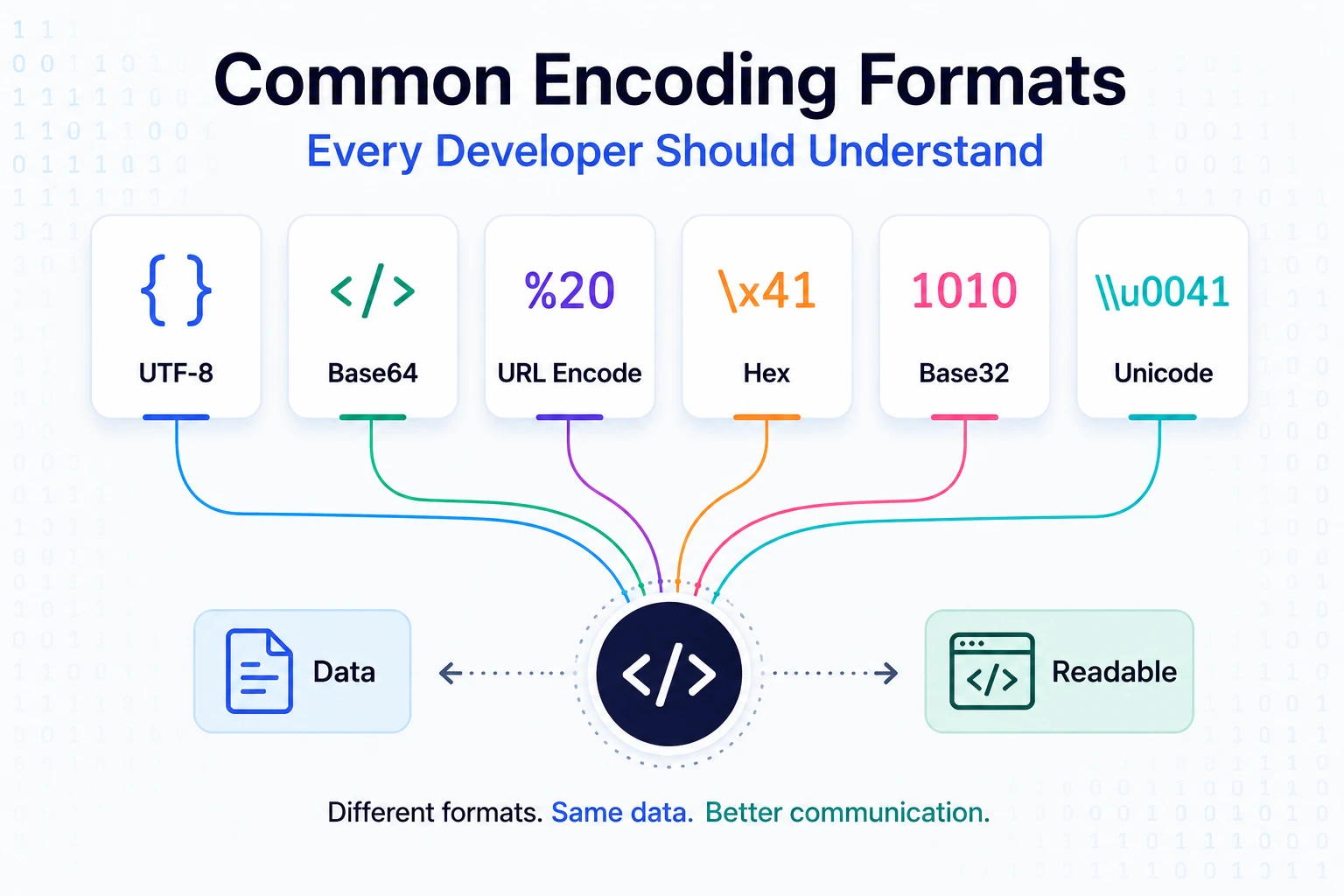
Common Encoding Formats Every Developer Should Understand
Developers use the word “encoding” to describe several different operations:
- Converting Unicode text into bytes
- Representing binary bytes as printable text
- Escaping reserved characters
- Serializing structured data
- Compressing transferred content
- Declaring a media type
These operations solve different problems.
For example:
- UTF-8 converts Unicode text into bytes.
- Base64 represents arbitrary bytes using text characters.
- Percent-encoding escapes data inside URL components.
- HTML escaping prevents text from being interpreted as markup.
- JSON serializes structured values.
- Gzip compresses content.
application/jsonidentifies a media type.
Using the wrong term often leads to using the wrong tool. This guide explains the major categories, when to use them, and which common mistakes to avoid.
The Five Categories to Distinguish
| Category | Examples | Main purpose |
|---|---|---|
| Character encoding | UTF-8, UTF-16, ASCII | Convert text to and from bytes |
| Binary-to-text encoding | Base64, Base64url, hexadecimal | Represent arbitrary bytes as text |
| Contextual escaping | Percent-encoding, HTML escaping, JSON escaping | Prevent reserved characters from changing syntax |
| Serialization | JSON, XML | Represent structured data |
| Content coding | Gzip, Brotli | Compress transferred content |
Encryption and hashing belong to separate security categories. They should not be treated as encoding formats.
Characters, Code Points, and Bytes
Before comparing formats, separate three ideas:
Character
A unit of written text as people understand it:
A
é
م
😀
Unicode code point
A numeric value assigned by Unicode:
A  → U+0041
€  → U+20AC
😀 → U+1F600
Encoded bytes
A byte sequence used to store or transmit the code point.
UTF-8 and UTF-16 can represent the same Unicode text using different byte sequences.
This distinction explains why text can look correct inside an application but become corrupted when written to a file or sent to another system using the wrong character encoding.
Unicode Is Not One Encoding
Unicode defines a universal repertoire of characters and assigns code points to them.
It does not prescribe only one byte representation.
Common Unicode encoding forms include:
- UTF-8
- UTF-16
- UTF-32
A statement such as “the file uses Unicode” is incomplete. You normally need to know the actual encoding, such as UTF-8 or UTF-16LE.
UTF-8
UTF-8 is a variable-length Unicode encoding.
It uses:
- One byte for ASCII-range code points
- Multiple bytes for other code points
UTF-8 preserves the complete ASCII range, which contributes to its compatibility with existing protocols and software.
A single UTF-8 document can represent:
Hello
مرحبا
你好
こんにちは
café
👋
Use UTF-8 for
- HTML documents
- API request and response bodies
- JSON exchanged between systems
- Source files
- Configuration files
- Logs
- Text database connections
- CSV exports when consumers support it
Declare UTF-8 in HTML
Place the declaration near the beginning of the document:
<meta charset="utf-8">An HTTP response can also declare its media type and charset:
Content-Type: text/html; charset=utf-8The bytes, HTTP header, HTML declaration, database connection, and application assumptions should agree.
UTF-8 in JavaScript
Use TextEncoder to convert a JavaScript string to UTF-8 bytes:
const text = "Hello 👋";

const bytes =
  new TextEncoder().encode(text);

console.log(bytes);
Decode UTF-8 bytes:
const decoded =
  new TextDecoder("utf-8")
    .decode(bytes);

console.log(decoded);
// Hello 👋
Do not assume that a JavaScript string’s .length is its UTF-8 byte length:
const text = "👋";

console.log(text.length);
// 2

console.log(
  new TextEncoder().encode(text).length
);
// 4
JavaScript string length counts UTF-16 code units, not user-perceived characters or UTF-8 bytes.
UTF-16
UTF-16 represents Unicode using one or two 16-bit code units per code point.
JavaScript string operations are based on UTF-16 code units. This is why some characters appear to have a length of two:
"😀".length;
// 2
UTF-16 files may also involve byte order:
- UTF-16LE
- UTF-16BE
A Byte Order Mark may identify the order in some contexts.
Use UTF-16 only when required by a specific platform, file format, or API. UTF-8 is generally the better default for web and network interchange.
ASCII
ASCII defines 128 values:
- English uppercase and lowercase letters
- Digits
- Basic punctuation
- Control characters
Examples:
| Character | Decimal ASCII value |
|---|---|
A | 65 |
a | 97 |
0 | 48 |
| Space | 32 |
ASCII cannot represent Arabic, Chinese, emoji, or most accented characters.
The ASCII byte range is represented identically in UTF-8. Therefore, an ASCII-only document is also valid UTF-8.
Do not label international text as ASCII.
Unicode Normalization
Two strings can look identical while containing different code-point sequences.
The character é can be represented as:
- One composed code point
- The letter
efollowed by a combining accent
JavaScript example:
const composed = "\u00E9";
const decomposed = "e\u0301";

console.log(composed);
// é

console.log(decomposed);
// é

console.log(
  composed === decomposed
);
// false
Normalize when the application requires a canonical representation:
console.log(
  composed.normalize("NFC") ===
  decomposed.normalize("NFC")
);
// true
Unicode defines NFC, NFD, NFKC, and NFKD normalization forms.
Normalization policy matters for:
- Search
- Usernames
- Duplicate detection
- File names
- Signatures
- Cache keys
- Security-sensitive identifiers
Do not normalize blindly. Compatibility normalization can intentionally change distinctions that an application may need to preserve.
Grapheme Clusters
What a user sees as one character may contain multiple code points.
Examples include:
- Letters with combining marks
- Emoji with skin-tone modifiers
- Family emoji sequences
- Flags
- Emoji joined with zero-width joiners
Do not truncate user-visible text by slicing an arbitrary number of JavaScript code units.
Use an appropriate Unicode-aware segmentation API or library when counting user-perceived characters matters.
Base64
Base64 represents arbitrary bytes using a limited text alphabet:
ABCDEFGHIJKLMNOPQRSTUVWXYZ
abcdefghijklmnopqrstuvwxyz
0123456789+/
The = character may appear as padding.
Example:
Hello → SGVsbG8=Base64 is useful when bytes must be placed inside a text-oriented format.
Common uses include:
- Email attachment transfer
- Small binary values in JSON
- Data URLs
- PEM files
- Cryptographic values
- API fields that explicitly require Base64
Standard Base64 is defined in RFC 4648.
Base64 is not encryption
Anyone can decode Base64 without a key.
Do not use it to protect:
- Passwords
- Access tokens
- Personal information
- API secrets
- Payment information
Encoding changes representation. Encryption provides confidentiality when implemented correctly.
Base64 increases size
Every three input bytes generally become four Base64 characters. For larger inputs, the size overhead approaches approximately 33%.
Avoid Base64 for large files when binary, multipart, or direct object-storage uploads are available.
Base64url
Standard Base64 uses + and /, which can be inconvenient inside URLs.
Base64url replaces them with:
- _Padding may also be omitted when the surrounding specification allows it.
Base64url is used in formats such as JSON Web Tokens.
A signed JWT’s header and payload are normally Base64url-encoded, not encrypted. Anyone who obtains the token can usually decode those sections.
Base64 and Unicode in JavaScript
This works for simple Latin-1-compatible text:
const encoded =
  btoa("Hello");

const decoded =
  atob(encoded);
But btoa() does not accept arbitrary Unicode text directly:
btoa("Hello 👋");
// May throw an exception
Convert the text to UTF-8 bytes first:
function bytesToBase64(bytes) {
  const binary = Array.from(
    bytes,
    byte => String.fromCodePoint(byte)
  ).join("");

  return btoa(binary);
}

function base64ToBytes(base64) {
  const binary = atob(base64);

  return Uint8Array.from(
    binary,
    character =>
      character.codePointAt(0)
  );
}

const input = "Hello 👋";

const bytes =
  new TextEncoder().encode(input);

const base64 =
  bytesToBase64(bytes);

const decodedBytes =
  base64ToBytes(base64);

const output =
  new TextDecoder().decode(decodedBytes);

console.log(output);
// Hello 👋
For large files, avoid creating huge intermediate strings. Prefer binary APIs or streaming solutions.
Hexadecimal
Hexadecimal represents each byte using two base-16 characters:
0–9
A–F
Examples:
Decimal 255 → FF
Byte 10     → 0A
Common uses include:
- Debugging binary data
- Cryptographic digest display
- Color notation
- Memory tools
- Byte identifiers
Hexadecimal has 100% representation overhead because one byte becomes two text characters.
Base64 is generally more compact for binary-to-text transport.
A hex-encoded hash is still a hash. Hexadecimal itself does not provide cryptographic security.
Percent-Encoding in URLs
URLs contain structural characters with special meanings:
:
/
?
&
=
#
%
When data contains reserved characters, encode the individual URL component.
Example search value:
tea & coffeeUsing URL and URLSearchParams:
const url =
  new URL("https://example.com/search");

url.searchParams.set(
  "q",
  "tea & coffee"
);

console.log(url.toString());
Output may resemble:
https://example.com/search?q=tea+%26+coffeeURLSearchParams uses form-style query serialization, where spaces can become +.
For an individual path segment:
const username =
  "John Smith";

const path =
  `/users/${
    encodeURIComponent(username)
  }`;

console.log(path);
// /users/John%20Smith
Do not encode an entire URL blindly
This is usually incorrect:
encodeURIComponent(
  "https://example.com/search?q=hello"
);
It also encodes structural characters such as : and /.
Build URLs with URL and encode data according to the component where it appears.
RFC 3986 defines URI syntax and percent-encoding behavior.
Double Percent-Encoding
A space may become:
%20If the percent character is encoded again:
%2520Why?
% → %25The original %20 therefore becomes %2520.
Double encoding often occurs when:
- Application code encodes a parameter.
- A URL library encodes the already encoded value again.
Pass raw component data to the URL-building API and let one layer perform the encoding.
Do not repeatedly call decodeURIComponent() until a value “looks right.” Repeated decoding can introduce security and routing problems.
HTML Escaping
HTML uses characters such as <, >, &, and quotation marks as syntax.
To display them as text, they may be escaped:
| Character | HTML text representation |
|---|---|
< | < |
> | > |
& | & |
" | " |
' | ' |
Example:
<script>displays as text rather than becoming a script element.
Prefer safe DOM APIs
For plain text:
output.textContent =
  userSuppliedValue;
Avoid:
output.innerHTML =
  userSuppliedValue;
The second example interprets the value as HTML.
Escaping depends on context
HTML-text escaping is not automatically correct for:
- HTML attributes
- JavaScript source
- CSS values
- URLs
- SQL
- Shell commands
OWASP recommends context-specific output encoding and avoiding dangerous output contexts when preventing XSS.
Use safe templating defaults, trusted DOM APIs, and security-reviewed sanitization when intentionally accepting HTML.
For SQL, use parameterized queries—not HTML escaping or string replacement.
JSON Serialization and Escaping
JSON is a serialization format for structured values.
Example:
{
  "name": "John",
  "active": true,
  "message": "Hello\nWorld"
}
JSON strings use escapes such as:
\"  quotation mark
\\  backslash
\n  newline
\r  carriage return
\t  tab
Do not create JSON manually with string concatenation:
const json =
  '{"name":"' + name + '"}';
Use the serializer:
const json =
  JSON.stringify({
    name,
    active: true
  });
Parse with:
const value =
  JSON.parse(json);
When JSON is exchanged between separate systems, UTF-8 is the interoperable character encoding specified by the JSON standard.
JSON escaping is not HTML escaping
Safe JSON can still become dangerous if inserted into an HTML or JavaScript context incorrectly.
Keep data serialization separate from HTML rendering. Use framework-supported data transfer and safe DOM APIs.
XML Escaping
XML reserves characters for markup.
Invalid XML:
<name>John & Jane</name>Corrected:
<name>John & Jane</name>Common XML escapes include:
| Character | XML entity |
|---|---|
< | < |
> | > |
& | & |
" | " |
' | ' |
Use an XML serializer rather than manual replacement.
XML has additional security considerations. Disable or carefully control external entity resolution unless explicitly required and safely configured.
MIME Types Are Not Encodings
These values are media types:
text/plain
text/html
application/json
application/pdf
image/png
image/jpeg
A media type describes the nature and format of content:
Content-Type: application/jsonIt does not tell you that the body was Base64-encoded or encrypted.
A complete content-type field may include a charset:
Content-Type: text/plain; charset=utf-8Use the term media type or MIME type, not “MIME encoding,” when referring to values such as image/png.
MIME Content-Transfer Encoding
Email MIME messages can use content-transfer encodings such as:
base64
quoted-printable
7bit
8bit
binary
Example:
Content-Type: application/pdf
Content-Transfer-Encoding: base64
The media type says the content is a PDF. The transfer encoding says how the bytes are represented for transport.
MIME’s content-transfer mechanisms, including Base64 and quoted-printable, are defined in RFC 2045.
Application developers should normally let an email library construct MIME messages rather than manually building headers and boundaries.
Quoted-Printable
Quoted-printable is a MIME content-transfer encoding designed for data that is mostly printable text.
A byte can be represented with an equals sign followed by hexadecimal digits:
=XXIt keeps mostly ASCII text relatively readable while representing bytes that are unsafe for the transport.
Quoted-printable is commonly encountered in raw email messages. It is not a general replacement for URL encoding or HTML escaping.
HTTP Content Coding
HTTP can compress a representation using a content coding:
Content-Encoding: gzipor:
Content-Encoding: brThis is different from the media type:
Content-Type: application/json
Content-Encoding: br
The representation is JSON, and its transferred bytes are compressed with Brotli.
Compression is not encryption. Anyone who receives and decompresses the data can read it.
Form URL Encoding
Traditional HTML forms often use:
Content-Type: application/x-www-form-urlencodedExample data:
name=John+Doe&role=editorThis format resembles a query string:
- Pairs are separated by
&. - Names and values are separated by
=. - Spaces are commonly represented as
+. - Other bytes may be percent-encoded.
Use URLSearchParams or a form API rather than manually joining strings.
For file uploads, forms generally use:
Content-Type: multipart/form-dataDo not manually set the multipart boundary in browser fetch() requests when using FormData; the browser handles it.
Encoding vs Serialization
Encoding and serialization can occur in the same workflow:
Application object
    ↓ JSON serialization
JSON text
    ↓ UTF-8 encoding
Bytes
    ↓ HTTP compression
Compressed bytes
    ↓ TLS-protected transport
Destination
Each layer has a separate responsibility:
- JSON represents structured values.
- UTF-8 represents the JSON text as bytes.
- Compression reduces transferred size.
- TLS protects the network connection.
Calling all four steps “encoding” makes debugging harder.
Encoding vs Encryption
Encoding is reversible without a secret.
Encryption requires cryptographic key material and is intended to provide confidentiality.
Example:
Base64("password123")produces a reversible representation. It does not protect the password.
Passwords should normally use a dedicated password-hashing function such as an approved Argon2id, scrypt, bcrypt, or PBKDF2 implementation—not Base64 and not reversible encryption.
Encoding vs Hashing
A hash function creates a digest:
input → digestA digest may be displayed using hexadecimal or Base64:
raw hash bytes → hexadecimal textThe hexadecimal step is only a representation. Security properties come from the cryptographic algorithm and how it is used.
A bare hash does not authenticate data against an attacker who can replace both the content and hash. Use HMAC or digital signatures when authenticity is required.
Character-Encoding Mismatches
Text corruption often occurs when bytes are created using one encoding and decoded using another.
A common corrupted value is:
caféinstead of:
caféThis often means UTF-8 bytes were interpreted as a legacy single-byte encoding.
Check every boundary:
- File encoding
- HTTP headers
- HTML metadata
- Database connection
- Database column configuration
- CSV import settings
- Queue message encoding
- Third-party API documentation
Do not repeatedly call encode/decode functions at random. Identify where the incorrect byte interpretation first occurs.
Byte Order Marks
A Byte Order Mark, or BOM, may appear at the beginning of a text file.
It is commonly relevant to:
- UTF-16 byte order
- Some UTF-8 files produced by desktop tools
- CSV imports
- Script parsing
- Configuration files
Some consumers ignore a UTF-8 BOM, while others treat it as unexpected data.
When a parser reports an unexpected character at the very beginning of a file, inspect the raw bytes for a BOM.
Follow the expectations of the file format and consuming system.
Database Encoding
For database-backed applications, align:
- Database character set
- Table and column character set
- Connection encoding
- Application encoding
- Collation requirements
For MySQL, use utf8mb4 when full Unicode support is required. MySQL’s older utf8 naming historically did not represent all Unicode code points.
Encoding and collation are related but different:
- Encoding determines which characters can be represented.
- Collation determines how strings compare and sort.
Choose collation based on the application’s language, case, accent, and comparison requirements.
Choosing the Correct Technique
| Requirement | Use |
|---|---|
| Store or transmit general text | UTF-8 |
| Represent arbitrary bytes as text | Base64 or Base64url |
| Display bytes for debugging | Hexadecimal |
| Add a query parameter | URLSearchParams |
| Encode one URL path segment | encodeURIComponent() |
| Display untrusted text in HTML | Safe templating or textContent |
| Serialize API data | JSON serializer |
| Serialize XML | XML serializer |
| Describe content type | MIME/media type |
| Compress HTTP content | Gzip or Brotli |
| Protect confidentiality | Authenticated encryption |
| Store passwords | Password hashing |
| Protect SQL queries | Parameterized queries |
Common Encoding Mistakes
Treating Base64 as security
Base64 is reversible without a key.
Encoding an entire URL
Encode individual components or use the URL API.
Applying HTML escaping everywhere
Escaping must match the output context.
Building JSON manually
Use JSON.stringify() or the equivalent serializer.
Double encoding
Track which layer owns encoding and decoding.
Trusting a file extension or media type
Validate actual file content where security matters.
Assuming one visible character equals one byte
Unicode characters can use multiple bytes and code units.
Ignoring normalization
Visually identical strings may compare differently.
Calling MIME types encodings
image/png describes content; it does not encode it.
Using SQL escaping instead of parameters
Use database parameters or prepared statements.
Pasting sensitive data into public tools
Do not submit tokens, personal information, private keys, or production payloads to unapproved online encoders and decoders.
Debugging Checklist
When text or data appears corrupted:
- Identify the original logical value.
- Inspect the actual bytes.
- Determine the source character encoding.
- Check transport metadata.
- Check the destination decoder.
- Verify whether escaping or serialization was applied.
- Look for double encoding.
- Check Unicode normalization if values look identical.
- Confirm database connection settings.
- Add a regression test with multilingual text.
Test values such as:
English
العربية
中文
Español
Français
café
👋
Also test:
- Quotation marks
- Ampersands
- URL delimiters
- Newlines
- Combining characters
- Emoji sequences
- Right-to-left text
- Very long strings
- Invalid byte input
Final Thoughts
“Encoding” is not one operation.
The most important distinctions are:
- Unicode defines characters.
- UTF-8 and UTF-16 represent Unicode as code units and bytes.
- Base64 and hexadecimal represent binary bytes as text.
- Percent-encoding escapes URL components.
- HTML, JSON, and XML escaping protect their respective syntax.
- JSON and XML serialize structured data.
- MIME types describe content.
- Content codings compress transferred data.
- Encryption, hashing, and signatures provide separate security properties.
When debugging, ask:
Am I converting text to bytes, representing bytes as text, escaping reserved syntax, serializing a structure, compressing content, or protecting it cryptographically?
Once that question is answered, choosing the correct tool becomes much easier.
Try Next
Other utilities you might find helpful
Regex Tester
Test and debug regular expressions with live matches.
Regex Debugger
Understand regex step-by-step with explanations.
JSON Formatter
Format, validate, and minify JSON instantly.
Base64 Encoder/Decoder
Encode and decode Base64 strings and files.
SQL Explain Parser
Analyze SQL execution plans and optimize queries.
DOM Complexity Analyzer
Analyze HTML DOM structure, detect deep nesting, count nodes, and identify performance issues instantly.