
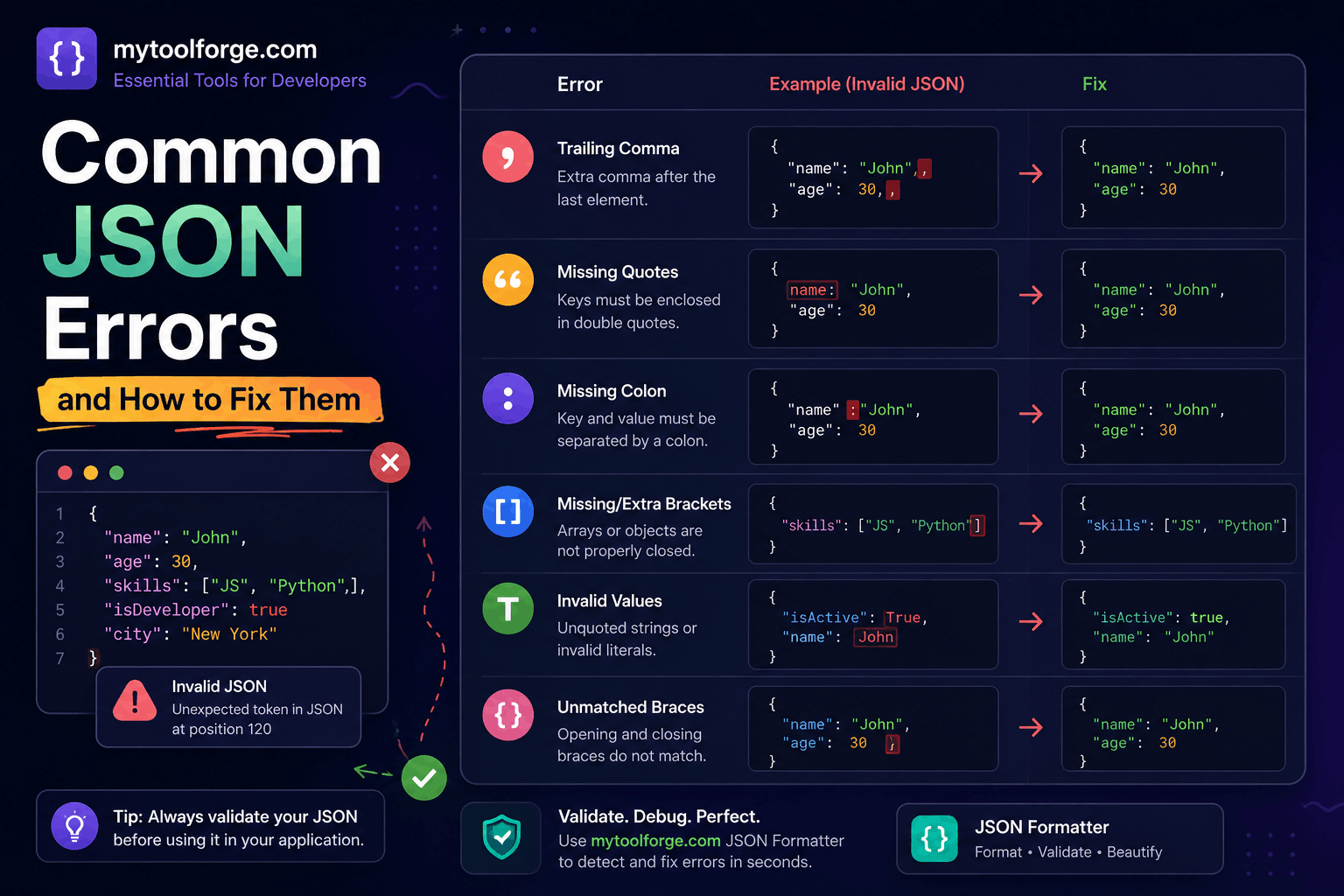
Common JSON Errors and How to Fix Them
A JSON problem does not always mean the JSON syntax is invalid.
When an API reports a JSON error, the actual cause may be:
- Malformed JSON syntax
- A valid value with the wrong application type
- An incorrect
Content-Type - An empty response
- An HTML error page being parsed as JSON
- Double-encoded JSON
- Duplicate object properties
- Character-encoding problems
- A serialization failure
- A schema-validation failure
- An oversized or deeply nested payload
The fastest way to solve the problem is to identify which layer failed before changing the data.
This guide provides practical examples for diagnosing and fixing the most common JSON errors.
JSON Syntax vs Application Validation
Consider this document:
{
  "age": "30"
}
It is valid JSON. The age value is a string.
If an API contract requires an integer:
{
  "age": 30
}
then the first document fails application or schema validation, not JSON syntax validation.
Use these distinctions:
| Problem | Example | Detected by |
|---|---|---|
| Syntax error | Missing comma | JSON parser |
| Type error | String instead of integer | Schema or application |
| Business error | End date before start date | Application logic |
| Authorization error | Updating another user | Authorization layer |
| Transport error | Wrong Content-Type | HTTP layer |
| Serialization error | JavaScript BigInt | JSON serializer |
Valid JSON can still be unacceptable, unsafe, or meaningless to an application.
A Valid JSON Example
{
  "name": "John Doe",
  "age": 30,
  "active": true,
  "roles": ["editor", "reviewer"],
  "profile": null
}
JSON supports:
- Objects
- Arrays
- Strings
- Numbers
truefalsenull
It does not support JavaScript-specific values such as:
undefinedNaNInfinity- Functions
- Symbols
BigInt- Comments
JSON’s syntax and interoperability requirements are defined in RFC 8259.
1. Missing Comma
Invalid
{
  "name": "John"
  "age": 30
}
Corrected
{
  "name": "John",
  "age": 30
}
Object properties and array elements must be separated by commas.
A parser error may point at the beginning of "age" rather than the actual missing comma. Inspect the token immediately before the reported position.
2. Trailing Comma
Invalid
{
  "name": "John",
  "age": 30,
}
Corrected
{
  "name": "John",
  "age": 30
}
JavaScript object literals can permit trailing commas, but JSON does not.
The same rule applies to arrays.
Invalid:
[
  "admin",
  "editor",
]
Valid:
[
  "admin",
  "editor"
]
3. Single-Quoted Strings
Invalid
{
  'name': 'John'
}
Corrected
{
  "name": "John"
}
JSON strings and property names use double quotation marks.
Do not fix this with a global replacement of ' with ". Apostrophes may be legitimate string content:
It's John's accountUse a proper parser, converter, or source-data fix.
4. Unquoted Property Names
Invalid JSON
{
  name: "John",
  active: true
}
Valid JSON
{
  "name": "John",
  "active": true
}
The first example is a JavaScript object literal, not JSON.
A JavaScript object must be serialized before being sent as JSON:
const user = {
  name: "John",
  active: true
};

const json = JSON.stringify(user);
5. Unescaped Quotation Marks
Invalid
{
  "message": "He said "Hello"."
}
Corrected
{
  "message": "He said \"Hello\"."
}
The quotation marks around Hello must be escaped because they occur inside a JSON string.
Other common escapes include:
\"  quotation mark
\\  backslash
\/  slash, optionally escaped
\b  backspace
\f  form feed
\n  newline
\r  carriage return
\t  tab
Do not manually escape strings when generating JSON in an application. Use the platform serializer:
JSON.stringify({
  message: 'He said "Hello".'
});
6. Raw Line Break Inside a String
Invalid
{
  "message": "First line
Second line"
}
Corrected
{
  "message": "First line\nSecond line"
}
A JSON string cannot contain an unescaped control character such as a literal newline.
The serialized value contains \n. After parsing, the application receives the newline character.
7. Mismatched Braces and Brackets
Invalid
{
  "users": [
    {
      "name": "John"
    }
}
The array is not closed.
Corrected
{
  "users": [
    {
      "name": "John"
    }
  ]
}
Formatting the document makes nesting easier to inspect.
Use an editor that highlights matching delimiters rather than manually counting them in a minified payload.
8. Missing Array Commas
Invalid
{
  "numbers": [1 2 3]
}
Corrected
{
  "numbers": [1, 2, 3]
}
Every array element must be separated by a comma.
Array items do not need to have the same JSON type:
[
  1,
  "two",
  false,
  null
]
That is valid JSON, although an application schema may reject the mixed types.
9. Incorrect Boolean or Null Capitalization
Invalid
{
  "active": True,
  "profile": Null
}
Corrected
{
  "active": true,
  "profile": null
}
JSON keywords are lowercase:
true
false
null
Values such as True, FALSE, None, NULL, and undefined are not valid JSON.
10. Comments in JSON
Invalid
{
  // Public display name
  "name": "John"
}
Standard JSON does not support comments.
Corrected
{
  "name": "John"
}
Do not automatically remove every line containing //. Those characters may be part of a valid string:
{
  "website": "https://example.com"
}
If human-maintained configuration requires comments, use a format or parser that explicitly supports them. Do not label JSON5, JSONC, or a JavaScript configuration file as standard JSON.
11. Invalid Number Formats
These are not valid JSON numbers:
01
+10
.5
10.
0xFF
NaN
Infinity
-Infinity
Use representations such as:
{
  "first": 1,
  "positive": 10,
  "fraction": 0.5,
  "decimal": 10.0,
  "hexValue": 255
}
Large-integer warning
This is valid JSON:
{
  "transactionId": 9223372036854775807
}
But some consumers, including JavaScript environments using ordinary Number values, may lose precision.
Represent large identifiers as strings when arithmetic is not required:
{
  "transactionId": "9223372036854775807"
}
12. Duplicate Property Names
This document contains duplicate role properties:
{
  "role": "user",
  "role": "administrator"
}
Some parsers keep the last value. Others reject the document or expose duplicates differently.
RFC 8259 recommends unique object-property names because duplicate behavior is not interoperable.
Avoid generating duplicate names. If security-sensitive JSON passes through several systems, verify that every parser handles duplicates consistently.
13. Wrong Data Type
This is valid JSON:
{
  "age": "30",
  "active": "true"
}
But an application may require:
{
  "age": 30,
  "active": true
}
Do not “fix” types by converting every numeric-looking string automatically. Values such as these may need to remain strings:
{
  "postalCode": "00100",
  "phone": "03001234567",
  "accountId": "000042"
}
Use a schema or documented contract to decide the correct type.
14. Missing Required Properties
This document may be valid JSON:
{
  "name": "John"
}
But it can fail if the application requires:
nameemailactive
Example JSON Schema:
{
  "$schema": "https://json-schema.org/draft/2020-12/schema",
  "type": "object",
  "required": [
    "name",
    "email",
    "active"
  ],
  "properties": {
    "name": {
      "type": "string",
      "minLength": 1
    },
    "email": {
      "type": "string",
      "format": "email"
    },
    "active": {
      "type": "boolean"
    }
  },
  "additionalProperties": false
}
The parser confirms valid syntax. The schema validator confirms expected structure.
15. Unexpected Properties
Suppose an API expects:
{
  "name": "John",
  "email": "john@example.com"
}
but receives:
{
  "name": "John",
  "email": "john@example.com",
  "isAdministrator": true
}
The JSON is valid, but isAdministrator may be an unauthorized or unsupported field.
Define whether unknown properties are:
- Rejected
- Ignored
- Logged
- Preserved
- Passed to another service
Never pass every client property directly into a database model.
16. Empty Response Parsed as JSON
This fails:
const response =
  await fetch("/api/resource");

const data =
  await response.json();
when the response has no body, such as:
HTTP/1.1 204 No ContentHandle no-content responses explicitly:
async function readJsonIfPresent(response) {
  if (
    response.status === 204 ||
    response.status === 205
  ) {
    return null;
  }

  const contentType =
    response.headers.get("content-type") ?? "";

  if (
    !contentType.includes("application/json") &&
    !contentType.includes("+json")
  ) {
    return null;
  }

  return response.json();
}
Do not assume every successful response contains JSON.
17. HTML Error Page Parsed as JSON
A common error is:
Unexpected token '<'The first character is < because the server returned HTML:
<!doctype html>
<html>
  <h1>500 Server Error</h1>
</html>
The frontend then attempted:
response.json();Inspect:
- HTTP status
Content-Type- Response body
- Redirect history
- Requested URL
Example:
async function fetchJson(url, options = {}) {
  const response =
    await fetch(url, options);

  const contentType =
    response.headers.get("content-type") ?? "";

  if (
    !contentType.includes("application/json") &&
    !contentType.includes("+json")
  ) {
    const body = await response.text();

    throw new Error(
      `Expected JSON but received ` +
      `${contentType || "an unknown type"} ` +
      `with status ${response.status}.`
    );
  }

  const data = await response.json();

  if (!response.ok) {
    throw new Error(
      data?.message ??
      `Request failed with ${response.status}`
    );
  }

  return data;
}
Do not include complete sensitive response bodies in production error messages or logs.
18. Wrong Content-Type
A client sends JSON:
{
  "name": "John"
}
but labels it:
Content-Type: text/plainThe server may not parse it as JSON.
Send:
Content-Type: application/jsonJavaScript example:
await fetch("/api/users", {
  method: "POST",
  headers: {
    "Content-Type": "application/json",
    "Accept": "application/json"
  },
  body: JSON.stringify({
    name: "John"
  })
});
Content-Type describes the request body. Accept describes response formats the client can process.
19. Double-Encoded JSON
Correct object:
const payload = {
  name: "John",
  active: true
};
Correct serialization:
const body =
  JSON.stringify(payload);
Result:
{"name":"John","active":true}Double serialization:
const body =
  JSON.stringify(
    JSON.stringify(payload)
  );
Result:
"{\"name\":\"John\",\"active\":true}"After one parse, the consumer receives a string rather than an object.
Check the type:
const parsed =
  JSON.parse(input);

console.log(typeof parsed);
If the result is "string" when an object is expected, investigate where the value was serialized twice. Do not blindly call JSON.parse() repeatedly because the source contract is unclear.
20. JavaScript undefined, Functions, and Symbols
JSON.stringify() omits unsupported object properties:
const value = {
  name: "John",
  optional: undefined,
  handler: () => {},
  marker: Symbol("example")
};

console.log(JSON.stringify(value));
// {"name":"John"}
Inside arrays, unsupported values become null:
console.log(
  JSON.stringify([
    "first",
    undefined,
    () => {}
  ])
);

// ["first",null,null]
This can create silent data loss.
Validate the object before serialization when omitted fields matter.
MDN documents how JSON.stringify() handles unsupported and special JavaScript values.
21. JavaScript BigInt Serialization
This throws:
JSON.stringify({
  id: 9223372036854775807n
});
A typical error is:
TypeError: Do not know how to serialize a BigIntConvert it deliberately:
const value = {
  id: 9223372036854775807n
};

const json = JSON.stringify({
  id: value.id.toString()
});
Result:
{
  "id": "9223372036854775807"
}
Document that the field is a decimal string so consumers do not unexpectedly convert it to an imprecise number.
22. Circular JavaScript Structures
JSON cannot directly represent object references or cycles.
This throws:
const user = {
  name: "John"
};

user.self = user;

JSON.stringify(user);
The error commonly mentions a circular structure.
Fix the data model or explicitly exclude the circular property:
const json = JSON.stringify(
  user,
  (key, value) => {
    if (key === "self") {
      return undefined;
    }

    return value;
  }
);
Do not remove properties without understanding whether they are needed by the consumer.
23. Date Conversion Surprises
JavaScript dates are serialized as strings:
const json = JSON.stringify({
  createdAt:
    new Date("2026-09-28T06:30:35Z")
});
Result:
{
  "createdAt": "2026-09-28T06:30:35.000Z"
}
After parsing, it remains a string:
const data = JSON.parse(json);

console.log(
  typeof data.createdAt
);
// string
Convert it explicitly when the application requires a Date object:
const createdAt =
  new Date(data.createdAt);
Validate that the value is a valid date before using it.
24. NaN and Infinity Become null
In JavaScript:
JSON.stringify({
  first: NaN,
  second: Infinity,
  third: -Infinity
});
produces:
{
  "first": null,
  "second": null,
  "third": null
}
This may hide a calculation error.
Check numeric values before serialization:
function requireFiniteNumber(value) {
  if (!Number.isFinite(value)) {
    throw new TypeError(
      "Expected a finite number."
    );
  }

  return value;
}
25. Character-Encoding Problems
JSON exchanged between independent systems should use UTF-8 for interoperability.
Test data such as:
{
  "english": "Hello",
  "urdu": "خوش آمدید",
  "arabic": "مرحبا",
  "emoji": "👋",
  "accented": "café"
}
If characters become corrupted, inspect:
- Original file encoding
- HTTP
Content-Type - Database connection encoding
- Database column type
- Serializer configuration
- Intermediate queues or files
- Incorrect repeated encoding conversions
Do not “repair” corrupted text by applying random encode/decode operations. Identify the stage where bytes are interpreted incorrectly.
26. Oversized or Deeply Nested JSON
This may be syntactically valid but operationally dangerous:
{
  "items": [
    "... millions of values ..."
  ]
}
Potential effects include:
- High memory use
- Long parsing time
- Slow schema validation
- Large log entries
- Request timeouts
- Resource exhaustion
Set limits for:
- Request bytes
- Decompressed bytes
- Array length
- Object properties
- String length
- Nesting depth
- Batch size
- Validation time
Reject excessive requests before expensive database or external-service work begins.
Understanding JSON.parse() Errors
Basic example:
try {
  const data =
    JSON.parse(jsonString);

  console.log(data);
} catch (error) {
  console.error(
    "Invalid JSON:",
    error.message
  );
}
JavaScript error messages vary by runtime and browser. Common forms include:
Unexpected token
Unexpected end of JSON input
Expected property name
Expected ',' or '}'
Bad control character
Unterminated string
MDN documents common JSON.parse() failure cases and syntax errors.
The reported position may identify where parsing became impossible, not necessarily where the original mistake occurred.
Inspect nearby tokens and the previous line.
Debugging with PHP
Use exception-based decoding:
<?php

try {
    $data = json_decode(
        $input,
        true,
        512,
        JSON_THROW_ON_ERROR
    );
} catch (JsonException $exception) {
    echo 'Invalid JSON: '
        . $exception->getMessage();
}
Avoid relying only on:
$data === nullbecause valid JSON can itself be:
nullWhen encoding:
<?php

try {
    $json = json_encode(
        $data,
        JSON_THROW_ON_ERROR
    );
} catch (JsonException $exception) {
    // Handle serialization failure.
}
Command-Line Validation
With jq
Validate and format:
jq . input.jsonCheck syntax without printing formatted output:
jq empty input.jsonMinify:
jq -c . input.jsonWith Python
Validate and format:
python -m json.tool input.jsonCheck syntax silently:
python -m json.tool input.json > /dev/nullThese commands validate JSON syntax. They do not confirm application-specific fields, types, permissions, or business rules.
A Systematic Debugging Workflow
When JSON handling fails, use this sequence.
1. Capture the raw input
Inspect the actual bytes or response—not only an object already transformed by application code.
Protect credentials and personal information while debugging.
2. Check the HTTP status
A 404 or 500 may return HTML instead of JSON.
3. Check Content-Type
Confirm that the sender labels the representation correctly.
4. Check whether the body is empty
Handle 204, 205, and other intentionally empty responses.
5. Parse once
Use the standard parser and record its exact error.
6. Inspect the reported position
Look at the current and previous token.
7. Confirm the top-level type
The result may be:
- Object
- Array
- String
- Number
- Boolean
null
A top-level scalar is valid JSON even if the application expects an object.
8. Validate against the schema
Check required properties, types, ranges, arrays, and unknown fields.
9. Apply business rules
Confirm relationships such as:
- Start date precedes end date
- User owns the resource
- Status transition is allowed
- Referenced record exists
10. Add a regression test
Save the failing payload in a redacted fixture and ensure the problem cannot silently return.
Prevention Checklist
- Generate JSON with a serializer.
- Parse JSON with a standard parser.
- Never validate complete JSON with regex.
- Require the correct
Content-Type. - Enforce request-size and nesting limits.
- Validate against a schema.
- Keep object-property names unique.
- Treat missing and
nullseparately. - Document large integers as strings where required.
- Test Unicode data.
- Handle empty responses.
- Do not assume every error response is JSON.
- Avoid double serialization.
- Test serializer behavior for special values.
- Keep secrets out of logs and public online validators.
- Store valid and invalid fixtures in version control.
- Run syntax and schema tests in CI.
Final Thoughts
Most JSON failures fall into four categories:
- Syntax: The text cannot be parsed.
- Transport: The body, encoding, or media type is wrong.
- Contract: The parsed value does not match the expected schema.
- Application logic: The data is structurally valid but unacceptable for the requested operation.
Correctly identifying the category prevents wasted debugging.
A missing comma should be fixed in the producer. A string-versus-number mismatch should be fixed through the API contract. An HTML response should not be parsed as JSON. A valid but unauthorized request should be rejected by authorization logic—not by changing the JSON.
Try Next
Other utilities you might find helpful
Regex Tester
Test and debug regular expressions with live matches.
Regex Debugger
Understand regex step-by-step with explanations.
JSON Formatter
Format, validate, and minify JSON instantly.
Base64 Encoder/Decoder
Encode and decode Base64 strings and files.
SQL Explain Parser
Analyze SQL execution plans and optimize queries.
DOM Complexity Analyzer
Analyze HTML DOM structure, detect deep nesting, count nodes, and identify performance issues instantly.