
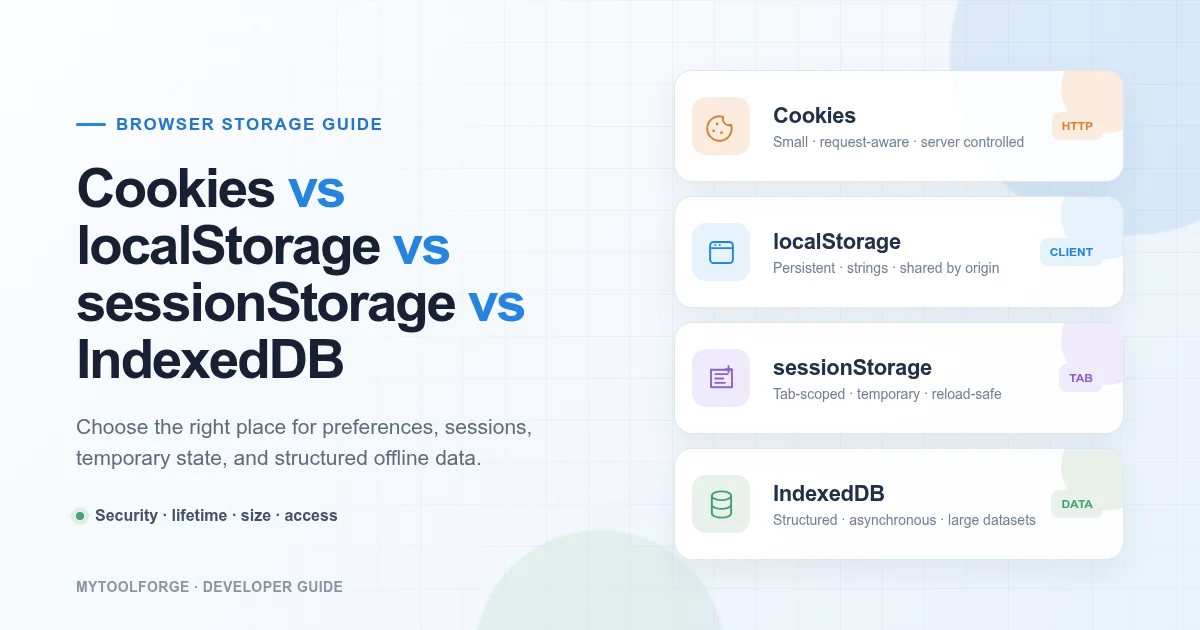
Cookies vs localStorage vs sessionStorage vs IndexedDB: Which Should You Use?
Modern web applications often need to store information in the browser.
Examples include:
- User preferences
- Shopping-cart contents
- Draft documents
- Authentication state
- Cached API responses
- Offline application data
- Recently viewed products
Browsers provide several storage mechanisms, but they do not serve the same purpose.
The four options developers encounter most frequently are:
- Cookies
localStoragesessionStorage- IndexedDB
Choosing the wrong option can create performance, reliability, privacy, or security problems. This guide explains how each browser-storage mechanism works, what it should contain, and how to choose the right one for your application.
Browser Storage Comparison
| Feature | Cookies | localStorage | sessionStorage | IndexedDB |
|---|---|---|---|---|
| Typical capacity | Small | Moderate | Moderate | Large |
| Sent with HTTP requests | Yes, when applicable | No | No | No |
| Accessible from JavaScript | Unless HttpOnly | Yes | Yes | Yes |
| Survives browser restart | Depends on expiration | Usually | No | Usually |
| Shared across tabs | Generally, by origin and cookie scope | Yes, same origin | No, normally tab-specific | Yes, same origin |
| Supports structured data | No | Strings only | Strings only | Yes |
| Synchronous API | Cookie access and Web Storage | Yes | Yes | No |
| Suitable for large datasets | No | No | No | Yes |
| Server-controlled options | Yes | No | No | No |
| Built-in expiration | Yes | No | No | No |
Storage quotas and eviction behavior vary between browsers, devices, private-browsing modes, and user settings. Applications should not assume an exact amount of space is always available.
The Origin Security Model
Browser storage is generally separated by origin.
An origin is based on:
- Scheme
- Hostname
- Port
These are different origins:
https://example.com
https://api.example.com
http://example.com
https://example.com:8443
This separation helps prevent unrelated websites from directly reading each other’s browser storage.
Cookies use additional domain and path rules, so their scope does not match Web Storage and IndexedDB in every detail.
What Are Cookies?
A cookie is a small name-value item associated with a website.
A server can create one using the Set-Cookie response header:
Set-Cookie: session_id=abc123; Path=/; Secure; HttpOnly; SameSite=LaxThe browser stores the cookie and may attach it to later HTTP requests matching the cookie’s scope.
Example:
Cookie: session_id=abc123Cookies are defined by HTTP standards and include attributes controlling their lifetime, scope, security, and cross-site behavior.
Common Cookie Attributes
Secure
SecureInstructs the browser to send the cookie only through secure connections, subject to browser handling.
Authentication cookies should normally use this attribute.
HttpOnly
HttpOnlyPrevents JavaScript from reading the cookie through document.cookie.
This can reduce the risk of an injected script directly stealing the cookie, although it does not eliminate the impact of cross-site scripting.
SameSite
Controls whether the cookie is included in certain cross-site requests.
Common values include:
Strict
Lax
None
A cookie using:
SameSite=Nonemust also use:
Securein modern browsers.
Max-Age
Defines the cookie lifetime in seconds:
Max-Age=3600Expires
Provides an expiration date:
Expires=Wed, 30 Sep 2026 12:00:00 GMTMax-Age generally takes precedence when both attributes are present.
Domain
Controls which hosts can receive the cookie.
Omitting Domain creates a host-only cookie, which is often safer when subdomain sharing is unnecessary.
Path
Limits the request paths to which a cookie applies:
Path=/accountThe Path attribute is a delivery rule, not a security boundary. Pages under other paths may still be able to trigger relevant requests.
Session Cookies vs Persistent Cookies
A cookie without an explicit lifetime is commonly treated as a session cookie.
A persistent cookie uses Max-Age or Expires.
Examples of suitable persistent cookie data include:
- Theme preference
- Language preference
- Consent state
- Long-lived session identifier, when security policy permits
Remember that browsers may restore sessions. Do not assume a session cookie disappears immediately whenever a window closes.
Advantages of Cookies
Cookies are useful when the server needs information on an HTTP request.
Good use cases include:
- Server-managed sessions
- Authentication cookies
- CSRF protection tokens
- Language preferences
- Consent settings
- Small server-readable state
They also support security attributes unavailable to localStorage.
Cookie Limitations
Cookies are small and should not contain large data.
They may also be included with many matching requests, adding network overhead.
Avoid storing:
- Complete user profiles
- Large JSON objects
- Search indexes
- Images
- Entire shopping carts
- Long application histories
A cookie should generally contain a small identifier or compact preference, not an application database.
Reading and Writing Cookies with JavaScript
JavaScript-accessible cookies can be created through:
document.cookie =
  "theme=dark; Path=/; Max-Age=31536000; SameSite=Lax";
Reading:
console.log(document.cookie);The document.cookie interface is inconvenient because it returns a combined string rather than a structured object.
More importantly, JavaScript cannot create an HttpOnly cookie. It must be created through a server response.
Do not place a session identifier in a JavaScript-accessible cookie when the application can use a properly configured HttpOnly cookie instead.
What Is localStorage?
localStorage is part of the Web Storage API.
It stores string key-value pairs associated with an origin. Data normally remains available after navigation, page reloads, and browser restarts until it is deleted or evicted.
The Web Storage API provides localStorage and sessionStorage through a synchronous interface.
Using localStorage
Store a value:
localStorage.setItem("theme", "dark");Read it:
const theme = localStorage.getItem("theme");Remove it:
localStorage.removeItem("theme");Remove everything for the origin:
localStorage.clear();Storing Objects in localStorage
localStorage stores strings only.
To store an object, serialize it:
const preferences = {
  theme: "dark",
  compactMode: true
};

localStorage.setItem(
  "preferences",
  JSON.stringify(preferences)
);
Read and parse it:
const rawPreferences =
  localStorage.getItem("preferences");

const preferences = rawPreferences
  ? JSON.parse(rawPreferences)
  : null;
Parsing can fail if the stored value is corrupted or an older application version used a different structure.
Use error handling:
function readPreferences() {
  const raw = localStorage.getItem("preferences");

  if (!raw) {
    return null;
  }

  try {
    return JSON.parse(raw);
  } catch {
    localStorage.removeItem("preferences");
    return null;
  }
}
Good localStorage Use Cases
localStorage can be appropriate for:
- Theme selection
- Non-sensitive display preferences
- Dismissed interface messages
- Draft identifiers
- Recently used filters
- Small, non-critical cached values
Poor localStorage Use Cases
Avoid using it for:
- Passwords
- Private keys
- Payment information
- Long-lived bearer tokens without a reviewed threat model
- Sensitive personal information
- Large datasets
- Critical state with no server backup
Any JavaScript executing under the origin can normally read localStorage. A successful cross-site scripting attack may therefore access its contents.
OWASP advises against storing sensitive information and session identifiers in local storage because JavaScript access increases exposure during XSS incidents.
localStorage Is Synchronous
Operations such as:
localStorage.getItem("key");
localStorage.setItem("key", value);
run synchronously.
For a few small values, this is usually manageable. Repeatedly serializing and storing large objects can block the browser’s main thread.
Do not use localStorage as a large application database.
Use IndexedDB for larger or more complex client-side data.
Synchronizing localStorage Across Tabs
When one page changes localStorage, other same-origin pages may receive a storage event:
window.addEventListener("storage", event => {
  console.log({
    key: event.key,
    oldValue: event.oldValue,
    newValue: event.newValue
  });
});
The page that made the change normally does not receive the same event.
This can help synchronize:
- Theme changes
- Logout state
- User preferences
- Feature settings
Do not rely on it as a replacement for robust cross-tab coordination when operations can conflict.
What Is sessionStorage?
sessionStorage uses an API similar to localStorage:
sessionStorage.setItem(
  "checkoutStep",
  "shipping"
);
Read the value:
const step =
  sessionStorage.getItem("checkoutStep");
Delete it:
sessionStorage.removeItem("checkoutStep");The major difference is lifetime and browsing-context scope.
sessionStorage is generally associated with:
- The current origin
- The current top-level browsing context or tab
It typically survives page reloads in the same tab but is cleared when that tab’s session ends.
Good sessionStorage Use Cases
It can be useful for:
- Current multi-step form progress
- Temporary tab-specific filters
- Search state for one tab
- One-time interface messages
- Unsaved navigation context
- Temporary non-sensitive workflow data
Example:
const formState = {
  step: 2,
  selectedPlan: "professional"
};

sessionStorage.setItem(
  "signup-state",
  JSON.stringify(formState)
);
When sessionStorage Is Better Than localStorage
Choose sessionStorage when the data:
- Should not persist indefinitely
- Belongs to one tab
- Should survive a reload
- Is not needed by the server
- Is small and non-sensitive
For example, two browser tabs may be used to compare different search filters. sessionStorage can keep their temporary states separate.
sessionStorage Security Limitations
sessionStorage remains accessible to JavaScript running on the origin.
Ending the tab session reduces persistence, but it does not protect data from:
- Cross-site scripting
- Malicious third-party scripts
- Browser extensions with appropriate access
- Other compromised same-origin code
Do not treat short-lived browser storage as encrypted or inherently secure.
What Is IndexedDB?
IndexedDB is a transactional browser database designed for larger amounts of structured data.
It supports:
- Objects
- Arrays
- Strings
- Numbers
- Dates
- Binary data
- Blobs
- Key-based records
- Indexes
- Transactions
- Asynchronous operations
MDN describes IndexedDB as a low-level API for storing significant amounts of structured client-side data, including files and blobs.
When to Use IndexedDB
IndexedDB is appropriate for:
- Offline-first applications
- Large cached datasets
- Draft documents
- Email or messaging data
- Product catalogs
- Media metadata
- Map information
- Complex client-side indexes
- Progressive web applications
- Data that must be queried by multiple keys
It is more capable than Web Storage but also more complex.
A Basic IndexedDB Example
Open a database:
const request = indexedDB.open(
  "notes-app",
  1
);

request.onupgradeneeded = event => {
  const database = event.target.result;

  if (
    !database.objectStoreNames.contains("notes")
  ) {
    const store = database.createObjectStore(
      "notes",
      {
        keyPath: "id",
        autoIncrement: true
      }
    );

    store.createIndex(
      "updatedAt",
      "updatedAt"
    );
  }
};
Add a record:
request.onsuccess = event => {
  const database = event.target.result;

  const transaction = database.transaction(
    "notes",
    "readwrite"
  );

  const notes = transaction.objectStore(
    "notes"
  );

  notes.add({
    title: "Release checklist",
    content: "Run tests before deployment.",
    updatedAt: new Date()
  });
};
Read operations also use transactions and event-based or promise-wrapped APIs.
Many applications use a maintained wrapper library to reduce boilerplate, but developers should still understand IndexedDB’s transaction and versioning model.
IndexedDB Transactions
IndexedDB operations occur inside transactions.
Common modes include:
readonlyreadwrite
Example:
const transaction = database.transaction(
  "notes",
  "readwrite"
);
A transaction groups related operations and helps maintain data consistency.
Avoid placing unrelated long-running asynchronous work between IndexedDB operations. Transaction lifetime behavior can surprise developers if a transaction becomes inactive before another request is issued.
Browser Storage Is Not Guaranteed Permanent
Even persistent browser storage can be removed.
Possible reasons include:
- The user clears website data
- Private browsing ends
- The browser evicts data under storage pressure
- The application explicitly deletes it
- Browser settings block storage
- The origin changes
- Enterprise policies remove it
- The user uninstalls the application
Therefore:
Browser storage should not be the only copy of irreplaceable user data.
Important documents, purchases, account information, and business records should normally be synchronized to a reliable backend.
The Storage API provides quota and persistence-related capabilities, but behavior still varies by browser.
Check Available Storage
You can request a storage estimate:
async function showStorageEstimate() {
  if (!navigator.storage?.estimate) {
    return;
  }

  const estimate =
    await navigator.storage.estimate();

  console.log({
    usage: estimate.usage,
    quota: estimate.quota
  });
}
These values are estimates, not guaranteed allocations.
Convert bytes for easier inspection:
function toMegabytes(bytes = 0) {
  return (
    bytes / 1024 / 1024
  ).toFixed(2);
}
const estimate =
await navigator.storage.estimate();
console.log(
`${toMegabytes(estimate.usage)} MB used`
);
console.log(
`${toMegabytes(estimate.quota)} MB available`
);Handle Storage Failures
Storage operations can fail because:
- Storage is unavailable
- The quota is exceeded
- The browser blocks access
- Private-browsing restrictions apply
- Serialization fails
- The database cannot be opened
- The schema upgrade fails
Do not assume this always succeeds:
localStorage.setItem("data", value);Use error handling:
function safelyStore(key, value) {
  try {
    localStorage.setItem(key, value);
    return true;
  } catch (error) {
    console.error(
      "Unable to store value",
      error
    );

    return false;
  }
}
Also provide a usable fallback when browser storage is unavailable.
Authentication Storage: A Special Case
Authentication data requires a threat model rather than a universal rule.
Possible approaches include:
- Server-side sessions with an
HttpOnlycookie - Short-lived access tokens held in memory
- Secure cookies with appropriate CSRF controls
- Refresh-token rotation
- Platform-managed identity sessions
Why localStorage Is Risky for Tokens
A bearer token stored in localStorage can normally be read by JavaScript running on the origin.
An XSS vulnerability may expose it:
const token =
  localStorage.getItem("access_token");
The attacker may then transmit the token elsewhere and use it outside the browser.
Why Cookies Also Need Protection
An HttpOnly cookie cannot be read through normal page JavaScript, but the browser may still include it automatically with matching requests.
Cookie-based authentication therefore requires appropriate controls such as:
SecureHttpOnly- Suitable
SameSite - CSRF protection when needed
- Origin validation
- Short session lifetimes
- Session revocation
- Regeneration after privilege changes
No browser-storage choice fixes an application with untrusted script execution.
Cookies Are Not the Same as Cache
Cookies, browser storage, and HTTP cache solve different problems.
Cookies
Small state that may accompany HTTP requests.
localStorage and sessionStorage
String key-value storage accessible to client-side JavaScript.
IndexedDB
Structured client-side database.
HTTP cache
Stores reusable HTTP responses according to caching rules.
Cache Storage API
Stores request-response pairs, often for service-worker and offline strategies.
Do not store a large API response in a cookie when HTTP caching, Cache Storage, or IndexedDB better matches the requirement.
Choosing the Right Browser Storage
Ask these questions in order.
1. Does the server need the value on normal HTTP requests?
If yes, consider a cookie.
Examples:
- Session identifier
- CSRF-related value
- Server-readable preference
Do not use a cookie if the server never needs the value.
2. Must JavaScript be prevented from reading it?
If yes, use a server-set HttpOnly cookie where appropriate.
Neither localStorage, sessionStorage, nor IndexedDB provides an equivalent HttpOnly option.
3. Is the value small and non-sensitive?
If yes, localStorage or sessionStorage may be suitable.
4. Should the value survive closing the tab?
- Yes: consider
localStorageor IndexedDB - No: consider
sessionStorageor memory
5. Is the value specific to one tab?
If yes, sessionStorage may be appropriate.
6. Is the data large or structured?
If yes, use IndexedDB rather than Web Storage.
7. Is the information essential?
If yes, synchronize it to a backend. Do not rely exclusively on browser storage.
Decision Matrix
| Requirement | Recommended starting point |
|---|---|
| Server-managed login session | Secure HttpOnly cookie |
| Theme preference | localStorage |
| Temporary form progress in one tab | sessionStorage |
| Offline notes application | IndexedDB |
| Large product catalog cache | IndexedDB |
| Server-readable language choice | Cookie |
| Non-sensitive cross-tab preference | localStorage |
| Temporary access token | Memory, depending on architecture |
| Permanent user records | Backend database |
| Reusable HTTP response | HTTP cache or Cache Storage |
The table provides a starting point, not a substitute for security and product requirements.
Version Stored Data
Stored data can outlive an application deployment.
Suppose version one stores:
{
  "theme": "dark"
}
Version two expects:
{
  "version": 2,
  "appearance": {
    "theme": "dark",
    "contrast": "normal"
  }
}
Old data may break new code.
Store a version:
const preferences = {
  version: 2,
  appearance: {
    theme: "dark",
    contrast: "normal"
  }
};
When reading data:
- Check the version.
- Migrate older structures.
- Validate required fields.
- Remove unusable values.
- Fall back to safe defaults.
IndexedDB provides database-version upgrade events for structural changes. Web Storage requires application-managed migration.
Add Expiration to localStorage When Needed
localStorage does not expire values automatically.
You can store an expiration timestamp:
function setWithExpiry(
  key,
  value,
  lifetimeMilliseconds
) {
  const record = {
    value,
    expiresAt:
      Date.now() + lifetimeMilliseconds
  };

  localStorage.setItem(
    key,
    JSON.stringify(record)
  );
}
Read it safely:
function getWithExpiry(key) {
  const raw = localStorage.getItem(key);

  if (!raw) {
    return null;
  }

  try {
    const record = JSON.parse(raw);

    if (
      typeof record.expiresAt !== "number" ||
      Date.now() >= record.expiresAt
    ) {
      localStorage.removeItem(key);
      return null;
    }

    return record.value;
  } catch {
    localStorage.removeItem(key);
    return null;
  }
}
This is application-controlled expiration. The browser does not enforce it automatically.
Keep Browser Storage Minimal
Do not store data simply because storage is available.
Every stored value creates responsibilities:
- Validation
- Migration
- Expiration
- Privacy
- Synchronization
- Cleanup
- Error handling
- Compatibility
- Security review
Prefer the smallest useful representation.
Instead of storing an entire product catalog in localStorage, store:
{
  "selectedCategory": "laptops",
  "sort": "price-ascending"
}
Retrieve authoritative product data from the appropriate cache or server.
Inspect Browser Storage with DevTools
In Chrome DevTools, open the Application panel.
You can inspect:
- Cookies
- Local Storage
- Session Storage
- IndexedDB
- Cache Storage
- Service workers
Use it to answer questions such as:
- Was the value stored?
- Is it stored under the correct origin?
- Did an old value remain after deployment?
- Is a cookie marked
HttpOnlyandSecure? - Does the IndexedDB database contain expected records?
- Did logout remove authentication-related state?
Avoid modifying production authentication data unless you understand the consequences.
Common Browser-Storage Mistakes
Storing objects without serialization
Incorrect:
localStorage.setItem(
  "preferences",
  { theme: "dark" }
);
This stores a string similar to:
[object Object]Use JSON.stringify().
Parsing without error handling
Stored values can become invalid or outdated. Wrap parsing in error handling.
Storing access tokens automatically
Token storage requires deliberate analysis of XSS, CSRF, revocation, expiration, and application architecture.
Treating browser storage as permanent
Users and browsers can remove it.
Storing too much in localStorage
Its synchronous API can block the main thread.
Using cookies for large data
Cookies may be transmitted with matching requests and have strict size limitations.
Forgetting data migration
A new application version may be unable to read an old stored structure.
Failing to clear user-specific data on logout
Remove cached personal data and session-specific state when the user signs out.
Trusting stored values
Users can modify browser-accessible data.
Never treat this value as authoritative:
localStorage.setItem(
  "role",
  "administrator"
);
Authorization must be enforced by a trusted server.
Production Checklist
Purpose
- The storage mechanism matches the data’s purpose
- The server remains authoritative for critical data
- Unnecessary values are not persisted
Security
- Secrets are not stored in Web Storage
- Authentication design has received security review
- Cookies use appropriate security attributes
- Stored values are treated as untrusted input
- Logout clears user-specific state
Reliability
- Storage failures are handled
- Missing data has a fallback
- Corrupted JSON is handled
- Stored structures are versioned
- Expiration is implemented where required
- Essential data is synchronized to a backend
Performance
- Large datasets use IndexedDB
- Repeated synchronous Web Storage writes are avoided
- Data is stored at an appropriate size
- Obsolete records are removed
Privacy
- Personal information is minimized
- Consent requirements are followed
- Data-retention behavior is documented
- Users can clear stored information where appropriate
Frequently Asked Questions
Is localStorage safer than cookies?
Not universally. localStorage avoids automatic request transmission but remains readable by same-origin JavaScript. Properly configured HttpOnly cookies reduce direct JavaScript access but require cookie-specific protections.
Is sessionStorage secure because it disappears when the tab closes?
No. It is still accessible to JavaScript running on the origin. Its shorter lifetime does not make it encrypted or immune to XSS.
Can IndexedDB store files?
Yes. IndexedDB can store structured values, including blobs and other supported data types.
Can users modify browser storage?
Yes. Client-controlled values must never be trusted for authorization, pricing, account balances, or other security-sensitive decisions.
Should shopping carts use localStorage?
It can hold a temporary guest-cart representation, but important cart data should normally be validated and synchronized with the server. Prices and availability must always be recalculated by a trusted backend.
What happens in private browsing?
Storage availability, quotas, persistence, and deletion behavior can differ. Test the application and provide fallbacks.
Final Thoughts
Cookies, localStorage, sessionStorage, and IndexedDB solve different problems.
Use:
- Cookies for small values that the server needs on matching requests
- localStorage for small, persistent, non-sensitive client preferences
- sessionStorage for small, temporary, tab-specific state
- IndexedDB for large or structured client-side datasets
- A backend database for authoritative and irreplaceable information
The central rule is:
Choose browser storage according to data lifetime, size, sensitivity, scope, and who needs access to it.
Do not select a storage mechanism only because its API is familiar.
Try Next
Other utilities you might find helpful
Regex Tester
Test and debug regular expressions with live matches.
Regex Debugger
Understand regex step-by-step with explanations.
JSON Formatter
Format, validate, and minify JSON instantly.
Base64 Encoder/Decoder
Encode and decode Base64 strings and files.
SQL Explain Parser
Analyze SQL execution plans and optimize queries.
DOM Complexity Analyzer
Analyze HTML DOM structure, detect deep nesting, count nodes, and identify performance issues instantly.