
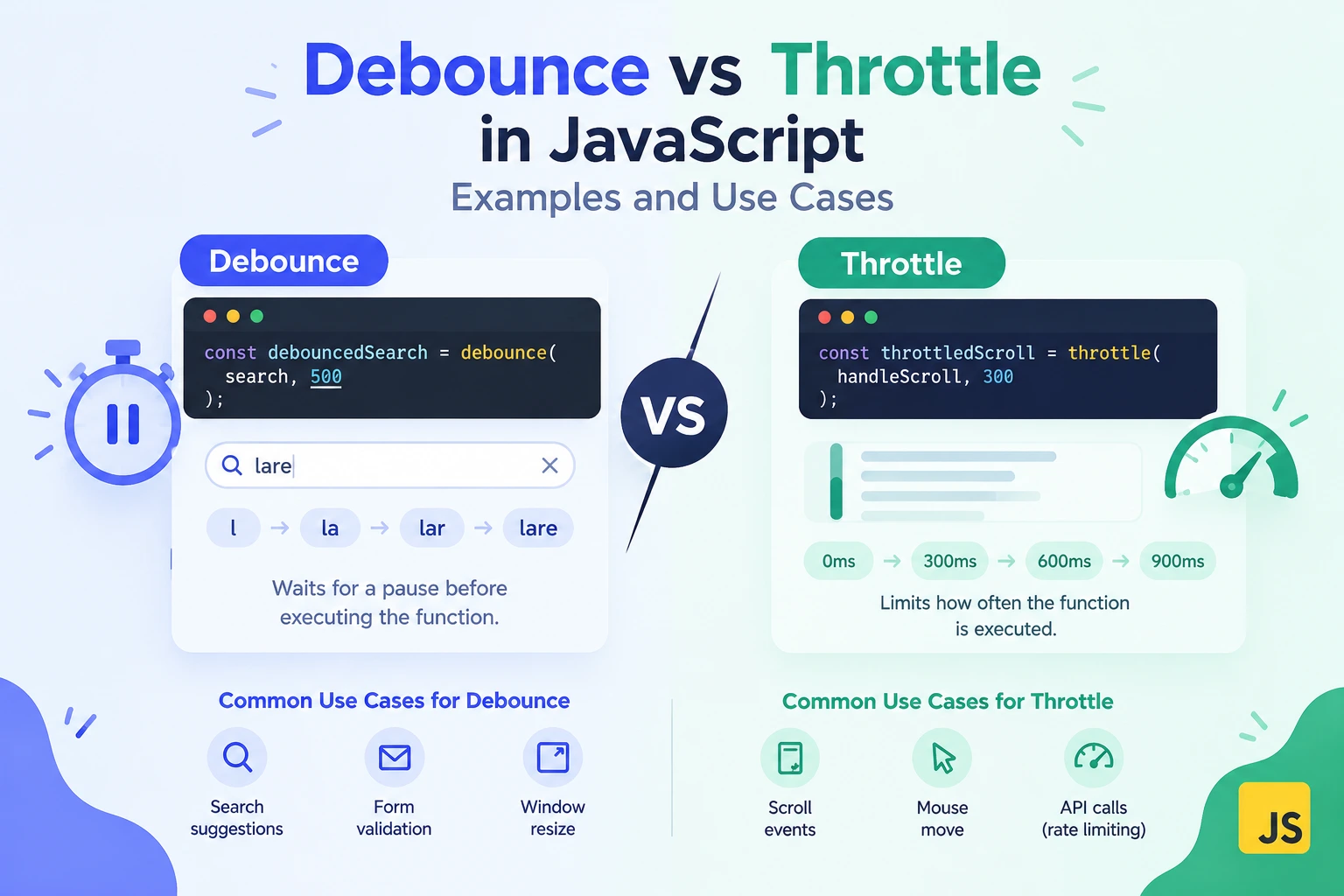
Debounce vs Throttle in JavaScript: Examples and Use Cases
A search box sends a request after every keystroke. A resize handler recalculates a layout dozens of times while someone drags a window. A scroll listener runs repeatedly even though the interface only needs occasional updates.
These problems share a common cause: an event fires more frequently than the application needs to perform the work.
Debouncing and throttling help control how often a function runs. However, they solve different timing problems, and choosing the wrong one can make an interface feel slow or behave unexpectedly.
This guide explains the difference, shows reusable JavaScript implementations, and covers the mistakes that matter in real applications.
Debounce vs Throttle: The Quick Answer
Debounce waits until repeated calls stop for a specified period.
Throttle limits execution frequency while calls continue.
Imagine someone typing into a search box:
- With debounce, the application waits until the user pauses before searching.
- With throttle, the application can search periodically while the user continues typing.
| Behavior | Debounce | Throttle |
|---|---|---|
| Main purpose | Wait for a quiet period | Limit execution frequency |
| During continuous activity | May keep postponing execution | Can continue executing at controlled intervals |
| Common uses | Search suggestions, draft autosave | Scroll updates, pointer tracking |
| Main risk | Work may be delayed indefinitely | Intermediate or final values may be skipped |
| Important options | Leading, trailing, maximum wait | Leading and trailing execution |
The key question is:
Should the work happen after activity pauses, or periodically while activity continues?
What Is Debouncing?
Debouncing combines a burst of calls into one execution.
Each new call resets a timer. The function runs only when no new call arrives before that timer expires.
Suppose a user types “javascript” and your debounce delay is 300 milliseconds.
If every keystroke arrives less than 300 milliseconds after the previous one, the application waits. Once the user pauses for 300 milliseconds, the function executes with the latest input.
This is useful when intermediate values are less important than the final value.
A Reusable Debounce Function
The following implementation uses trailing execution: it runs after the quiet period.
function debounce(fn, delay) {
  let timerId;

  function debounced(...args) {
    clearTimeout(timerId);

    timerId = setTimeout(() => {
      timerId = undefined;
      fn.apply(this, args);
    }, delay);
  }

  debounced.cancel = function () {
    clearTimeout(timerId);
    timerId = undefined;
  };

  return debounced;
}
This implementation:
- Restarts the timer on each call.
- Uses the most recent arguments.
- Preserves the calling context.
- Supports canceling pending work.
Example: Search Suggestions
const searchInput = document.querySelector("#search");

const runSearch = debounce((query) => {
  if (!query) {
    console.log("Clear search results");
    return;
  }

  console.log("Search for:", query);
}, 300);

searchInput.addEventListener("input", (event) => {
  runSearch(event.target.value.trim());
});
Notice that the input value is extracted immediately rather than passing the event object into delayed work.
This makes it clear which value the scheduled function will use.
Where Debouncing Works Well
Debouncing is useful for:
- Search suggestions.
- Expensive validation after typing pauses.
- Saving a draft after a period of inactivity.
- Recalculating a layout after resizing stops.
- Rebuilding a preview after repeated editor changes.
It is usually a poor choice when the interface needs continuous feedback during activity.
For example, a purely trailing-debounced scroll-progress indicator may not update until scrolling stops.
What Is Throttling?
Throttling limits how often a function can execute.
If a throttled function uses a 200-millisecond interval, repeated calls do not cause it to run more often than that interval permits.
Unlike trailing debounce, throttling can keep producing updates while activity continues.
A Simple Leading-Edge Throttle
This implementation runs immediately when allowed and ignores calls during the interval.
function throttle(fn, interval) {
  let lastRun = null;

  return function (...args) {
    const now = performance.now();

    if (
      lastRun !== null &&
      now - lastRun < interval
    ) {
      return;
    }

    lastRun = now;
    fn.apply(this, args);
  };
}
This is a leading-only throttle. It does not schedule a final execution with the latest arguments.
That distinction matters: the last call in a burst may be skipped.
Example: Periodic Scroll Reporting
const reportScrollPosition = throttle(() => {
  console.log("Scroll position:", window.scrollY);
}, 200);

window.addEventListener(
  "scroll",
  reportScrollPosition,
  { passive: true }
);
This reduces how often the reporting function runs during continuous scrolling.
If your application must process the final scroll position, use a throttle that supports trailing execution or add an appropriate completion handler.
Where Throttling Works Well
Throttling is useful for:
- Periodic updates during scrolling.
- Sampling pointer movement.
- Limiting nonessential telemetry.
- Updating expensive calculations during resizing.
- Providing controlled feedback during continuous interaction.
It reduces frequency, but it does not make an expensive function inexpensive.
A handler that takes too long can still cause responsiveness problems even when throttled.
Leading and Trailing Execution Explained
“Debounce” and “throttle” describe timing strategies, not one universal implementation.
Always check when your chosen utility executes.
Leading Execution
The function runs at the beginning of a burst.
This can provide an immediate response.
Trailing Execution
The function runs after the relevant waiting period, using the latest call’s arguments.
This is useful when the final state matters.
Leading and Trailing Together
Some utilities support both:
- Execute immediately.
- Control execution during repeated calls.
- Perform a final update when appropriate.
The details vary between libraries. Check their documented behavior rather than assuming every utility handles edge cases identically.
Debounce Can Wait Forever During Continuous Activity
A trailing debounce resets its timer every time it is called.
If calls keep arriving faster than the delay, execution keeps moving into the future.
For search suggestions, that may be acceptable.
For autosave, it can be risky. A user who keeps typing might go a long time without saving.
One solution is a debounce utility with a maximum wait option:
- Save after the user pauses.
- Also save periodically if activity never stops.
The simple debounce implementation above does not include maximum-wait behavior. Use a tested implementation when your workflow requires it.
Debouncing Does Not Prevent Stale Search Results
Debouncing reduces request frequency. It does not guarantee that responses arrive in order.
Consider this sequence:
- A request starts for “java.”
- The user changes the input to “javascript.”
- A second request starts.
- The second response arrives first.
- The first response arrives later and overwrites the results.
The interface now displays results for an outdated query.
Common protections include:
- Aborting an obsolete request with
AbortController. - Tracking a request or input version.
- Updating the interface only when the response matches the current query.
Invalidate obsolete results as soon as the input changes, not only when the next debounced request starts. Otherwise, an older response could update the interface during the waiting period.
Cancellation and response validation are separate from debouncing.
Debounce and Throttle Do Not Limit Concurrent Requests
Suppose a throttled function starts a network request every 500 milliseconds, but each request takes two seconds.
Several requests can still be in flight at once.
Similarly, a debounced save can overlap with an earlier save that has not finished.
If overlapping work is a problem, you may also need:
- An in-flight flag.
- Request cancellation.
- A queue.
- Server-side version checks.
- A concurrency limit.
Timing controls manage when work starts. They do not automatically manage when work finishes.
When to Use requestAnimationFrame Instead
For visual updates, requestAnimationFrame can be a better fit than an arbitrary timer interval.
It schedules work around the browser’s rendering cycle.
let framePending = false;

function handleScroll() {
  if (framePending) {
    return;
  }

  framePending = true;

  requestAnimationFrame(() => {
    framePending = false;

    updateScrollIndicator(window.scrollY);
  });
}

window.addEventListener(
  "scroll",
  handleScroll,
  { passive: true }
);
The flag prevents repeated events from scheduling multiple pending callbacks.
This pattern coalesces work into a rendering opportunity. It does not enforce a fixed limit such as “once every 200 milliseconds.”
Use it when the work is closely connected to updating what the user sees.
Common Implementation Mistakes
1. Creating a New Wrapper Inside Every Event
Incorrect:
searchInput.addEventListener("input", (event) => {
  const searchLater = debounce(runSearch, 300);
  searchLater(event.target.value);
});
Each event creates a separate timer. The calls are not being combined by one shared debounce instance.
Create the wrapper once and reuse it.
2. Forgetting Cleanup
Pending timers and event listeners should be cleaned up when their owning interface is removed.
const handleInput = (event) => {
  runSearch(event.target.value);
};

searchInput.addEventListener("input", handleInput);

function cleanup() {
  searchInput.removeEventListener("input", handleInput);
  runSearch.cancel();
}
In frameworks, use the appropriate lifecycle cleanup mechanism.
3. Assuming a Debounced Function Returns the Result
The trailing debounce shown earlier returns before the original function executes.
This does not return a search response:
const result = runSearch("javascript");If callers need an asynchronous result, use an API explicitly designed for that behavior.
4. Using Throttle to Prevent Duplicate Payments
Throttling a button handler is not a reliable duplicate-payment defense.
Important transactions require protections such as:
- An in-flight UI state.
- Server-side validation.
- Idempotency handling.
Frontend timing controls are not security or transaction-integrity guarantees.
How to Choose the Right Strategy
Use this checklist:
- Only the latest value matters after a pause: debounce.
- Updates must continue during activity: throttle.
- The final value must always be processed: ensure trailing execution.
- Continuous activity must not postpone work indefinitely: consider maximum wait.
- The work updates the display: consider
requestAnimationFrame. - Requests can overlap: add concurrency controls.
- Responses can arrive out of order: add stale-response protection.
Frequently Asked Questions
Is debounce better than throttle?
Neither is universally better. Debounce waits for inactivity; throttle supports controlled execution during ongoing activity.
What delay should I use for a search box?
Around 250–400 milliseconds can be a starting point, not a universal rule. Test with realistic users, network conditions, and request costs.
Does throttle always execute the final call?
No. A leading-only throttle can skip it. Choose an implementation with trailing execution when the final state matters.
Does debounce make JavaScript asynchronous?
The delayed invocation runs through a timer callback, but the work itself still executes on the main thread unless you explicitly move suitable work elsewhere.
Can I use these techniques in React?
Yes. Keep the wrapper stable for the intended lifetime, account for stale closures, and cancel pending work during cleanup. Recreating the wrapper on every render can undermine its behavior.
Final Thoughts
Debounce and throttle are small utilities with important behavioral differences.
Use debounce when you want to wait for activity to settle. Use throttle when you need controlled updates while activity continues.
Then check the details: leading execution, trailing execution, cleanup, maximum wait, overlapping requests, and stale responses.
The goal is not simply to execute less code. It is to perform the right work at the right time without losing important updates.
Try Next
Other utilities you might find helpful
Regex Tester
Test and debug regular expressions with live matches.
Regex Debugger
Understand regex step-by-step with explanations.
JSON Formatter
Format, validate, and minify JSON instantly.
Base64 Encoder/Decoder
Encode and decode Base64 strings and files.
SQL Explain Parser
Analyze SQL execution plans and optimize queries.
DOM Complexity Analyzer
Analyze HTML DOM structure, detect deep nesting, count nodes, and identify performance issues instantly.