
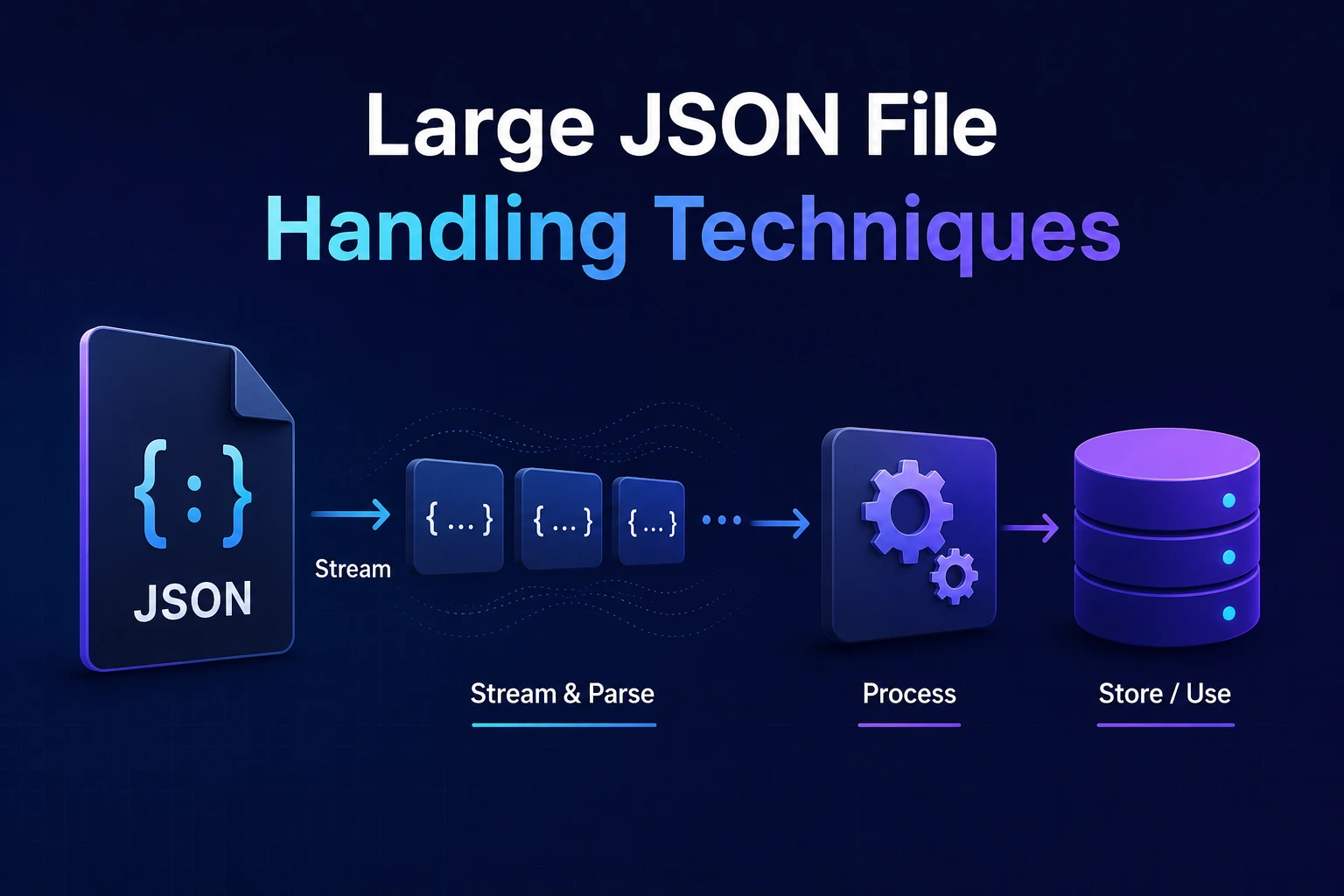
Large JSON File Handling Techniques for Node.js, Browsers, and Python
A large JSON file can use much more memory than its size on disk.
Consider a 1 GB UTF-8 JSON document. Processing it with a conventional approach may require memory for:
- The original byte buffer
- A decoded text string
- Parsed strings
- Arrays and objects
- Runtime object metadata
- Temporary parser allocations
- Application transformations
- Database batches
- Garbage-collection headroom
There is no reliable rule that a JSON file always needs exactly two or three times its file size in memory. The result depends on the data, runtime, parser, character content, and application logic.
For large datasets, the safest approach is usually to avoid creating one enormous JSON value.
Prefer:
- Pagination for APIs
- NDJSON or JSON text sequences for record streams
- Incremental parsers for existing large arrays
- Bounded database batches
- Checkpoints and resumable imports
- Compression with decompressed-size limits
- Columnar or schema-based formats for analytical workloads
Why JSON.parse() Becomes a Problem
A conventional workflow looks like this:
const text =
  await readEntireFile("records.json");

const records =
  JSON.parse(text);
Before processing the first record, the application may need to:
- Read the complete file.
- Decode all bytes into text.
- Parse the complete JSON structure.
- Allocate every resulting object.
- Retain the full result in memory.
This approach is reasonable for modest files. It becomes risky when the input approaches the runtime’s memory limit or when several files are processed concurrently.
Potential results include:
- Long garbage-collection pauses
- Process termination
- Browser-tab crashes
- Request timeouts
- Slow startup
- Large temporary memory spikes
- Poor concurrency
The correct threshold depends on the environment. Benchmark with representative files rather than defining one universal “large file” size.
Start with the Data Format
“Large JSON” can refer to several different structures.
One large object
{
  "metadata": {
    "exportedAt": "2026-09-28T06:30:35Z"
  },
  "customers": [
    {
      "id": 1,
      "name": "First"
    }
  ]
}
A streaming parser must understand the document structure and locate the target array.
One large top-level array
[
  {
    "id": 1,
    "name": "First"
  },
  {
    "id": 2,
    "name": "Second"
  }
]
The file is one valid JSON value, but ordinary JSON.parse() requires the complete text.
NDJSON or JSON Lines
{"id":1,"name":"First"}
{"id":2,"name":"Second"}
{"id":3,"name":"Third"}
Each line is an independent JSON value.
This is easy to process incrementally as long as literal line breaks inside strings are escaped.
JSON text sequences
JSON text sequences use a record-separator character before each JSON value. The media type is:
application/json-seqRFC 7464 defines this format specifically for incremental processing of a sequence of JSON values.
NDJSON and JSON text sequences are not single standard JSON documents. Producers and consumers must agree on the format.
Do Not Split a JSON Array on Text Delimiters
This is unsafe:
const records =
  text.split("},{");
It breaks when:
- Objects contain nested objects
- Strings contain
},{ - Whitespace differs
- Arrays are nested
- Braces appear inside strings
- Escape sequences cross chunks
- Input is malformed
Likewise, arbitrary network chunks are not JSON record boundaries.
A chunk may end here:
{"message":"Hello \and continue in the next chunk:
\"World"}Use a syntax-aware incremental parser or change the data format to independent records.
Technique 1: Use Pagination for APIs
Do not return millions of records in one API response.
Prefer bounded pages:
GET /api/orders?limit=100&after=ord_1042Example response:
{
  "data": [
    {
      "id": "ord_1043",
      "total": 49.95
    }
  ],
  "nextCursor": "ord_1142"
}
Cursor pagination
Cursor-based pagination is often more scalable than a large offset.
Offset request:
GET /api/orders?page=10000&limit=100The database may need to locate and skip many earlier rows.
Cursor request:
GET /api/orders?limit=100&after=ord_1042The server can continue from an indexed position.
A reliable cursor should be based on a deterministic ordering, often using:
- Timestamp plus unique ID
- Monotonic identifier
- Stable composite key
Document what happens when records are inserted, updated, or deleted during pagination.
Technique 2: Use NDJSON for Record-Oriented Data
NDJSON is practical for:
- Logs
- Imports
- Exports
- Data pipelines
- Batch processing
- Long-running API streams
Advantages include:
- One record can be parsed independently.
- Processing can begin immediately.
- A malformed record can be reported by line number.
- Checkpointing is easier.
- Files can be concatenated under controlled conventions.
- Memory use can remain bounded.
Limitations include:
- It is not one standard JSON array.
- Pretty-printed multiline records are unsuitable.
- Consumers must know the format.
- Newline handling must be defined.
- A single extremely long line can still exhaust memory.
Apply a maximum record length.
Streaming NDJSON in Node.js
import fs from "node:fs";
import readline from "node:readline";

async function importNdjson(path) {
  const input =
    fs.createReadStream(path, {
      encoding: "utf8"
    });

  const lines =
    readline.createInterface({
      input,
      crlfDelay: Infinity
    });

  let lineNumber = 0;
  let batch = [];

  for await (const line of lines) {
    lineNumber++;

    if (!line.trim()) {
      continue;
    }

    let record;

    try {
      record = JSON.parse(line);
    } catch (error) {
      throw new Error(
        `Invalid JSON on line ${lineNumber}`,
        {
          cause: error
        }
      );
    }

    const validated =
      validateRecord(record);

    batch.push(validated);

    if (batch.length >= 500) {
      await saveBatch(batch);
      batch = [];
    }
  }

  if (batch.length > 0) {
    await saveBatch(batch);
  }
}
This approach:
- Reads incrementally
- Parses one record at a time
- Keeps only a bounded batch
- Waits for each database write
- Reports the failing line
Do not collect every processed record
This defeats streaming:
const allRecords = [];

for await (const line of lines) {
  allRecords.push(
    JSON.parse(line)
  );
}
The file is read incrementally, but the application still retains the complete dataset.
Process, persist, aggregate, or discard records as they arrive.
Backpressure
Backpressure prevents a fast producer from overwhelming a slower consumer.
In an import pipeline:
- File reading is the producer.
- Validation and database writing are consumers.
If the database can persist only 1,000 records per second while the parser produces 100,000, unrestricted buffering can exhaust memory.
Awaiting the batch operation helps control the rate:
await saveBatch(batch);Node’s stream APIs are designed around backpressure. Respect return values, await pipeline completion, and avoid unbounded arrays or promise collections.
Continue or Stop After Invalid Records?
Choose an explicit policy.
Fail-fast
Stop after the first invalid record.
Suitable when:
- The import must be all-or-nothing
- Later records depend on earlier records
- Input is expected to be strictly clean
Skip and report
Record the failure and continue.
Suitable when:
- Records are independent
- Partial success is acceptable
- A correction workflow exists
Example result:
{
  "processed": 100000,
  "accepted": 99982,
  "rejected": 18,
  "errorFile": "import-errors-2026-09-28.ndjson"
}
Do not silently discard invalid records.
The error report should avoid exposing secrets or complete sensitive records unnecessarily.
Technique 3: Use an Incremental Parser for Standard JSON
If the source is an existing top-level array:
[
  {"id": 1},
  {"id": 2}
]
use a maintained incremental JSON parser that understands:
- Strings and escape sequences
- Nested arrays
- Nested objects
- Numbers
- Unicode escapes
- Partial chunks
- End-of-input validation
Do not build a parser by counting braces unless you also correctly handle strings, escapes, malformed Unicode, numbers, and nesting.
Before choosing a library, check:
- Runtime and version support
- Maximum nesting behavior
- Backpressure integration
- Error reporting
- Maintenance status
- Security history
- Whether values are materialized individually
- Whether the parser still buffers the full target array
Some libraries advertise streaming while retaining substantial parts of the document.
Technique 4: Process NDJSON in Python
Python’s built-in json module can parse one JSON value per line.
import json

def import_ndjson(path, batch_size=500):
    batch = []

    with open(
        path,
        "r",
        encoding="utf-8"
    ) as file:
        for line_number, line in enumerate(
            file,
            start=1
        ):
            if not line.strip():
                continue

            try:
                record = json.loads(line)
            except json.JSONDecodeError as error:
                raise ValueError(
                    f"Invalid JSON on line "
                    f"{line_number}"
                ) from error

            validated = validate_record(record)
            batch.append(validated)

            if len(batch) >= batch_size:
                save_batch(batch)
                batch.clear()

    if batch:
        save_batch(batch)
This keeps memory bounded by:
- The current line
- The parsed record
- The current batch
- Application and database overhead
A single line can still be enormous. Enforce a record-size limit before parsing untrusted input.
Technique 5: Stream NDJSON in a Browser
The Fetch API exposes response bodies as readable streams when supported.
async function* readNdjson(response) {
  if (!response.ok) {
    throw new Error(
      `Request failed: ${response.status}`
    );
  }

  if (!response.body) {
    throw new Error(
      "Streaming response body unavailable."
    );
  }

  const reader = response.body
    .pipeThrough(
      new TextDecoderStream("utf-8")
    )
    .getReader();

  let buffer = "";
  let lineNumber = 0;

  try {
    while (true) {
      const {
        value,
        done
      } = await reader.read();

      if (done) {
        break;
      }

      buffer += value;

      const lines =
        buffer.split("\n");

      buffer =
        lines.pop() ?? "";

      for (const rawLine of lines) {
        lineNumber++;

        const line =
          rawLine.endsWith("\r")
            ? rawLine.slice(0, -1)
            : rawLine;

        if (!line.trim()) {
          continue;
        }

        yield JSON.parse(line);
      }

      if (buffer.length > 1_000_000) {
        throw new Error(
          "NDJSON record exceeds size limit."
        );
      }
    }

    if (buffer.trim()) {
      lineNumber++;
      yield JSON.parse(buffer);
    }
  } catch (error) {
    throw new Error(
      `Unable to parse NDJSON near line ` +
      `${lineNumber + 1}`,
      {
        cause: error
      }
    );
  } finally {
    reader.releaseLock();
  }
}
Usage:
const response =
  await fetch("/api/export.ndjson");

for await (
  const record of readNdjson(response)
) {
  processRecord(record);
}
MDN documents consuming Fetch response bodies through ReadableStream and TextDecoderStream.
Do not render every streamed record
This can freeze the interface:
for await (const record of records) {
  list.append(
    renderRecord(record)
  );
}
For large datasets:
- Aggregate data
- Render a limited preview
- Use pagination
- Use virtualization
- Batch UI updates
- Process in a worker when suitable
Streaming network data does not make rendering millions of DOM nodes efficient.
Technique 6: Separate Parsing from CPU-Heavy Processing
Streaming reduces memory, but transformations can still block a JavaScript thread.
CPU-heavy work may include:
- Complex validation
- Cryptographic calculations
- Large aggregations
- Compression
- Data enrichment
- Image processing
In a browser, consider a Web Worker.
In Node.js, consider:
- Worker threads
- Child processes
- A job queue
- Separate worker services
Do not automatically create one worker per record. Worker startup and message transfer have overhead.
Use bounded worker pools and measure:
- Serialization cost
- Transfer cost
- CPU utilization
- End-to-end throughput
- Memory use
Parallel Parsing Is Not Always Straightforward
A single standard JSON document has structural dependencies.
Arbitrary byte ranges cannot be parsed independently because a range may begin:
- Inside a string
- Inside an escape sequence
- Inside a number
- Inside a nested object
- Between UTF-8 bytes
Record-oriented formats are easier to partition.
For NDJSON:
- Split only at confirmed line boundaries.
- Ensure strings cannot contain literal unescaped line breaks.
- Assign groups of complete records to workers.
Parallel processing can improve throughput only when:
- CPU is the bottleneck
- Work can be partitioned safely
- Ordering requirements are understood
- Storage and database systems can handle the concurrency
- Communication overhead remains lower than the gain
Technique 7: Use Bounded Database Batches
Inserting one row at a time creates unnecessary round trips:
Parse record
Insert one row
Wait
Repeat
Batching reduces overhead:
Parse 500 records
Validate batch
Insert batch
Checkpoint
Repeat
The best batch size depends on:
- Row width
- Database limits
- Transaction-log capacity
- Lock duration
- Network latency
- Error-handling requirements
- Memory budget
A batch of 10,000 is not universally better than 500.
Measure throughput and failure behavior.
Transaction Strategy
One transaction for an entire multi-gigabyte import can create:
- Long-held locks
- Large transaction logs
- Difficult rollback
- Replication lag
- Vacuum or cleanup delays
- Long recovery after failure
Committing every record creates excessive overhead.
A common compromise is committing bounded batches.
If the import must appear atomically:
- Load into a staging table.
- Validate completeness.
- Build required indexes.
- Perform a controlled final merge or swap.
- Record the imported version.
- Remove staging data safely.
The exact process is database-specific.
Technique 8: Make Imports Resumable
Large imports fail for ordinary reasons:
- Process restart
- Network interruption
- Invalid record
- Database failover
- Disk exhaustion
- Deployment
- Timeout
Store checkpoints such as:
- Last completed line
- Last record ID
- Last byte offset when safe
- Source file checksum
- Batch number
- Import version
- Object-storage part identifier
Example checkpoint:
{
  "source": "customers-2026-09.ndjson",
  "checksum": "sha256:example",
  "lastCompletedLine": 250000,
  "accepted": 249950,
  "rejected": 50
}
Verify that the source file has not changed before resuming.
For compressed streams, an uncompressed byte offset may not be directly seekable. Resume strategy must account for the compression format.
Idempotent Imports
Reprocessing the same record should not create uncontrolled duplicates.
Possible strategies include:
- Stable external IDs
- Upserts
- Import-version tables
- Deduplication keys
- Unique database constraints
- Idempotency records
- Content hashes
Do not depend only on an application-level “already seen” array. It may not survive process restarts and can consume unbounded memory.
Use durable constraints for critical uniqueness rules.
Technique 9: Compress for Storage and Transfer
JSON often compresses well because it contains repeated field names and syntax.
Common choices include:
- Gzip
- Brotli
- Zstandard in supported systems
- ZIP archives for packaged files
Actual compression depends on the data. Do not promise a fixed percentage.
Compression does not reduce parsed-memory size
A compressed 100 MB file might expand to 1 GB before parsing.
Set limits for:
- Compressed size
- Decompressed size
- Compression ratio
- Processing time
- Record count
This helps defend against decompression bombs.
Stream decompression
Node.js example for gzipped NDJSON:
import fs from "node:fs";
import zlib from "node:zlib";
import readline from "node:readline";

const compressed =
  fs.createReadStream(
    "records.ndjson.gz"
  );

const decompressed =
  compressed.pipe(
    zlib.createGunzip()
  );

const lines =
  readline.createInterface({
    input: decompressed,
    crlfDelay: Infinity
  });

for await (const line of lines) {
  if (!line.trim()) {
    continue;
  }

  const record =
    JSON.parse(line);

  await processRecord(record);
}
Production code should also:
- Handle stream errors
- Enforce decompressed-byte limits
- Validate each record
- Batch downstream operations
- Support cancellation
- Record progress
Technique 10: Reduce the Data at the Source
The fastest byte to parse is one that was never sent.
Avoid exporting fields that consumers do not need.
Large record:
{
  "id": 101,
  "name": "John",
  "profile": {},
  "preferences": {},
  "fullHistory": [],
  "internalMetadata": {},
  "debugInformation": {}
}
Focused record:
{
  "id": 101,
  "name": "John"
}
Possible approaches include:
- API field selection
- Purpose-specific export schemas
- Summary endpoints
- Separate detail endpoints
- Date-range filters
- Server-side aggregation
- Removing duplicate representations
Do not remove fields without versioning the data contract.
Avoid Unnecessary Deep Nesting
Deep nesting can increase:
- Parser stack pressure
- Validation complexity
- Traversal cost
- Error-path complexity
- Risk from malicious inputs
But flattening is not automatically better. It can increase duplication and make relationships unclear.
Choose a structure based on:
- Access patterns
- Schema meaning
- Record independence
- Streaming requirements
- Consumer needs
For streaming, independent top-level records are usually easier than one deeply connected graph.
Technique 11: Choose a Better Format When JSON Is the Wrong Fit
Different formats optimize for different workloads.
| Format | Useful for |
|---|---|
| NDJSON | Logs and independent record streams |
| JSON text sequences | Standardized sequences of JSON values |
| MessagePack | Compact binary object representation |
| Protocol Buffers | Schema-based service messages |
| Avro | Schema-based records and data pipelines |
| Parquet | Columnar analytics and selective scans |
| CSV | Flat tabular data with simple types |
| Arrow | In-memory columnar interchange |
Protocol Buffers
Useful when services share a schema and need compact messages.
Avro
Useful in data pipelines that require schema evolution and record-oriented processing.
Parquet
Useful for analytics that read selected columns across large datasets.
It is not a direct replacement for interactive API responses.
MessagePack
Provides a compact binary representation similar to JSON values, but consumers need MessagePack support.
CSV
Can be effective for flat records, but requires clear rules for:
- Delimiters
- Quoting
- Newlines
- Character encoding
- Nulls
- Types
No format is universally superior. Consider tooling, interoperability, schema evolution, compression, random access, and query patterns.
Browser-Specific Guidance
Avoid asking a browser to:
- Download a multi-gigabyte JSON array
- Parse it on the main thread
- Retain all objects
- Render every record
- Sort the complete dataset repeatedly
Prefer:
- Server-side filtering
- Cursor pagination
- Aggregated responses
- NDJSON streaming
- Web Workers
- IndexedDB for suitable local storage
- Virtualized displays
- Downloadable exports processed outside the page
Even if parsing succeeds, creating a DOM element for every record can freeze the interface.
Security Controls
Large JSON processing is also a security boundary.
Apply:
- Compressed request-size limit
- Decompressed-size limit
- Maximum record length
- Maximum nesting depth
- Maximum property count
- Maximum array length
- Maximum string length
- Processing timeout
- Rate limiting
- Authentication and authorization
- Schema validation
- Bounded concurrency
- Disk and memory quotas
OWASP identifies unrestricted resource consumption as an API security risk.
Do not rely on Content-Length alone
It may be:
- Missing
- Compressed
- Incorrect
- Inapplicable to the decompressed representation
Count bytes as they are read and decompressed.
Validate Records Incrementally
Validate each record before storing it.
Example:
function validateRecord(record) {
  if (
    typeof record !== "object" ||
    record === null ||
    Array.isArray(record)
  ) {
    throw new TypeError(
      "Expected an object."
    );
  }

  if (
    typeof record.id !== "string" ||
    record.id.length === 0
  ) {
    throw new TypeError(
      "Record ID is required."
    );
  }

  return record;
}
A production schema validator should enforce:
- Types
- Required fields
- Length limits
- Numeric ranges
- Array limits
- Unknown-property policy
Structural validation does not replace authorization or business rules.
Monitor the Complete Pipeline
Track more than parsing duration.
Useful metrics include:
- Compressed bytes
- Decompressed bytes
- Records processed
- Records accepted
- Records rejected
- Parse failures
- Validation failures
- Current batch size
- Database write time
- Queue depth
- Memory high-water mark
- CPU utilization
- Garbage-collection time
- Throughput
- Checkpoint age
- Retry count
- End-to-end duration
A parser may be fast while database writes are the actual bottleneck.
Benchmark Correctly
Compare alternatives using representative data:
- Similar file size
- Similar field lengths
- Similar Unicode content
- Similar nesting
- Realistic invalid records
- Expected compression
- Expected concurrency
- Same hardware
- Same runtime version
Measure:
- Peak memory
- Records per second
- Time to first processed record
- Total completion time
- CPU time
- Recovery after failure
- Downstream impact
Run several trials. A single warm-cache run is not enough.
Production Import Workflow
A robust pipeline may look like:
- Authenticate and authorize the upload.
- Enforce compressed-size limits.
- Store the source file durably.
- Calculate a checksum.
- Create an import job.
- Stream and decompress with limits.
- Parse one record at a time.
- Validate structure and business rules.
- Store failures in a controlled error report.
- Write accepted records in bounded batches.
- Save checkpoints.
- Publish completion status.
- Reconcile accepted and rejected counts.
- Remove temporary files according to retention policy.
- Emit metrics and audit events.
Do not keep a browser request open for hours while an import completes. Return a job identifier and let the client check status.
Production Checklist
Format
- The source format is explicitly documented.
- NDJSON, JSON sequence, or standard JSON is identified correctly.
- Character encoding is defined.
- Maximum record size is defined.
- Schema version is included where necessary.
Memory and throughput
- Complete files are not loaded without a measured reason.
- Buffers and batches are bounded.
- Backpressure is respected.
- Large collections are not retained accidentally.
- Concurrency has an explicit limit.
- CPU-heavy work is separated appropriately.
Reliability
- Imports are resumable.
- Records have stable identifiers.
- Duplicate processing is safe.
- Checkpoints are durable.
- Partial-failure behavior is documented.
- Error reports are available.
- Source-file integrity is verified before resuming.
Security
- Compressed and decompressed sizes are limited.
- Nesting and collection limits exist.
- Every record is validated.
- Sensitive values are excluded from logs.
- Temporary files have restricted access.
- Rate and resource limits are enforced.
Operations
- Metrics are collected.
- Memory alerts exist.
- Failed jobs can be retried.
- Import versions are auditable.
- Temporary data has a retention policy.
- Rollback or reconciliation procedures exist.
Common Mistakes
- Splitting a JSON array on
},{ - Assuming network chunks equal record boundaries
- Calling
JSON.parse()on a multi-gigabyte string - Streaming input but retaining all parsed records
- Starting one promise per record without a concurrency limit
- Writing one database row per network round trip
- Using one transaction for the entire import
- Skipping checkpoints
- Retrying without deduplication
- Trusting
Content-Lengthas the decompressed size - Rendering every record in the browser
- Assuming compression lowers parsed-memory use
- Parallelizing before identifying the actual bottleneck
- Using JSON for an analytical workload better suited to a columnar format
Final Thoughts
Large JSON handling is primarily an architecture problem, not a call to one faster parsing function.
The most important choices are:
- Use pagination for interactive APIs.
- Use a record-oriented format for streams and exports.
- Use a syntax-aware incremental parser for existing large JSON arrays.
- Keep buffers, batches, and concurrency bounded.
- Respect backpressure.
- Make imports resumable and idempotent.
- Limit decompressed size and structural complexity.
- Measure the entire pipeline, not only parsing.
- Choose a different data format when the workload requires it.
Try Next
Other utilities you might find helpful
Regex Tester
Test and debug regular expressions with live matches.
Regex Debugger
Understand regex step-by-step with explanations.
JSON Formatter
Format, validate, and minify JSON instantly.
Base64 Encoder/Decoder
Encode and decode Base64 strings and files.
SQL Explain Parser
Analyze SQL execution plans and optimize queries.
DOM Complexity Analyzer
Analyze HTML DOM structure, detect deep nesting, count nodes, and identify performance issues instantly.