
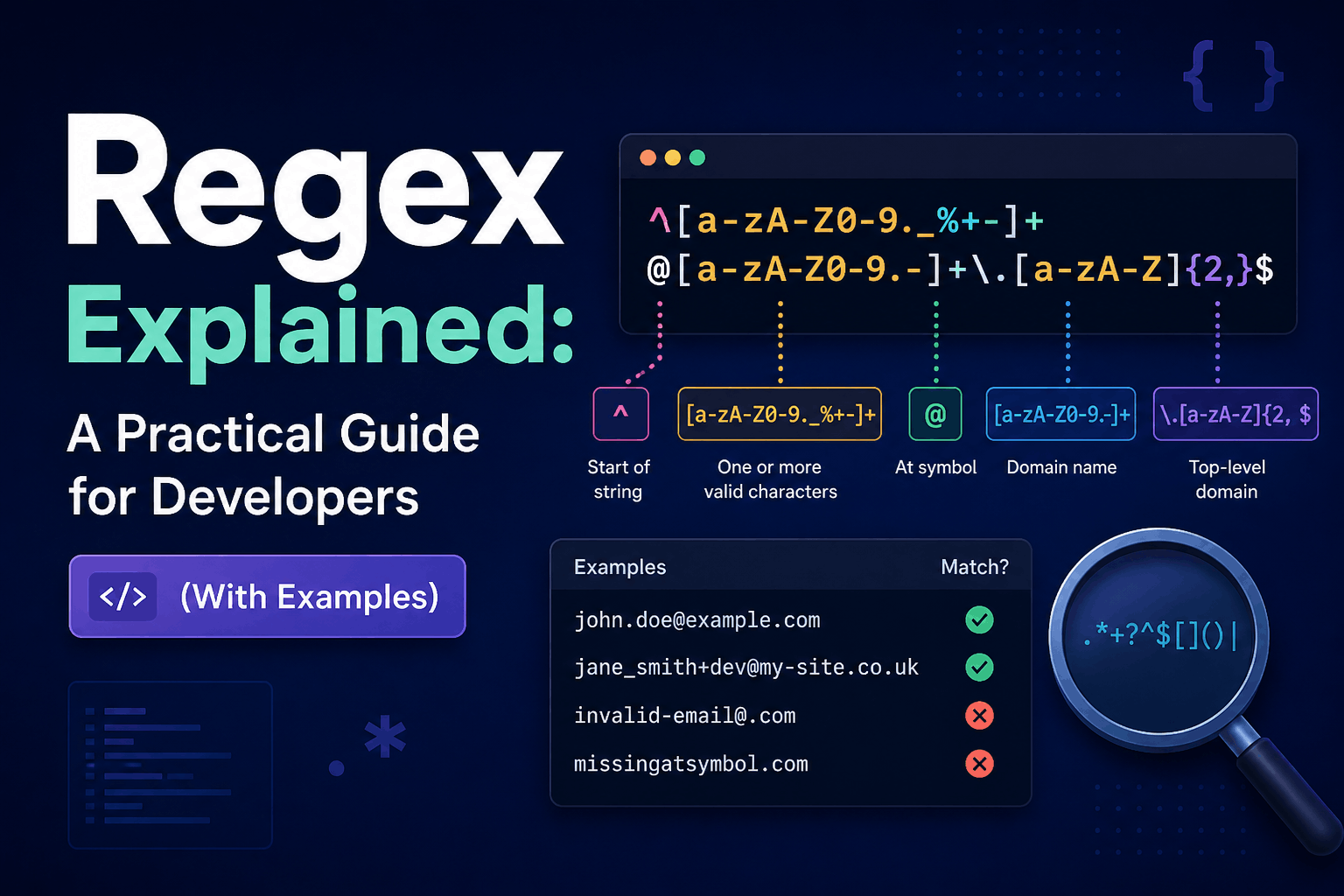
Regex Explained A Practical Guide for Developers With Examples
Regular expressions—usually called regex—are patterns used to search, extract, validate, split, and replace text.
A regex can find every number in a log entry, capture values from a filename, normalize whitespace, or check whether input follows a deliberately limited format. However, regex can also become difficult to understand, reject valid data, or consume excessive processing time when used carelessly.
This guide explains the essential syntax, practical JavaScript and PHP examples, common mistakes, and situations where regex is not the right tool.
What Is a Regular Expression?
A regular expression is a pattern interpreted by a regex engine.
This JavaScript pattern searches for the word error:
const pattern = /error/;You can test it against a string:
console.log(pattern.test("An error occurred"));
// true
Regex syntax varies slightly among languages and tools. JavaScript, PHP’s PCRE engine, Python, Java, .NET, and command-line utilities do not support exactly the same features.
Always test a pattern in the same regex engine used by your application.
When Regex Is Useful
Regex works well for tasks such as:
- Finding text that follows a known pattern
- Extracting values from structured filenames
- Validating constrained identifiers
- Replacing repeated whitespace
- Searching logs
- Splitting text using multiple delimiters
- Redacting predictable sensitive values
- Finding patterns in an editor or command-line tool
Regex is less suitable for:
- Parsing arbitrary HTML
- Parsing complete programming languages
- Validating every possible email address
- Validating complex URLs
- Processing deeply nested structures
- Enforcing business rules that require database queries
- Handling formats for which a reliable parser already exists
Regex Literals in JavaScript
JavaScript supports regex literals:
const pattern = /\d+/;It also supports the RegExp constructor:
const pattern = new RegExp("\\d+");The constructor requires additional escaping because the pattern is first interpreted as a JavaScript string.
Use a literal when the pattern is fixed. Use the constructor when some or all of the pattern must be created dynamically.
Literal Characters
Most ordinary characters match themselves.
catThis finds cat inside:
The cat is sleeping.Matching is case-sensitive unless the case-insensitive flag is enabled:
/cat/i.test("CAT");
// true
Important Metacharacters
Some characters have special meanings:
| Pattern | Meaning |
|---|---|
. | Any character except a line terminator, unless dot-all mode is enabled |
^ | Start of input, or start of line in multiline mode |
$ | End of input, or end of line in multiline mode |
* | Zero or more repetitions |
+ | One or more repetitions |
? | Zero or one repetition; also modifies some constructs |
| | Alternative |
() | Capturing or noncapturing group |
[] | Character class |
{} | Repetition range |
\ | Escape character |
To match a metacharacter literally, escape it:
\.This matches a period rather than any character.
Character Classes
A character class matches one character from a set:
[abc]It matches a, b, or c.
Ranges can shorten common sets:
[a-z]
[A-Z]
[0-9]
A caret immediately after [ negates the class:
[^0-9]This matches one character that is not an ASCII digit.
Be careful with ranges. [A-z] is not equivalent to [A-Za-z]; it includes punctuation characters located between uppercase and lowercase letters in the ASCII table.
Common Character-Class Escapes
JavaScript provides several shortcuts:
| Pattern | Meaning |
|---|---|
\d | ASCII digit |
\D | Character that is not an ASCII digit |
\w | ASCII letter, digit, or underscore |
\W | Character outside that set |
\s | Whitespace |
\S | Non-whitespace |
Do not assume that \w represents letters from every language.
For Unicode letters in modern JavaScript, use a Unicode property escape:
const lettersOnly = /^\p{L}+$/u;

console.log(lettersOnly.test("Jumma"));
// true

console.log(lettersOnly.test("محمد"));
// true
The u flag enables Unicode-aware behavior and features such as Unicode property escapes.
Quantifiers
Quantifiers specify how often the preceding token or group can repeat:
| Pattern | Meaning |
|---|---|
* | Zero or more |
+ | One or more |
? | Zero or one |
{3} | Exactly three |
{2,5} | Between two and five |
{2,} | At least two |
Example:
\d{4}This finds four consecutive digits.
For a complete four-digit input:
const fourDigits = /^\d{4}$/;

fourDigits.test("2026");
// true

fourDigits.test("Year 2026");
// false
Without anchors, the second value would contain a match.
Groups and Alternatives
Parentheses group part of a pattern:
(ha)+This matches ha, haha, and hahaha.
The pipe symbol represents alternatives:
cat|dogGroup alternatives when necessary:
^(cat|dog)$If you need grouping but do not need the captured value, use a noncapturing group:
^(?:cat|dog)$Noncapturing groups make the pattern’s intention clearer and avoid unnecessary capture results.
Capture Groups
Capture groups extract specific parts of a match.
const pattern = /^(\d{4})-(\d{2})-(\d{2})$/;
const match = "2026-09-28".match(pattern);

if (match) {
  console.log(match[1]); // 2026
  console.log(match[2]); // 09
  console.log(match[3]); // 28
}
Named groups are easier to maintain:
const pattern =
  /^(?<year>\d{4})-(?<month>\d{2})-(?<day>\d{2})$/;

const match = "2026-09-28".match(pattern);

if (match) {
  console.log(match.groups.year);
  console.log(match.groups.month);
  console.log(match.groups.day);
}
This pattern checks only the shape. It does not prove the date exists. For example, 2026-99-99 still matches. Use a date parser or application logic for semantic validation.
Lookaheads and Lookbehinds
A lookahead checks what follows without consuming it:
\d+(?=px)Given:
Width: 120pxThe pattern matches 120 but not px.
A negative lookahead asserts that something does not follow:
foo(?!bar)Lookbehind performs a similar check before the current position:
(?<=\$)\d+This can extract 50 from $50.
Confirm that your target runtime supports the lookbehind features you use.
Useful JavaScript Regex Flags
JavaScript supports flags that change matching behavior:
| Flag | Purpose |
|---|---|
g | Find all matches |
i | Case-insensitive matching |
m | Make ^ and $ work per line |
s | Allow . to match line terminators |
u | Unicode-aware mode |
v | Enhanced Unicode-set behavior where supported |
y | Start matching at the current lastIndex |
For example:
const values = "Order 120, quantity 4"
  .match(/\d+/g);

console.log(values);
// ["120", "4"]
Flags and their behavior are documented in the JavaScript regex reference.
Practical Regex Examples
1. Extract numbers from text
const input = "Order 12345 costs 678 rupees";
const numbers = input.match(/\d+/g) ?? [];

console.log(numbers);
// ["12345", "678"]
This extracts digit sequences as strings. Convert them to numbers only if you need arithmetic and know they fit the required numeric range.
2. Normalize repeated whitespace
const input = "Hello    world \n from\tregex";
const normalized = input
  .replace(/\s+/g, " ")
  .trim();

console.log(normalized);
// Hello world from regex
This intentionally converts newlines and tabs to spaces. If line breaks must be preserved, use a narrower pattern:
const normalized = input.replace(/[ \t]+/g, " ");3. Validate a constrained username
Suppose your application allows only lowercase ASCII letters, digits, and underscores, with a length of 3–20 characters:
const usernamePattern = /^[a-z0-9_]{3,20}$/;

usernamePattern.test("jumma_khan");
// true

usernamePattern.test("ab");
// false
This is appropriate because the application defines a small, explicit format.
Do not use the pattern if names from other languages must be accepted.
4. Parse a structured filename
const pattern =
  /^(?<project>[a-z0-9-]+)_(?<date>\d{4}-\d{2}-\d{2})\.csv$/i;

const match = "sales-report_2026-09-28.csv".match(pattern);

if (match) {
  console.log(match.groups.project);
  // sales-report

  console.log(match.groups.date);
  // 2026-09-28
}
Again, validate the captured date separately if calendar correctness matters.
5. Validate a Pakistani mobile-number format
If the accepted formats are exactly:
03001234567
+923001234567
A suitable shape check is:
const pakistanMobile =
  /^(?:\+92|0)3\d{9}$/;

console.log(pakistanMobile.test("03001234567"));
// true

console.log(pakistanMobile.test("+923001234567"));
// true
The original post used ^\d{10}$ with 03001234567, but that example contains 11 digits and therefore cannot match.
If spaces and hyphens are allowed, normalize them deliberately before testing:
function normalizePhone(input) {
  return input.replace(/[ -]/g, "");
}

const phone = normalizePhone("0300-1234567");

console.log(pakistanMobile.test(phone));
// true
A regex validates format, not whether the number exists or belongs to the user. Use an OTP or another verification process when ownership matters.
6. Replace captured values
Capture groups can be reused during replacement:
const input = "2026-09-28";

const output = input.replace(
  /^(\d{4})-(\d{2})-(\d{2})$/,
  "$3/$2/$1"
);

console.log(output);
// 28/09/2026
For real date processing, a date library or structured date object is usually safer.
7. Redact predictable tokens
const input = "API key: sk_test_1234567890abcdef";

const redacted = input.replace(
  /\bsk_test_[a-zA-Z0-9]+\b/g,
  "[REDACTED]"
);

console.log(redacted);
// API key: [REDACTED]
Redaction patterns must be tested carefully. A pattern that misses one valid token format can expose sensitive information.
Email Validation: Keep It Practical
A commonly suggested email regex is:
^[\w.-]+@[a-zA-Z\d.-]+\.[a-zA-Z]{2,}$This is not a complete email validator. It can accept malformed domains and reject legitimate addresses supported by modern email standards.
For a browser form, start with the appropriate input type:
<input
  type="email"
  name="email"
  autocomplete="email"
  required
>
On the server, use a maintained email-validation facility provided by your framework. For Laravel:
$request->validate([
    'email' => ['required', 'email', 'max:254'],
]);
Even a syntactically valid address may not exist. If deliverability or ownership matters, send a verification link.
Regex should be only one layer of email validation—not the final proof.
URL Validation: Use a URL Parser
URLs have many valid forms, including ports, IPv6 hosts, Unicode domains, query strings, fragments, and encoded characters. A short regex usually rejects valid URLs or accepts invalid ones.
Use the platform URL parser:
function isAllowedWebUrl(input) {
  try {
    const url = new URL(input);

    return (
      url.protocol === "https:" ||
      url.protocol === "http:"
    );
  } catch {
    return false;
  }
}
Restrict allowed protocols according to the application.
If the server will fetch a user-provided URL, parsing alone is not enough. Protect against server-side request forgery, internal network access, redirect abuse, DNS rebinding, and unexpected protocols.
Password Rules Should Not Depend on One Clever Regex
A pattern such as this is often recommended:
^(?=.*[A-Z])(?=.*[a-z])(?=.*\d).{8,}$It requires uppercase, lowercase, and numeric characters, but it does not determine whether a password is actually strong.
For example:
Password1can satisfy the pattern while remaining predictable.
A better password policy generally emphasizes:
- Sufficient length
- Support for passphrases
- No silent truncation
- Acceptance of a broad range of characters
- Rejection of known compromised passwords
- Rate limiting
- Multi-factor authentication where appropriate
Use normal application logic instead of placing the entire password policy inside a complicated regex:
function validatePassword(password) {
  const errors = [];

  if (password.length < 12) {
    errors.push("Use at least 12 characters.");
  }

  if (password.length > 128) {
    errors.push("Password is too long.");
  }

  return {
    valid: errors.length === 0,
    errors
  };
}
Do not change or remove spaces from a password before checking it.
Greedy and Lazy Quantifiers
Quantifiers are greedy by default.
Given:
<strong>First</strong><strong>Second</strong>This pattern:
<.*>may match from the first < through the final >.
Adding ? makes the quantifier lazy:
<.*?>It stops at the earliest point that allows a match.
However, lazy matching does not turn regex into a reliable HTML parser. Attributes, comments, quoted > characters, malformed markup, scripts, and nested elements can still break the pattern.
Use the DOM parser for HTML:
const documentObject =
  new DOMParser().parseFromString(html, "text/html");
Escaping Dynamic Input
Never insert raw user input directly into a regex:
const search = "price ($)";
const pattern = new RegExp(search, "i");
Characters such as (, ), and $ will be interpreted as syntax.
In environments supporting RegExp.escape(), escape dynamic literal text before building the pattern:
const escaped = RegExp.escape(search);
const pattern = new RegExp(escaped, "i");
For older environments, use a carefully tested escaping helper or a maintained utility. Do not confuse regex escaping with HTML escaping, URL encoding, SQL parameters, or shell escaping.
Regex Performance and ReDoS
Some patterns can take extremely long to reject certain inputs. This is called catastrophic backtracking and can lead to Regular Expression Denial of Service, or ReDoS.
Risky patterns commonly contain:
- Nested quantifiers
- Ambiguous alternatives
- Repeated groups that can match the same text in many ways
- Unbounded matching against attacker-controlled input
A classic dangerous shape is:
^(a+)+$An input containing many a characters followed by a nonmatching character can cause excessive backtracking in vulnerable engines.
OWASP recommends treating vulnerable regex patterns as a denial-of-service risk, particularly when matching untrusted input.
Reduce risk by:
- Keeping patterns simple
- Limiting input length before matching
- Avoiding ambiguous nested quantifiers
- Benchmarking worst-case nonmatches
- Using timeouts or safer engines where available
- Replacing regex with direct string logic when simpler
- Reviewing dependencies that construct regex from user input
A pattern can be logically correct and still be unsafe.
Regex in PHP
PHP uses PCRE through functions such as preg_match():
<?php

$pattern = '/^(?:\+92|0)3\d{9}$/';
$phone = '03001234567';

$result = preg_match($pattern, $phone);

if ($result === 1) {
    echo 'Valid format';
} elseif ($result === 0) {
    echo 'Invalid format';
} else {
    echo 'Regex error: ' . preg_last_error_msg();
}
Do not treat every nonmatching result as a normal validation failure. preg_match() can also return false when the pattern or matching process encounters an error.
For Unicode-aware PCRE patterns, the u modifier is often required:
<?php

$pattern = '/^\p{L}+$/u';

var_dump(preg_match($pattern, 'محمد') === 1);
// true
JavaScript and PCRE features are not perfectly interchangeable, so test patterns independently when using both frontend and backend validation.
How to Make Regex Maintainable
Use descriptive names
const pakistanMobilePattern =
  /^(?:\+92|0)3\d{9}$/;
This is easier to understand than pattern1.
Explain the business rule
// Accept local 03XXXXXXXXX or international +923XXXXXXXXX.
const pakistanMobilePattern =
  /^(?:\+92|0)3\d{9}$/;
Explain why the rule exists rather than narrating every symbol.
Use named capture groups
Named groups communicate meaning better than numbered groups.
Break complex work into stages
Instead of one enormous regex:
- Normalize permitted formatting.
- Check basic length.
- Match the required shape.
- Validate semantic rules.
- Verify ownership when needed.
Add positive and negative tests
const validNumbers = [
  "03001234567",
  "+923001234567"
];

const invalidNumbers = [
  "3001234567",
  "0300-1234567",
  "+9203001234567",
  "0300123456"
];

for (const value of validNumbers) {
  console.assert(
    pakistanMobile.test(value),
    `Expected valid: ${value}`
  );
}

for (const value of invalidNumbers) {
  console.assert(
    !pakistanMobile.test(value),
    `Expected invalid: ${value}`
  );
}
Include empty, long, Unicode, malformed, and adversarial inputs.
A Practical Regex Workflow
Before adding a regex to production:
- Define exactly what should match.
- Identify the regex engine and runtime versions.
- Write the smallest pattern that satisfies the requirement.
- Test complete matches and partial matches.
- Test Unicode if international text is expected.
- Test boundary and malformed inputs.
- Limit the maximum input length.
- Check for backtracking problems.
- Add automated tests.
- Document assumptions next to the pattern.
If the expression remains difficult to explain, replace it with several simpler operations or a dedicated parser.
Final Thoughts
Regex is valuable when the target is a well-defined text pattern. It can eliminate repetitive string-processing code and make extraction or replacement tasks concise.
The key is to use it within clear limits:
- Choose the right regex engine.
- Escape dynamic input.
- Test Unicode behavior.
- Keep validation requirements explicit.
- Avoid using regex as a complete email, URL, HTML, or password solution.
- Protect untrusted-input patterns from ReDoS.
- Prefer readable code over one impressive but unmaintainable expression.
A good regex is not the shortest possible pattern. It is one that is correct, safe, tested, and understandable by the next developer who must maintain it.
Try Next
Other utilities you might find helpful
Regex Tester
Test and debug regular expressions with live matches.
Regex Debugger
Understand regex step-by-step with explanations.
JSON Formatter
Format, validate, and minify JSON instantly.
Base64 Encoder/Decoder
Encode and decode Base64 strings and files.
SQL Explain Parser
Analyze SQL execution plans and optimize queries.
DOM Complexity Analyzer
Analyze HTML DOM structure, detect deep nesting, count nodes, and identify performance issues instantly.