
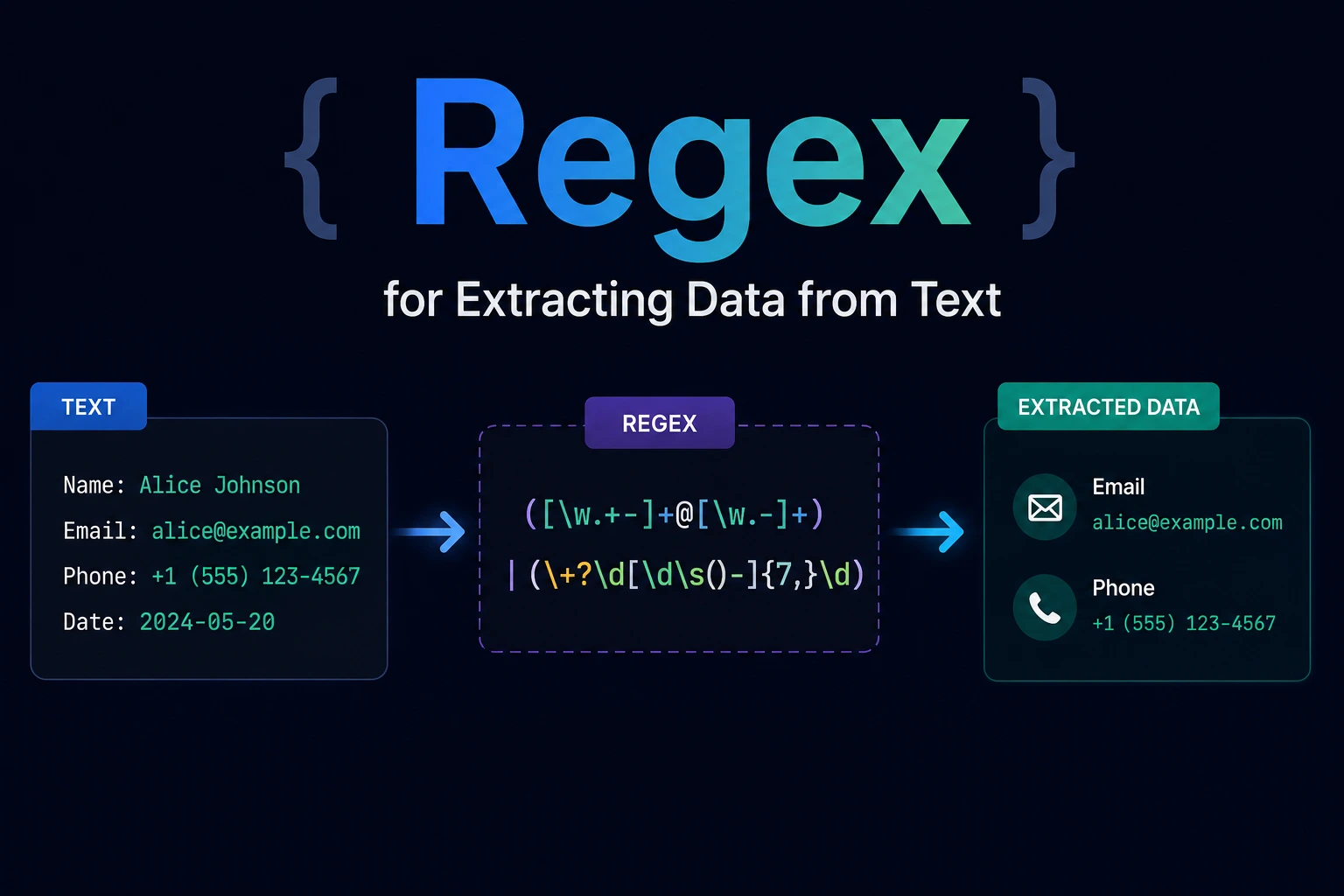
Regex for Extracting Data from Text
Regular expressions are useful for finding data inside text that does not already have a reliable structured format.
Common extraction tasks include:
- Finding order numbers in support messages
- Reading fields from predictable log lines
- Locating date candidates in reports
- Extracting tagged values
- Finding URLs in plain text
- Identifying hexadecimal color values
- Capturing values between known delimiters
The key word is candidates.
A regex can find text that has the expected shape, but many formats require an additional parser or validation step. A string shaped like a date may not represent a real date. A string shaped like an IP address may contain invalid octets. A string shaped like a URL may use an unsafe protocol.
Reliable extraction usually has two stages:
- Use regex to locate candidates and capture components.
- Parse or validate the extracted values according to application rules.
Extraction Is Different from Validation
Suppose a report contains:
Created: 2026-09-28
Expires: 2026-99-99
This pattern finds both date-shaped values:
\b\d{4}-\d{2}-\d{2}\bThe second value is not a valid calendar date.
Regex answers:
Which parts of this text have the expected shape?
Semantic validation answers:
Does this value make sense for the application?
Keep those responsibilities separate.
Start by Defining the Input
Before writing a pattern, document:
- Where the text comes from
- Whether it is one line or multiple lines
- Which regex engine will run it
- Whether Unicode must be supported
- Whether delimiters can be escaped
- Whether the data can be nested
- Maximum input size
- Expected malformed cases
- Whether partial matches are acceptable
A pattern written for a controlled log format should not automatically be reused against arbitrary user-submitted documents.
JavaScript Extraction APIs
JavaScript provides several regex-related methods.
String.match()
Find all complete matches with a global regex:
const values =
  "Order 42 contains 3 items"
    .match(/\d+/g) ?? [];

console.log(values);
// ["42", "3"]
String.matchAll()
Use matchAll() when capture groups are required for every match:
const input =
  "Order: 42, Order: 105";

const matches = [
  ...input.matchAll(
    /Order:\s*(?<id>\d+)/g
  )
];

console.log(
  matches.map(match => match.groups.id)
);
// ["42", "105"]
matchAll() returns an iterator and requires a global regex.
RegExp.exec()
Use exec() when manually processing each match:
const pattern =
  /Order:\s*(?<id>\d+)/g;

const input =
  "Order: 42, Order: 105";

let match;

while (
  (match = pattern.exec(input)) !== null
) {
  console.log(match.groups.id);
}
Be careful with zero-width patterns in manual loops because the regex may not advance automatically as expected.
1. Extract Integers
Pattern
[-+]?\d+JavaScript
const input =
  "Stock changed by -12, then +5.";

const values =
  input.match(/[-+]?\d+/g) ?? [];

console.log(values);
// ["-12", "+5"]
Convert only when arithmetic is needed:
const numbers =
  values.map(Number);

console.log(numbers);
// [-12, 5]
Keep identifiers as strings when leading zeros matter:
Order 00042Converting 00042 to a number produces 42.
2. Extract Decimal Numbers
Pattern
[-+]?(?:\d+(?:\.\d+)?|\.\d+)JavaScript
const input =
  "Values: -12.5, +4, .75";

const values = input.match(
  /[-+]?(?:\d+(?:\.\d+)?|\.\d+)/g
) ?? [];

console.log(values);
// ["-12.5", "+4", ".75"]
This deliberately does not support:
- Thousands separators
- Scientific notation
- Currency formatting
- Locale-specific decimal commas
- Accounting notation
Use a locale-aware number parser for those formats.
3. Extract Values from Structured Log Lines
Input:
2026-09-28T06:30:35Z ERROR requestId=req_42 Payment failedPattern:
^(?<timestamp>\S+)\s+(?<level>INFO|WARN|ERROR)\s+requestId=(?<requestId>\S+)\s+(?<message>.+)$JavaScript:
const pattern =
  /^(?<timestamp>\S+)\s+(?<level>INFO|WARN|ERROR)\s+requestId=(?<requestId>\S+)\s+(?<message>.+)$/;

const line =
  "2026-09-28T06:30:35Z ERROR requestId=req_42 Payment failed";

const match =
  pattern.exec(line);

if (match) {
  console.log(match.groups);
}
Result:
{
  timestamp: "2026-09-28T06:30:35Z",
  level: "ERROR",
  requestId: "req_42",
  message: "Payment failed"
}
Named capture groups make extraction code easier to maintain than numeric references such as match[1] and match[2].
Parse the timestamp separately if calendar and time-zone correctness matter.
4. Extract Fields from Multiple Log Lines
Input:
2026-09-28 INFO Started
2026-09-28 ERROR Failed
2026-09-29 WARN Retrying
Pattern:
const pattern =
  /^(?<date>\d{4}-\d{2}-\d{2})\s+(?<level>INFO|WARN|ERROR)\s+(?<message>.+)$/gm;

const records = [
  ...input.matchAll(pattern)
].map(match => match.groups);
The m flag changes ^ and $ so they operate at line boundaries.
The g flag extracts every matching line.
Do not use multiline regex parsing when log messages can contain arbitrary embedded newlines unless the format clearly defines how records are separated.
5. Extract ISO-Style Date Candidates
Pattern
\b\d{4}-\d{2}-\d{2}\bJavaScript
const input =
  "From 2026-09-28 to 2026-10-05";

const candidates = input.match(
  /\b\d{4}-\d{2}-\d{2}\b/g
) ?? [];

console.log(candidates);
// ["2026-09-28", "2026-10-05"]
Validate each candidate:
function isValidIsoDate(value) {
  const match =
    /^(?<year>\d{4})-(?<month>\d{2})-(?<day>\d{2})$/
      .exec(value);

  if (!match) {
    return false;
  }

  const {
    year,
    month,
    day
  } = match.groups;

  const date = new Date(Date.UTC(
    Number(year),
    Number(month) - 1,
    Number(day)
  ));

  return (
    date.getUTCFullYear() ===
      Number(year) &&
    date.getUTCMonth() ===
      Number(month) - 1 &&
    date.getUTCDate() ===
      Number(day)
  );
}
Regex locates the candidate. Date logic verifies it.
6. Extract Context-Specific Identifiers
Suppose support messages contain order references:
Please check ORDER-1042 and ORDER-9981.Pattern:
\bORDER-(?<id>\d{4,10})\bJavaScript:
const input =
  "Please check ORDER-1042 and ORDER-9981.";

const orderIds = [
  ...input.matchAll(
    /\bORDER-(?<id>\d{4,10})\b/g
  )
].map(match => match.groups.id);

console.log(orderIds);
// ["1042", "9981"]
Matching a known prefix is safer than extracting every number and guessing which ones are order IDs.
If the complete identifier is required:
const orderReferences = [
  ...input.matchAll(
    /\bORDER-\d{4,10}\b/g
  )
].map(match => match[0]);
7. Extract Quoted Strings
For a simple quoted-text format supporting backslash escapes:
"(?<value>(?:\\.|[^"\\])*)"JavaScript:
const input =
  'name="John" message="He said \\"Hello\\""';

const values = [
  ...input.matchAll(
    /"(?<value>(?:\\.|[^"\\])*)"/g
  )
].map(match => match.groups.value);

console.log(values);
// ["John", "He said \\\"Hello\\\""]
The pattern extracts the raw escaped text. It does not decode escape sequences.
If the text is JSON, use JSON.parse() instead of regex. If it is a programming language, use an appropriate lexer or parser.
8. Extract Email Candidates
A lightweight candidate pattern:
[A-Za-z0-9!#$%&'*+/=?^_`{|}~-]+(?:\.[A-Za-z0-9!#$%&'*+/=?^_`{|}~-]+)*@[A-Za-z0-9](?:[A-Za-z0-9-]{0,61}[A-Za-z0-9])?(?:\.[A-Za-z0-9](?:[A-Za-z0-9-]{0,61}[A-Za-z0-9])?)+JavaScript:
const emailCandidatePattern =
  /[A-Za-z0-9!#$%&'*+/=?^_`{|}~-]+(?:\.[A-Za-z0-9!#$%&'*+/=?^_`{|}~-]+)*@[A-Za-z0-9](?:[A-Za-z0-9-]{0,61}[A-Za-z0-9])?(?:\.[A-Za-z0-9](?:[A-Za-z0-9-]{0,61}[A-Za-z0-9])?)+/g;

const input =
  "Contact sales@example.com or help@example.org.";

const candidates =
  input.match(emailCandidatePattern) ?? [];

console.log(candidates);
This is an extraction policy, not a complete implementation of every valid international email format.
After extraction:
- Remove punctuation only according to known text rules.
- Apply a maintained email validator.
- Normalize conservatively.
- Send a verification message if ownership matters.
Do not use regex to claim that a mailbox exists.
9. Extract URL Candidates
A simple first-pass candidate pattern:
https?:\/\/[^\s<>"']+JavaScript:
const input =
  "Read https://example.com/docs, then visit http://example.org.";

const candidates =
  input.match(
    /https?:\/\/[^\s<>"']+/g
  ) ?? [];

console.log(candidates);
// May include trailing punctuation.
A prose URL may include a trailing comma, period, or closing parenthesis. Regex alone cannot always determine whether punctuation belongs to the URL.
Post-process and parse candidates:
function parseWebUrlCandidate(value) {
  const trimmed =
    value.replace(/[.,;!?]+$/, "");

  try {
    const url =
      new URL(trimmed);

    if (
      url.protocol !== "http:" &&
      url.protocol !== "https:"
    ) {
      return null;
    }

    return url;
  } catch {
    return null;
  }
}
For HTML, do not extract links with regex. Parse the document and read anchor attributes.
10. Extract IPv4 Candidates Safely
A basic shape pattern:
\b(?:\d{1,3}\.){3}\d{1,3}\bIt also matches:
999.999.999.999Therefore, treat the result as a candidate:
const candidatePattern =
  /\b(?:\d{1,3}\.){3}\d{1,3}\b/g;

function isValidIpv4(value) {
  const parts =
    value.split(".");

  return (
    parts.length === 4 &&
    parts.every(part => {
      if (!/^\d+$/.test(part)) {
        return false;
      }

      if (
        part.length > 1 &&
        part.startsWith("0")
      ) {
        return false;
      }

      const number =
        Number(part);

      return (
        number >= 0 &&
        number <= 255
      );
    })
  );
}
Usage:
const input =
  "Valid: 192.168.1.10; invalid: 999.1.1.1";

const addresses = (
  input.match(candidatePattern) ?? []
).filter(isValidIpv4);

console.log(addresses);
// ["192.168.1.10"]
Use a maintained IP-address parser if IPv6, network ranges, mapped addresses, or security decisions are involved.
11. Extract Hexadecimal Colors
Correct pattern:
#(?:[0-9a-fA-F]{8}|[0-9a-fA-F]{6}|[0-9a-fA-F]{4}|[0-9a-fA-F]{3})\bJavaScript:
const input =
  "Colors: #fff, #1a2b3c, #11223344, invalid #12xz90";

const colors = input.match(
  /#(?:[0-9a-fA-F]{8}|[0-9a-fA-F]{6}|[0-9a-fA-F]{4}|[0-9a-fA-F]{3})\b/g
) ?? [];

console.log(colors);
// ["#fff", "#1a2b3c", "#11223344"]
Longer alternatives appear first to prevent a shorter alternative from being accepted prematurely.
The boundary prevents matching a valid prefix from a longer hexadecimal sequence.
Choose accepted lengths based on the CSS formats your application supports.
12. Extract Unicode Hashtags
ASCII-only pattern:
#[A-Za-z0-9_]+Unicode-aware version:
#[\p{L}\p{M}\p{N}_]+JavaScript:
const input =
  "#JavaScript #برمجة #開発 #café";

const hashtags = input.match(
  /#[\p{L}\p{M}\p{N}_]+/gu
) ?? [];

console.log(hashtags);
// ["#JavaScript", "#برمجة", "#開発", "#café"]
The u flag enables Unicode-aware matching and property escapes.
Application rules may need to define:
- Allowed scripts
- Normalization form
- Maximum length
- Mixed-script behavior
- Emoji support
- Case handling
13. Extract Key-Value Pairs
Input:
status=paid order=1042 total=49.95Pattern:
(?<key>[A-Za-z_][A-Za-z0-9_]*)=(?<value>[^\s]+)JavaScript:
const input =
  "status=paid order=1042 total=49.95";

const fields = Object.fromEntries(
  [...input.matchAll(
    /(?<key>[A-Za-z_][A-Za-z0-9_]*)=(?<value>[^\s]+)/g
  )].map(match => [
    match.groups.key,
    match.groups.value
  ])
);

console.log(fields);
Result:
{
  status: "paid",
  order: "1042",
  total: "49.95"
}
This format does not support spaces or escaped delimiters inside values.
If the source format allows quoting, escaping, duplicate keys, or nesting, use a dedicated parser.
14. Find Overlapping Matches
Normal global matching consumes the previous match.
"12345".match(/\d{3}/g);
// ["123"]
To extract every overlapping three-digit sequence:
const values = [
  ..."12345".matchAll(
    /(?=(\d{3}))/g
  )
].map(match => match[1]);

console.log(values);
// ["123", "234", "345"]
The lookahead is zero-width, allowing matching to begin again at the next position.
Use overlapping extraction carefully. It can generate a large number of results from long input.
Greedy, Lazy, and Negated Matching
Given:
[start] first [end] noise [start] second [end]Greedy pattern:
\[start\].*\[end\]may consume from the first [start] to the final [end].
Lazy pattern:
\[start\].*?\[end\]stops at the earliest [end] that allows the match.
A more specific pattern may be clearer:
\[start\](?<value>[\s\S]*?)\[end\]When delimiters cannot occur inside the value, a negated class can be better:
\[(?<value>[^\]]*)\]Lazy matching is not automatically faster. It may still backtrack extensively. Choose the pattern that most precisely describes the permitted content.
Avoid Partial Matches
Suppose you want a complete four-digit code.
This:
\d{4}matches inside:
abc1234xyzFor an entire input:
^\d{4}$For a number token in text:
(?<!\d)\d{4}(?!\d)The appropriate boundaries depend on the input.
\b is a word boundary, not a universal numeric or Unicode boundary. Test punctuation, underscores, letters, and non-ASCII text.
Dynamic Regex Input Must Be Escaped
Suppose the user searches for:
price ($10)This input contains regex syntax.
When supported:
const searchText =
  "price ($10)";

const pattern = new RegExp(
  RegExp.escape(searchText),
  "gi"
);
Do not insert raw user input into a regex.
Regex escaping is different from:
- HTML escaping
- URL encoding
- SQL parameters
- Shell escaping
Use the protection required by each context.
Be Careful with Global Regex State
A regex using g or y has a mutable lastIndex.
const pattern = /order/g;

console.log(pattern.test("order"));
// true

console.log(pattern.test("order"));
// false
The second call begins from the previous lastIndex.
Possible fixes include:
pattern.lastIndex = 0;or using a non-global regex for one Boolean test:
/order/.test("order");Avoid sharing one mutable global regex across unrelated operations.
Processing Large Text Files
Do not load a multi-gigabyte log file into one browser or application string only to run a global regex.
Consider:
- Line-by-line processing
- Streams
- Chunked reads
- Bounded buffers
- Log-query tools
- Database ingestion
- Dedicated parsers
Chunking introduces boundary problems. A match can begin at the end of one chunk and finish in the next.
Maintain an overlap buffer large enough for the maximum supported match, or process logical records such as complete lines.
If the possible match length is unbounded, simple chunk overlap may not be sufficient.
Regex Performance and ReDoS
Some patterns can take excessive time on specially constructed input.
A risky shape is:
^(a+)+$When the match nearly succeeds and then fails, a backtracking engine may explore many possibilities.
Reduce risk by:
- Limiting input size
- Avoiding ambiguous nested quantifiers
- Anchoring complete-input patterns
- Using specific character classes
- Bounding repetition where possible
- Testing worst-case failures
- Applying timeouts where supported
- Using a nonbacktracking engine for untrusted workloads
- Replacing regex with direct parsing when clearer
OWASP identifies catastrophic backtracking as a potential Regular Expression Denial of Service vulnerability.
Do Not Parse Structured Formats with Regex
Use a dedicated parser for:
- JSON
- HTML
- XML
- CSV
- URLs
- Source code
- MIME messages
- SQL
- Nested expressions
Examples:
const data =
  JSON.parse(jsonText);
const documentObject =
new DOMParser()
.parseFromString(
html,
"text/html"
);const url =
new URL(urlText);Regex may help locate candidate fragments in surrounding text, but the dedicated parser should handle the structured value.
Building a Reliable Extraction Workflow
1. Define the target
Example:
Extract order references shaped as ORDER- followed by
4–10 digits.
2. Define boundaries
Determine what may appear before and after the value.
3. Capture only needed fields
Use named groups where supported.
4. Extract candidates
Run the regex against representative text.
5. Post-validate
Parse dates, numbers, URLs, IP addresses, and emails appropriately.
6. Normalize deliberately
Possible steps include:
- Unicode normalization
- Case normalization
- Whitespace cleanup
- Domain normalization
- Numeric conversion
Do not normalize values without a documented policy.
7. Preserve the source
Keep the original text or source position when auditability matters.
8. Test malformed input
Include near matches and adversarial cases.
9. Measure performance
Test realistic input sizes and worst-case failures.
10. Record rejected candidates
For data-import workflows, save safe diagnostic information explaining why candidates were rejected.
Extraction Test Checklist
Test:
- One valid match
- Several valid matches
- No matches
- Empty input
- Match at the beginning
- Match at the end
- Adjacent matches
- Overlapping matches
- Trailing punctuation
- Newlines
- Escaped delimiters
- Unicode text
- Maximum expected length
- One character beyond the limit
- Malformed near matches
- Very long nonmatching input
- Sensitive data handling
Example:
const pattern =
  /\bORDER-(?<id>\d{4,10})\b/g;

const tests = [
  {
    input: "Use ORDER-1042.",
    expected: ["1042"]
  },
  {
    input: "ORDER-12 is too short.",
    expected: []
  },
  {
    input: "ORDER-1042 and ORDER-9981",
    expected: ["1042", "9981"]
  },
  {
    input: "",
    expected: []
  }
];

for (const test of tests) {
  const actual = [
    ...test.input.matchAll(pattern)
  ].map(match => match.groups.id);

  console.assert(
    JSON.stringify(actual) ===
      JSON.stringify(test.expected),
    test.input
  );
}
Final Thoughts
Regex is most reliable when used as one part of an extraction pipeline.
A strong workflow is:
Raw text
  ↓
Regex candidate extraction
  ↓
Capture relevant components
  ↓
Format-specific parsing
  ↓
Business validation
  ↓
Normalization
  ↓
Structured output
The most important principles are:
- Define the input before writing the pattern.
- Distinguish extraction from validation.
- Use named groups for meaningful fields.
- Add explicit boundaries.
- Post-validate dates, IP addresses, emails, URLs, and phone numbers.
- Use parsers for structured formats.
- Limit input size and test worst-case failures.
- Test in the same regex engine used in production.
Try Next
Other utilities you might find helpful
Regex Tester
Test and debug regular expressions with live matches.
Regex Debugger
Understand regex step-by-step with explanations.
JSON Formatter
Format, validate, and minify JSON instantly.
Base64 Encoder/Decoder
Encode and decode Base64 strings and files.
SQL Explain Parser
Analyze SQL execution plans and optimize queries.
DOM Complexity Analyzer
Analyze HTML DOM structure, detect deep nesting, count nodes, and identify performance issues instantly.