
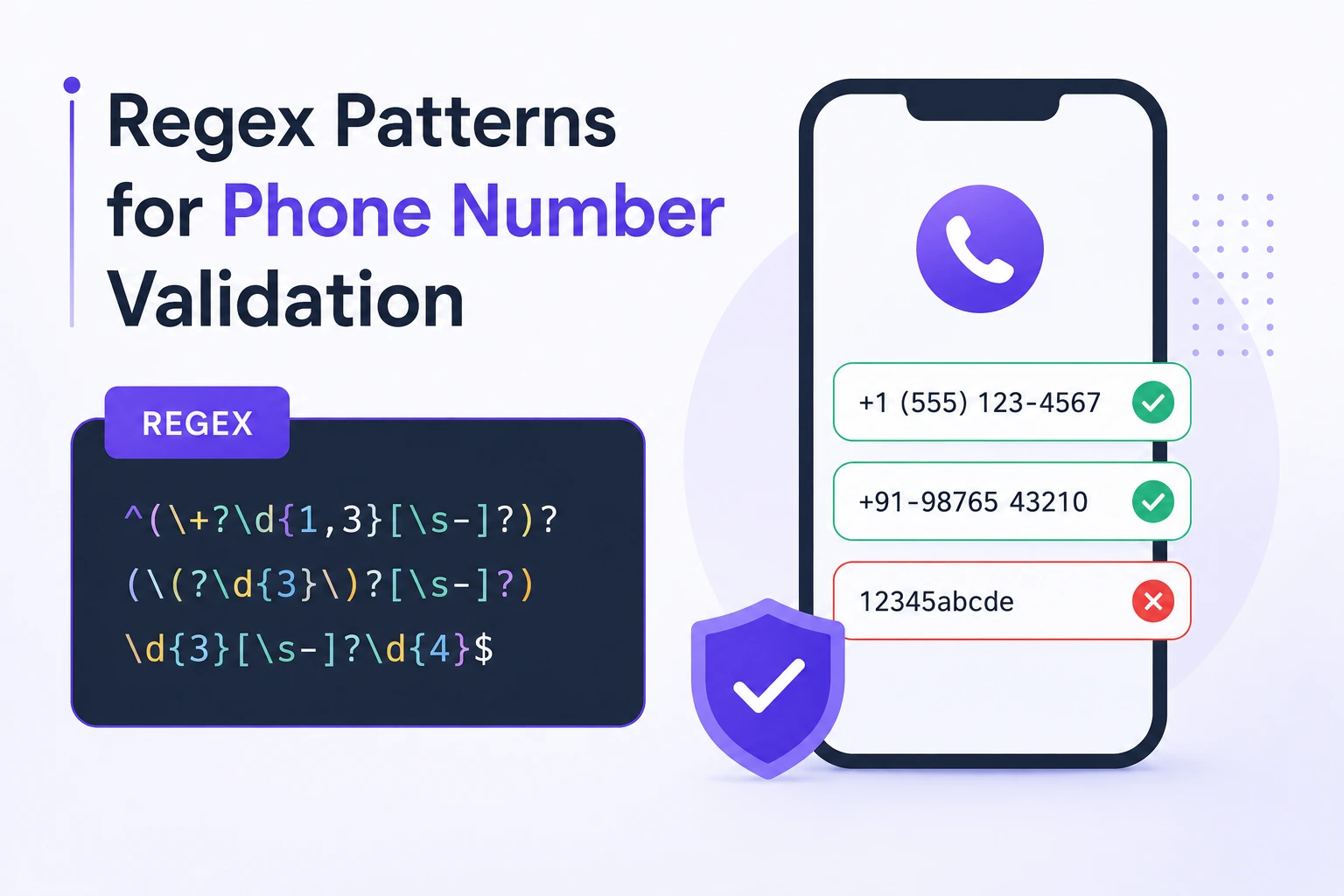
Regex Patterns for Phone Number Validation
There is no universal regex that can accurately validate every telephone number.
Phone-number rules vary by:
- Country
- Numbering plan
- Geographic area
- Mobile or fixed-line service
- Toll-free service
- National dialing prefix
- International dialing prefix
- Number length
- Carrier allocation
- Extension format
A production phone-number workflow should separate four tasks:
- Input handling: Accept a reasonable human-entered format.
- Parsing and normalization: Interpret it using a country or region.
- Plausibility validation: Check it against current numbering-plan metadata.
- Verification: Confirm that the user controls a reachable number.
Regex is useful for narrow format checks, but it cannot perform all four tasks.
Validation vs Verification
Format validation
Checks whether text follows an expected shape.
Example:
+923001234567A regex can verify that it:
- Begins with
+ - Contains digits
- Has an acceptable maximum length
Numbering-plan validation
Checks whether the number is plausible for a country or region.
This can include:
- Valid country calling code
- Possible national length
- Allowed prefix
- Mobile or fixed-line classification
Use a maintained phone-number library because numbering plans change.
Ownership verification
Confirms that a user can receive a code or call at that number.
This normally requires:
- SMS code
- Voice code
- Verified messaging flow
- Telecom provider integration
Regex cannot determine whether a number exists, is active, or belongs to the user.
What Is E.164?
E.164 is an international public telephone-numbering standard.
An international E.164 number contains:
- Country code
- National destination code where applicable
- Subscriber number
The international number has a maximum of 15 digits.
A commonly stored representation includes a leading +:
+14155552671
+442071838750
+923001234567
The + represents the international dialing prefix conceptually. It is not one of the E.164 digits.
National trunk prefixes such as the leading 0 used in many countries are normally not included in the normalized international representation.
Basic E.164-Shape Regex
^\+[1-9]\d{1,14}$JavaScript:
const e164Shape =
  /^\+[1-9]\d{1,14}$/;

console.log(
  e164Shape.test("+14155552671")
);
// true

console.log(
  e164Shape.test("+923001234567")
);
// true

console.log(
  e164Shape.test("+00123456789")
);
// false
What this pattern checks
^starts at the beginning.\+requires a literal plus sign.[1-9]requires the first digit to be nonzero.\d{1,14}allows up to 14 additional digits.$requires the complete value to match.
What it does not check
It does not confirm:
- The country code exists
- The national length is correct
- The prefix has been allocated
- The number is mobile
- The number is active
- The number can receive SMS
- The user owns it
Call this an E.164-shape check, not complete E.164 validation.
Do Not Make the Plus Sign Optional for Stored E.164
This pattern is often shown:
^\+?[1-9]\d{1,14}$Making + optional creates ambiguity.
For example:
923001234567Is that:
- An international number missing
+? - A national number?
- A number in country calling code
92? - A local number in another region?
If your database stores normalized international values, require +:
^\+[1-9]\d{1,14}$Human-facing input can remain flexible, but normalize it before storage.
Accept Human Input Separately
Users may enter:
+92 300 1234567
0300-1234567
(415) 555-2671
020 7183 8750
Do not require everyone to type database-normalized E.164 text directly.
A better form asks for:
- Country or region
- Phone number
- Optional extension
Example:
<label for="country">Country</label>
<select id="country" name="country">
  <option value="PK">Pakistan</option>
  <option value="US">United States</option>
  <option value="GB">United Kingdom</option>
</select>

<label for="phone">Phone number</label>
<input
  id="phone"
  name="phone"
  type="tel"
  autocomplete="tel"
  inputmode="tel"
  required
>
type="tel" can provide a telephone-oriented input experience, but browsers do not automatically know which national numbering plan the application accepts.
Server-side validation remains required.
Normalization Is Not Just Removing Punctuation
A naive normalizer might do this:
const digitsOnly =
  input.replace(/\D/g, "");
This removes punctuation, but it also removes meaningful context such as +.
It cannot determine whether a leading zero is:
- A national trunk prefix
- Part of the subscriber number
- An error
- Required by a local numbering plan
Example:
03001234567A parser needs to know the country is Pakistan before converting it to:
+923001234567Do not strip or add country codes without region information.
A Conservative Input Cleanup
You can clean obvious outer whitespace before passing the input to a phone-number parser:
function cleanPhoneInput(value) {
  return value.trim();
}
If your application deliberately accepts only a small separator set, you may remove those separators:
function removeDisplaySeparators(value) {
  return value.replace(
    /[()\s.-]/g,
    ""
  );
}
This still does not interpret national prefixes or country codes. A phone-number library must perform that step.
Reject unexpected characters rather than silently deleting everything that is not a digit.
For example, silently removing letters could transform a typo into a different number.
Pakistan Mobile Format Example
If an application accepts exactly these formats:
03001234567
+923001234567
a format pattern is:
^(?:\+92|0)3\d{9}$JavaScript:
const pakistanMobileShape =
  /^(?:\+92|0)3\d{9}$/;

console.log(
  pakistanMobileShape.test(
    "03001234567"
  )
);
// true

console.log(
  pakistanMobileShape.test(
    "+923001234567"
  )
);
// true
This checks the shape of a Pakistani mobile-style number.
It does not prove:
- The prefix is currently allocated
- The number is active
- The number can receive SMS
- The user owns it
Numbering metadata changes over time. Use an updated library for current production validation.
US and Canadian Display-Format Example
A deliberately limited North American pattern:
^(?:\+1[ .-]?)?(?:\([2-9]\d{2}\)|[2-9]\d{2})[ .-]?[2-9]\d{2}[ .-]?\d{4}$It accepts examples such as:
4155552671
415-555-2671
415 555 2671
(415) 555-2671
+1 415 555 2671
Unlike the common pattern:
^\(?\d{3}\)?[-.\s]?\d{3}[-.\s]?\d{4}$the grouped alternative requires either:
- Both parentheses
- No parentheses
It does not accept only one parenthesis.
Limitations
Even this improved pattern does not provide complete North American Numbering Plan validation.
It does not determine:
- Whether an area code is assigned
- Whether the exchange is active
- Whether the number is toll-free
- Whether it can receive SMS
- Whether it is in the US or Canada
- Whether the number has been ported
Use a numbering-plan library for those decisions.
Avoid Generic “Mobile Number” Regex
This pattern:
^[6-9]\d{9}$is often presented as a mobile-number validator.
It is not international. It encodes assumptions associated with a particular national numbering plan and period.
Mobile prefixes can:
- Differ by country
- Change over time
- Be reassigned
- Be affected by number portability
- Overlap with other service categories
Name country-specific rules clearly:
const indiaMobilePolicy = /* ... */;Do not name them:
const universalMobileRegex = /* ... */;For production, rely on current numbering metadata.
Phone Numbers with Extensions
Extensions are not part of the E.164 international number.
Store them separately:
{
  "phoneE164": "+14155552671",
  "extension": "567",
  "rawInput": "+1 (415) 555-2671 ext. 567"
}
A basic extension extractor:
(?:\s*(?:ext\.?|extension|x)\s*(\d{1,10}))$JavaScript:
function splitExtension(input) {
  const pattern =
    /(?:\s*(?:ext\.?|extension|x)\s*(\d{1,10}))$/i;

  const match =
    pattern.exec(input);

  if (!match) {
    return {
      number: input.trim(),
      extension: null
    };
  }

  return {
    number: input
      .slice(0, match.index)
      .trim(),
    extension: match[1]
  };
}
Usage:
console.log(
  splitExtension(
    "+1 415 555 2671 ext. 567"
  )
);
Result:
{
  number: "+1 415 555 2671",
  extension: "567"
}
Pass the number portion to a proper regional parser.
Use a Phone-Number Library for International Applications
For multi-country support, use a maintained implementation based on current numbering metadata.
Google’s libphonenumber project provides capabilities such as:
- Parsing
- Formatting
- Number plausibility checks
- Region information
- Number-type information
- As-you-type formatting
The project is maintained with updates to global numbering metadata.
Ports and wrappers exist for different programming languages. Choose one that:
- Is actively maintained
- Updates numbering metadata
- Supports your runtime
- Has clear parsing and formatting behavior
- Handles the regions your application serves
- Distinguishes possible from valid numbers
- Supports extensions where required
Do not freeze numbering rules into a large permanent regex.
Recommended Parsing Workflow
A robust workflow looks like this:
Raw input
    ↓
Country or region context
    ↓
Phone-number parser
    ↓
Plausibility validation
    ↓
Normalized E.164 value
    ↓
Optional SMS or voice verification
    ↓
Verified contact record
Suggested stored fields
{
  "phoneE164": "+923001234567",
  "phoneRegion": "PK",
  "phoneExtension": null,
  "phoneRawInput": "0300-1234567",
  "phoneVerifiedAt": "2026-09-28T06:30:35Z"
}
Whether to retain raw input depends on privacy and product requirements.
Do not retain unnecessary personal data indefinitely.
Format for Display, Normalize for Storage
Store a stable representation:
+14155552671Display according to context:
+1 415-555-2671or a national format for a user in the relevant country.
Formatting and storage are separate responsibilities.
Do not overwrite the normalized value with a display-formatted string.
Client-Side Validation
Client-side validation improves immediate feedback:
const form =
  document.querySelector("#contact-form");

const phoneInput =
  document.querySelector("#phone");

form?.addEventListener(
  "submit",
  event => {
    const value =
      phoneInput.value.trim();

    if (value.length === 0) {
      event.preventDefault();
      showPhoneError(
        "Enter a phone number."
      );
    }
  }
);
The browser cannot enforce your regional rules automatically.
Use client-side parsing for feedback, but repeat all validation on the server because clients can bypass the form.
Server-Side Validation
The server should:
- Confirm the field is present when required.
- Enforce an input-length limit.
- Parse with the selected region.
- Check plausibility using current metadata.
- Convert to the normalized format.
- Apply application rules.
- Check authorization.
- Start verification when required.
Do not trust a client-submitted normalized number without reparsing or validating it.
Validation Error Messages
Avoid vague messages:
Invalid inputUse guidance that helps the user recover:
Enter a valid phone number for Pakistan.Or:
Include the country code, for example +92 300 1234567.Do not reveal sensitive account information in validation or verification responses.
Phone Verification Flow
A typical verification process is:
- Parse and normalize the number.
- Apply rate limits.
- Generate a random single-use code.
- Store a protected representation with an expiry time.
- Send the code through SMS or voice.
- Limit verification attempts.
- Mark the number as verified after a correct code.
- Invalidate the code.
- Record verification time.
- Require reverification after important number changes.
Verification codes should be:
- Random
- Short-lived
- Single-use
- Rate-limited
- Excluded from logs
- Protected at rest
- Bound to the intended account and operation
Verification Does Not Establish Permanent Ownership
Phone numbers can be:
- Reassigned
- Recycled
- Ported
- Shared
- Transferred between employees
- Lost with a device
- Taken over through SIM-swap fraud
A successful code proves only that someone had access to the delivery channel at that time.
Do not treat a phone number as a permanent identity credential.
For sensitive operations:
- Offer stronger authentication methods
- Notify users about number changes
- Add recovery protections
- Apply waiting periods where appropriate
- Monitor suspicious changes
- Avoid relying only on SMS for high-risk authentication
Carrier Lookup Limitations
A carrier or line-type lookup may report:
- Country or region
- Original carrier
- Mobile or fixed-line classification
- Formatting information
It may not prove:
- Current carrier after number portability
- Current active status
- SMS delivery
- User ownership
- Availability at this moment
Treat lookup results as metadata, not proof.
Store Phone Numbers as Strings
Do not store phone numbers as numeric types.
Incorrect:
BIGINT
INTEGER
FLOAT
Use a string type:
VARCHAR
TEXT
Phone numbers are identifiers, not quantities.
Numeric storage can:
- Remove leading zeros
- Reject
+ - Overflow
- Apply unwanted numeric formatting
- Make extensions difficult to represent
Apply an appropriate maximum length and uniqueness policy.
Uniqueness Requires a Product Decision
Should two accounts be allowed to share one number?
Possible cases include:
- Families
- Business switchboards
- Shared customer-service phones
- Recycled numbers
- Test accounts
- Multi-tenant systems
Do not add a global unique constraint without considering the product model.
If uniqueness is required, enforce it with a database constraint—not only an application check.
Privacy and Logging
Phone numbers are personal data.
Avoid logging complete values unnecessarily.
Instead of:
Verification sent to +923001234567use a masked form:
Verification sent to ******4567Also protect:
- SMS provider payloads
- Verification codes
- Delivery receipts
- Support logs
- Analytics events
- Data exports
- Backups
Define a retention and deletion policy.
Common Mistakes
Using one regex for every country
Numbering plans differ and change.
Treating an E.164-shaped value as verified
Shape does not prove existence or ownership.
Making the plus sign optional in normalized storage
This creates country-code ambiguity.
Removing all nondigit characters without a region
National prefixes cannot be interpreted correctly without context.
Storing the number as an integer
Phone numbers are identifiers.
Including an extension in the E.164 field
Store extensions separately.
Assuming a carrier lookup proves reachability
It does not.
Using outdated mobile-prefix regexes
Prefix allocations and portability change.
Verifying only in the browser
Server validation is mandatory.
Using SMS as the sole high-risk authentication method
Phone channels can be compromised or reassigned.
Practical Pattern Summary
Exactly 10 digits
^\d{10}$Use only when the business rule explicitly requires exactly ten digits.
Strict E.164 shape
^\+[1-9]\d{1,14}$Useful after parsing and normalization.
Pakistan mobile-style shape
^(?:\+92|0)3\d{9}$Useful only for the documented Pakistan-specific input policy.
Limited North American display format
^(?:\+1[ .-]?)?(?:\([2-9]\d{2}\)|[2-9]\d{2})[ .-]?[2-9]\d{2}[ .-]?\d{4}$Useful as an interface-level format check—not complete numbering-plan validation.
Extension suffix
(?:\s*(?:ext\.?|extension|x)\s*(\d{1,10}))$Extract and store the extension separately.
Testing Checklist
Test:
- National format
- International format
- Country selected and omitted
- Leading trunk prefix
- Spaces
- Hyphens
- Parentheses
- Mismatched parentheses
- Extension
- Empty input
- Extremely long input
- Letters
- Multiple plus signs
- Invalid country code
- Valid shape but unassigned prefix
- Number that cannot receive SMS
- Repeated verification attempts
- Expired verification code
- Number change after verification
Tests must reflect the current library metadata and your business policy.
Recommended Production Strategy
For a single-country internal application:
- Document accepted national formats.
- Use a small input regex if helpful.
- Parse with the known region.
- Store a normalized representation.
- Verify when ownership matters.
For an international application:
- Ask for or infer the region carefully.
- Use a maintained phone-number library.
- Parse national and international input.
- Validate using current numbering metadata.
- Store E.164 where possible.
- Store extensions separately.
- Send a verification code when required.
- Apply privacy, rate-limit, and recovery controls.
Final Thoughts
Regex is useful for checking a narrow phone-number format, but international phone validation is a metadata and parsing problem.
Use regex for:
- Basic character restrictions
- One documented national format
- E.164-shape checks
- Extension extraction
- Immediate user feedback
Use a phone-number library for:
- Country calling codes
- National prefixes
- Number lengths
- Formatting
- Mobile and fixed-line classification
- Updated numbering-plan metadata
Use SMS or voice verification to establish temporary control of the number.
Try Next
Other utilities you might find helpful
Regex Tester
Test and debug regular expressions with live matches.
Regex Debugger
Understand regex step-by-step with explanations.
JSON Formatter
Format, validate, and minify JSON instantly.
Base64 Encoder/Decoder
Encode and decode Base64 strings and files.
SQL Explain Parser
Analyze SQL execution plans and optimize queries.
DOM Complexity Analyzer
Analyze HTML DOM structure, detect deep nesting, count nodes, and identify performance issues instantly.