
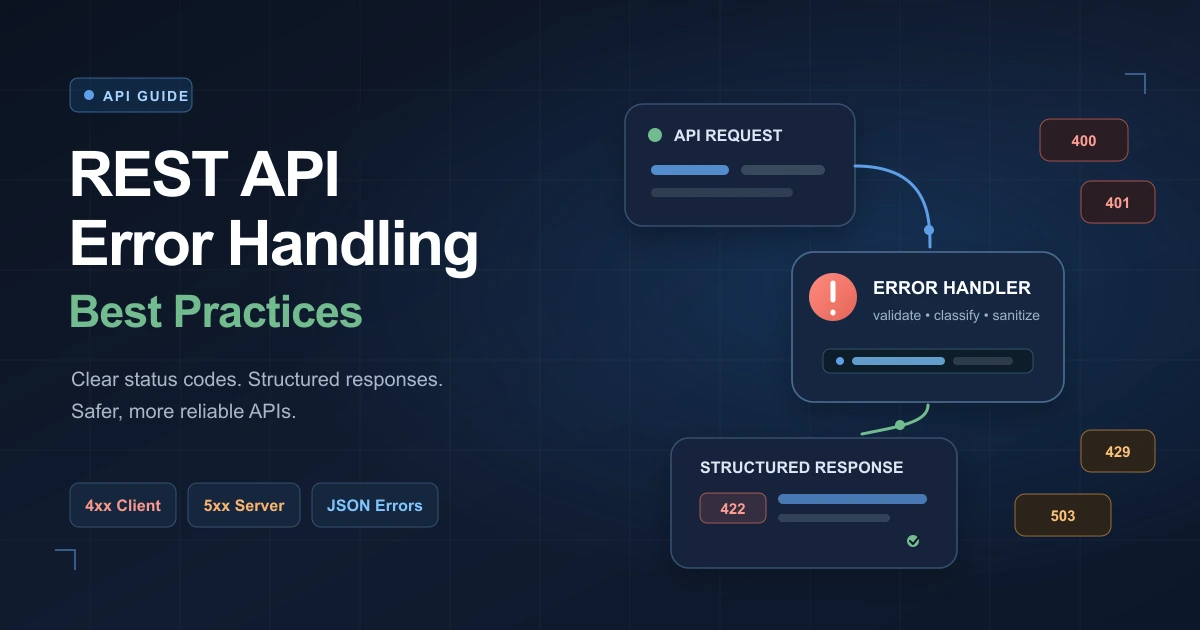
REST API Error Handling Best Practices with Examples
A successful REST API does more than return data. It also explains failures clearly, consistently, and securely.
When error handling is poorly designed, developers may receive vague responses such as:
{
  "error": "Something went wrong"
}
This response confirms that a failure occurred, but it does not explain:
- What failed
- Why it failed
- Whether the request should be retried
- Which input needs correction
- How developers can troubleshoot the problem
Good API error handling turns failures into useful, predictable responses. It helps client applications recover gracefully, reduces debugging time, improves observability, and creates a better developer experience.
This guide covers practical best practices for handling errors in REST APIs, including HTTP status codes, response structures, validation errors, security, logging, retries, and production monitoring.
What Is REST API Error Handling?
REST API error handling is the process of detecting failures and returning structured information that helps the client understand what happened.
An error can originate from several places:
- Invalid request syntax
- Missing or incorrect fields
- Authentication failure
- Insufficient permissions
- Missing resources
- Business-rule violations
- Rate limits
- Database failures
- Third-party service outages
- Unexpected application bugs
A reliable API should convert these failures into consistent HTTP responses.
A useful error response normally includes:
- An appropriate HTTP status code
- A stable machine-readable error code
- A clear human-readable message
- Relevant request or field details
- A request or trace identifier
- Optional documentation or recovery guidance
Why API Error Handling Matters
Error handling is part of an API’s public contract. Clients depend on it just as much as they depend on successful responses.
Better developer experience
Clear errors allow developers to diagnose problems without searching server logs or contacting the API provider.
More reliable client applications
Structured errors let applications decide whether to:
- Correct user input
- Refresh authentication
- Retry the request
- Wait before sending another request
- Display a fallback interface
- Escalate an unexpected failure
Easier monitoring
Consistent error codes make it easier to group, measure, and investigate failures.
Improved security
A controlled error-handling layer prevents stack traces, database queries, internal paths, and other sensitive details from reaching clients.
Reduced support workload
Actionable error messages prevent many avoidable support requests.
Use the Correct HTTP Status Code
The HTTP status code should communicate the broad category of the result.
Do not return 200 OK for every response and place the actual failure inside the JSON body.
Avoid this:
HTTP/1.1 200 OK
Content-Type: application/json
{
"success": false,
"error": "User not found"
}A client, proxy, monitoring system, or SDK may interpret the request as successful because the HTTP response says it succeeded.
Use the appropriate status instead:
HTTP/1.1 404 Not Found
Content-Type: application/json
{
"code": "USER_NOT_FOUND",
"message": "No user was found with the supplied identifier."
}Common REST API Status Codes
400 Bad Request
Use 400 Bad Request when the request cannot be processed because its syntax or basic structure is invalid.
Examples include:
- Malformed JSON
- Invalid query-parameter syntax
- Unsupported parameter combinations
- Missing required request data when no more specific status is used
{
  "code": "INVALID_JSON",
  "message": "The request body contains malformed JSON."
}
401 Unauthorized
Use 401 Unauthorized when valid authentication credentials are missing, invalid, or expired.
Despite its name, this status generally means the client is not authenticated.
{
  "code": "AUTHENTICATION_REQUIRED",
  "message": "A valid access token is required."
}
When appropriate, include a WWW-Authenticate response header.
Do not use 401 merely because an authenticated user lacks permission. That situation normally requires 403 Forbidden.
403 Forbidden
Use 403 Forbidden when the client is authenticated but does not have permission to perform the action.
{
  "code": "INSUFFICIENT_PERMISSION",
  "message": "You do not have permission to delete this project."
}
In security-sensitive situations, an API may return 404 Not Found instead to avoid confirming that a protected resource exists.
404 Not Found
Use 404 Not Found when the requested resource does not exist or is intentionally hidden from the client.
{
  "code": "ORDER_NOT_FOUND",
  "message": "No order was found with ID 8452."
}
405 Method Not Allowed
Use 405 Method Not Allowed when the endpoint exists but does not support the requested HTTP method.
For example, an endpoint may support GET but not DELETE.
The response should include an Allow header when possible:
Allow: GET, PUT409 Conflict
Use 409 Conflict when the request conflicts with the current state of a resource.
Common examples include:
- Duplicate email addresses
- Version conflicts
- Attempting to create an existing resource
- Updating stale data
- Invalid state transitions
{
  "code": "EMAIL_ALREADY_EXISTS",
  "message": "An account already uses this email address."
}
412 Precondition Failed
Use 412 Precondition Failed when a conditional request fails.
For example, a client may submit an If-Match header containing an outdated entity tag while attempting to update a resource.
This is useful for optimistic concurrency control.
415 Unsupported Media Type
Use 415 Unsupported Media Type when the server does not support the request’s content type.
{
  "code": "UNSUPPORTED_CONTENT_TYPE",
  "message": "This endpoint accepts application/json."
}
422 Unprocessable Content
Use 422 Unprocessable Content when the request syntax is valid but its content fails semantic or validation rules.
Examples include:
- An invalid email address
- A date in an unsupported format
- A password that does not satisfy requirements
- A quantity outside the permitted range
{
  "code": "VALIDATION_FAILED",
  "message": "One or more fields are invalid.",
  "errors": [
    {
      "field": "email",
      "code": "INVALID_EMAIL",
      "message": "Enter a valid email address."
    }
  ]
}
Choose a consistent policy for distinguishing 400 from 422, document it, and apply it across the API.
429 Too Many Requests
Use 429 Too Many Requests when a client exceeds a rate limit.
{
  "code": "RATE_LIMIT_EXCEEDED",
  "message": "Too many requests were received. Try again later.",
  "retryable": true
}
Include relevant rate-limit information in response headers. A Retry-After header can tell the client when it may retry.
500 Internal Server Error
Use 500 Internal Server Error for unexpected server-side failures.
{
  "code": "INTERNAL_ERROR",
  "message": "The request could not be completed.",
  "requestId": "req_8f53d912"
}
Do not expose the underlying exception, stack trace, database query, or internal file path.
502 Bad Gateway
Use 502 Bad Gateway when a gateway or proxy receives an invalid response from an upstream service.
503 Service Unavailable
Use 503 Service Unavailable when the service is temporarily unable to process requests.
Possible causes include:
- Maintenance
- Resource exhaustion
- Temporary dependency failure
- Overload protection
If the expected recovery time is known, include Retry-After.
504 Gateway Timeout
Use 504 Gateway Timeout when a gateway does not receive a timely response from an upstream service.
Create a Consistent Error Response Format
Every endpoint should return errors using the same general structure.
Without a standard format, clients may have to handle responses such as:
{
  "error": "Invalid email"
}
{
"message": "Project missing"
}{
"status": false,
"reason": {
"description": "Permission denied"
}
}This inconsistency makes client code unnecessarily complicated.
A practical standard format might look like this:
{
  "code": "VALIDATION_FAILED",
  "message": "One or more fields are invalid.",
  "status": 422,
  "requestId": "req_7c318ea4",
  "errors": [
    {
      "field": "email",
      "code": "INVALID_EMAIL",
      "message": "Enter a valid email address."
    }
  ]
}
Depending on the API, useful properties may include:
| Property | Purpose |
|---|---|
code | Stable machine-readable error identifier |
message | Clear summary for developers or users |
status | HTTP status code, if included in the body |
errors | Field-specific or detailed failures |
requestId | Identifier used to correlate logs |
retryable | Indicates whether retrying may succeed |
documentationUrl | Link to relevant documentation |
details | Safe contextual information |
Do not add fields merely because they might be useful in the future. Keep the format stable and focused.
Separate Error Codes from Error Messages
Applications should make decisions using stable error codes, not human-readable messages.
Suppose a client contains this logic:
if (
  response.message ===
  "An account already uses this email address."
) {
  showLoginSuggestion();
}
This code breaks if the message is reworded or translated.
Use a machine-readable code instead:
if (response.code === "EMAIL_ALREADY_EXISTS") {
  showLoginSuggestion();
}
The message can then change without breaking client behavior.
A good error code should be:
- Stable
- Unique enough to be useful
- Written consistently
- Documented
- Independent of language
- Appropriate for programmatic handling
Possible naming styles include:
EMAIL_ALREADY_EXISTS
PAYMENT_DECLINED
ORDER_NOT_FOUND
RATE_LIMIT_EXCEEDED
TOKEN_EXPIRED
Choose one convention and use it consistently.
Make Error Messages Clear and Actionable
An error message should explain the problem and, where possible, how to fix it.
Avoid:
{
  "message": "Invalid request"
}
Prefer:
{
  "message": "The startDate field must contain a valid ISO 8601 date."
}
Avoid exposing implementation details:
{
  "message": "SQLSTATE[23000]: Duplicate entry for key users_email_unique"
}
Prefer a domain-level explanation:
{
  "code": "EMAIL_ALREADY_EXISTS",
  "message": "An account already uses this email address."
}
Messages should not:
- Blame the user
- Expose internal technology
- Include secrets
- Reveal database structure
- Depend on developers parsing the text
- Claim a retry will work when that is uncertain
Return Structured Validation Errors
Validation failures often affect more than one field. Returning only the first error creates a frustrating correction cycle.
A useful response can include all relevant failures:
{
  "code": "VALIDATION_FAILED",
  "message": "Three fields require attention.",
  "errors": [
    {
      "field": "email",
      "code": "INVALID_EMAIL",
      "message": "Enter a valid email address."
    },
    {
      "field": "password",
      "code": "PASSWORD_TOO_SHORT",
      "message": "The password must contain at least 12 characters."
    },
    {
      "field": "dateOfBirth",
      "code": "FUTURE_DATE_NOT_ALLOWED",
      "message": "The date of birth cannot be in the future."
    }
  ]
}
For nested properties, use a documented path format:
{
  "field": "shippingAddress.postalCode",
  "code": "INVALID_POSTAL_CODE",
  "message": "Enter a valid postal code."
}
Alternatively, use JSON Pointer:
{
  "pointer": "/shippingAddress/postalCode",
  "code": "INVALID_POSTAL_CODE",
  "message": "Enter a valid postal code."
}
Avoid changing between dot notation, array indexes, JSON Pointer, and custom formats across endpoints.
Distinguish Validation from Business-Rule Failures
Input validation checks whether data has the correct shape and basic format.
Examples:
- A required field is missing
- A string is too long
- A number is outside an allowed range
- An email address is malformed
Business-rule validation checks whether the operation is allowed in the application’s current state.
Examples:
- The account has insufficient funds
- The order has already shipped
- The coupon has expired
- The requested seat is no longer available
A syntactically valid request may still violate a business rule:
{
  "code": "ORDER_ALREADY_SHIPPED",
  "message": "A shipped order cannot be cancelled.",
  "status": 409
}
Keeping these categories distinct improves API design, logging, and client behavior.
Handle Malformed JSON Separately
A malformed JSON document cannot reach ordinary field validation because it cannot be parsed.
Example of invalid JSON:
{
  "name": "Alice",
  "active": true,
}
The trailing comma makes the document invalid.
Return a focused response:
{
  "code": "INVALID_JSON",
  "message": "The request body contains malformed JSON."
}
Do not return field errors for data that the server could not parse.
In production, avoid returning parser-specific details if they may expose implementation information. During development, more precise diagnostic information can be recorded in logs.
Use a Centralized Error-Handling Layer
Do not build unrelated error responses in every controller or route.
This often creates:
- Inconsistent response structures
- Duplicated code
- Incorrect status codes
- Accidental exposure of internal errors
- Missing request identifiers
- Uneven logging
Instead, define domain-specific errors and process them through centralized middleware.
A simplified Express example:
class ApiError extends Error {
  constructor({
    status,
    code,
    message,
    details
  }) {
    super(message);

    this.status = status;
    this.code = code;
    this.details = details;
  }
}
A route can throw a controlled error:
app.get("/users/:id", async (req, res, next) => {
  try {
    const user = await findUser(req.params.id);

    if (!user) {
      throw new ApiError({
        status: 404,
        code: "USER_NOT_FOUND",
        message:
          "No user was found with the supplied identifier."
      });
    }

    res.json(user);
  } catch (error) {
    next(error);
  }
});
Central middleware can format the response:
app.use((error, req, res, next) => {
  const isKnownError =
    error instanceof ApiError;

  const status = isKnownError
    ? error.status
    : 500;

  const code = isKnownError
    ? error.code
    : "INTERNAL_ERROR";

  const message = isKnownError
    ? error.message
    : "The request could not be completed.";

  if (!isKnownError) {
    console.error(error);
  }

  res.status(status).json({
    code,
    message,
    requestId: req.id,
    ...(error.details && {
      details: error.details
    })
  });
});
The exact implementation depends on the framework, but the principle remains the same: transform application failures into a standard external contract in one place.
Do Not Expose Internal Error Details
Unexpected errors often contain sensitive information.
Never send clients:
- Stack traces
- Database connection strings
- SQL queries
- Internal hostnames
- Local file paths
- Source-code locations
- Authentication tokens
- Environment variables
- Third-party credentials
- Raw dependency errors
Unsafe response:
{
  "message": "Database connection failed",
  "host": "prod-db-01.internal",
  "username": "api_service",
  "stack": "Error at /srv/app/orders.js:184..."
}
Safer response:
{
  "code": "INTERNAL_ERROR",
  "message": "The request could not be completed.",
  "requestId": "req_c38be921"
}
Keep detailed diagnostic information in protected server logs.
Include Request and Trace Identifiers
A request identifier connects the client-visible error with server-side logs.
Example:
{
  "code": "PAYMENT_PROCESSING_FAILED",
  "message": "The payment could not be processed.",
  "requestId": "req_f83a2901"
}
The identifier may also be returned in a header:
X-Request-ID: req_f83a2901When a developer contacts support, they can provide this value. The support team can then locate the relevant log events without requesting sensitive information.
In distributed systems, trace and span identifiers can connect activity across multiple services.
Do not place confidential information inside request IDs. They should be opaque values.
Log Errors with Useful Context
Client responses should remain safe and concise. Server logs can contain more diagnostic detail.
A useful error log may include:
- Timestamp
- Request ID
- Trace ID
- Endpoint
- HTTP method
- Status code
- Stable error code
- Service name
- Application version
- Duration
- Dependency involved
- Retry attempt
- Safe user or tenant identifier
- Sanitized exception information
Example structured log:
{
  "level": "error",
  "event": "payment_request_failed",
  "requestId": "req_f83a2901",
  "traceId": "trace_721b6e",
  "method": "POST",
  "path": "/payments",
  "status": 502,
  "errorCode": "PAYMENT_PROVIDER_UNAVAILABLE",
  "durationMs": 1842
}
Structured logs are easier to search and aggregate than unstructured messages.
Avoid logging:
- Passwords
- Access tokens
- Session cookies
- Credit-card numbers
- Complete authorization headers
- Sensitive personal information
- Full request bodies by default
Apply redaction before logs leave the application.
Design Retry Behavior Carefully
Not every failed request should be retried.
Errors that usually should not be retried unchanged
400 Bad Request401 Unauthorized, unless credentials are refreshed403 Forbidden404 Not Found409 Conflict, unless the conflict is resolved422 Unprocessable Content
Errors that may be retryable
408 Request Timeout429 Too Many Requests502 Bad Gateway503 Service Unavailable504 Gateway Timeout- Some network failures
The exact decision depends on the operation and API contract.
A response may provide retry guidance:
{
  "code": "SERVICE_TEMPORARILY_UNAVAILABLE",
  "message": "The service is temporarily unavailable.",
  "retryable": true,
  "requestId": "req_4fd821c7"
}
Clients should generally use exponential backoff with random jitter rather than retrying immediately in a tight loop.
Conceptually:
first retry: approximately 1 second
second retry: approximately 2 seconds
third retry: approximately 4 seconds
fourth retry: approximately 8 seconds
Jitter adds randomness so that thousands of clients do not retry simultaneously.
Always apply:
- A maximum attempt count
- A maximum total retry duration
- Timeouts
- Cancellation support where appropriate
Make Retried Operations Idempotent
Retrying a GET request is usually safe. Retrying a state-changing request can accidentally repeat an operation.
Consider a payment request:
POST /paymentsThe server successfully charges the customer, but the network fails before the client receives the response. If the client sends the same request again, the customer could be charged twice.
An idempotency key helps the server recognize repeated attempts:
Idempotency-Key: 63aa6494-61c3-4fd1-90eb-b70c5f16ce1eThe server stores the result associated with that key and returns the same result when the operation is repeated.
Idempotency is especially important for:
- Payments
- Orders
- Reservations
- Account creation
- Message delivery
- Resource provisioning
Document how long idempotency keys remain valid and what happens if the same key is reused with different request data.
Handle Dependency Failures Deliberately
An API may depend on:
- Databases
- Payment providers
- Email services
- Object storage
- Authentication services
- Internal microservices
- Third-party APIs
Do not expose raw dependency errors directly to clients.
Instead, translate them into domain-level errors:
{
  "code": "PAYMENT_PROVIDER_UNAVAILABLE",
  "message": "Payment processing is temporarily unavailable.",
  "status": 503,
  "retryable": true
}
Internally, record which dependency failed and why.
Also consider:
- Connection timeouts
- Request deadlines
- Circuit breakers
- Bulkheads
- Fallbacks
- Controlled retry policies
- Health monitoring
A dependency timeout should not be allowed to keep every API request open indefinitely.
Set Timeouts at Every Relevant Layer
Requests that never finish consume resources and create poor user experiences.
Set appropriate time limits for:
- Incoming API requests
- Database queries
- Outgoing HTTP calls
- Queue operations
- File operations
- Background jobs
Different operations may require different limits. A metadata lookup and a large report export should not necessarily have the same timeout.
When a timeout occurs, log:
- The timed-out operation
- The configured limit
- The elapsed duration
- The dependency involved
- The request or trace ID
Return Consistent Authentication Errors
Authentication failures require special care.
Possible conditions include:
- Missing token
- Malformed token
- Invalid signature
- Expired token
- Revoked token
- Incorrect token audience
- Insufficient scope
The API may expose stable high-level codes:
{
  "code": "TOKEN_EXPIRED",
  "message": "The access token has expired."
}
However, avoid revealing unnecessary information that could help an attacker distinguish between accounts or credentials.
Never include the token itself in:
- Responses
- Logs
- Monitoring labels
- Error-reporting tools
Avoid Leaking Resource Existence
Suppose an unauthenticated client requests:
GET /users/alice@example.comReturning different messages for existing and non-existing accounts may enable account enumeration.
Potentially unsafe behavior:
{
  "message": "This account exists, but the password is incorrect."
}
Safer authentication-related wording may be:
{
  "code": "INVALID_CREDENTIALS",
  "message": "The supplied credentials are invalid."
}
The appropriate response depends on the feature, but error design should account for information disclosure.
Consider a Standard Error Format
Instead of inventing an entirely custom structure, an API can adopt a documented standard such as the Problem Details format for HTTP APIs.
A problem response may look like:
{
  "type": "https://api.example.com/problems/out-of-credit",
  "title": "Insufficient account credit",
  "status": 403,
  "detail": "The account requires 30 additional credits.",
  "instance": "/transactions/8c91",
  "requestId": "req_23ad18e6"
}
Typical properties include:
type: Identifier or documentation URI for the problemtitle: Short summarystatus: HTTP status codedetail: Explanation specific to this occurrenceinstance: Identifier for the affected occurrence or resource
Custom extension fields can provide additional structured information.
Using a standard can improve consistency, but clients should still rely on documented, stable identifiers rather than parsing descriptive text.
Keep Success and Error Contracts Separate
Do not return unrelated shapes under the same successful status.
For example, avoid returning either a user or an error from a 200 OK response:
{
  "id": 14,
  "name": "Alice"
}
or:
{
  "error": "User not found"
}
The HTTP status and documented schema should make the outcome unambiguous.
For SDKs and typed clients, define separate success and error models.
Do Not Ignore Error Responses from Third-Party APIs
External services can return:
- HTML error pages
- Empty response bodies
- Invalid JSON
- Unexpected content types
- Undocumented fields
- Different structures for different failures
- Successful status codes with invalid content
- Rate-limit responses
- Temporary gateway errors
Validate dependency responses before using them.
Do not assume this will always succeed:
const data = await response.json();A safer pattern checks the response first:
const contentType =
  response.headers.get("content-type") || "";

if (!contentType.includes("application/json")) {
  throw new Error(
    "Expected a JSON response from the dependency."
  );
}

const data = await response.json();

if (!response.ok) {
  throw new Error(
    `Dependency returned status ${response.status}.`
  );
}
In production code, convert this failure into a controlled internal error and record the dependency response safely.
Version Error Contracts Carefully
Clients may depend on:
- Error-code names
- Field names
- Field-path formats
- Status codes
- Retry indicators
- Documentation links
Changing these values can break integrations even if successful responses remain unchanged.
Potentially breaking changes include:
- Renaming
codetoerrorCode - Changing
errorsfrom an array to an object - Replacing
422with400without notice - Removing a documented error code
- Changing the meaning of a retry flag
- Returning localized messages where clients incorrectly depend on English text
Treat error responses as part of API versioning and compatibility planning.
Document Possible Errors
API documentation should describe errors alongside successful responses.
For each endpoint, document:
- Possible status codes
- Machine-readable error codes
- Response schemas
- Required headers
- Validation rules
- Retry behavior
- Rate limits
- Authentication requirements
- Idempotency behavior
- Example responses
Example:
| Status | Error code | Meaning |
|---|---|---|
400 | INVALID_JSON | The request body cannot be parsed |
401 | AUTHENTICATION_REQUIRED | Valid credentials are missing |
404 | ORDER_NOT_FOUND | The requested order does not exist |
409 | ORDER_ALREADY_SHIPPED | The order can no longer be cancelled |
429 | RATE_LIMIT_EXCEEDED | The client exceeded its request limit |
500 | INTERNAL_ERROR | An unexpected server failure occurred |
Documentation should not force developers to reverse-engineer error behavior through trial and error.
Test Error Paths
Many APIs test successful responses thoroughly while neglecting failures.
Add automated tests for:
- Malformed JSON
- Missing required fields
- Incorrect data types
- Invalid values
- Expired authentication
- Missing permissions
- Non-existent resources
- Duplicate resources
- State conflicts
- Rate limiting
- Database failures
- Dependency timeouts
- Unexpected exceptions
- Retried idempotent requests
Tests should verify:
- HTTP status
- Content type
- Error schema
- Stable error code
- Safe message
- Request ID
- Required headers
- Absence of sensitive information
Example test:
it("returns a structured validation error", async () => {
  const response = await request(app)
    .post("/users")
    .send({
      email: "not-an-email"
    });

  expect(response.status).toBe(422);
  expect(response.body.code).toBe(
    "VALIDATION_FAILED"
  );
  expect(response.body.errors).toEqual(
    expect.arrayContaining([
      expect.objectContaining({
        field: "email",
        code: "INVALID_EMAIL"
      })
    ])
  );
  expect(response.body.requestId).toBeDefined();
});
Contract tests can ensure that changes do not accidentally break the documented error format.
Monitor Error Rates in Production
Logging individual errors is not enough. Teams should also monitor patterns.
Useful metrics include:
- Total error rate
- Error rate by endpoint
- Error rate by status code
- Frequency of each error code
- Dependency failure rate
- Timeout rate
- Retry rate
- Rate-limit events
- Validation failure rate
- Authentication failure rate
- Latency before failure
Avoid using unlimited values such as complete URLs, messages, email addresses, or request IDs as metric labels. High-cardinality labels can make monitoring systems expensive and difficult to use.
Alerts should focus on actionable conditions, such as:
- A sudden increase in
500responses - A dependency timeout spike
- A major increase in payment failures
- An unusual authentication-error pattern
- A sustained increase in latency and
503responses
Common REST API Error-Handling Mistakes
Returning 200 OK for failures
This hides errors from HTTP-aware clients and monitoring tools.
Using 500 for every error
Client mistakes, missing resources, conflicts, and authentication failures are not internal server errors.
Sending vague messages
“Something went wrong” does not help developers correct the request.
Exposing raw exceptions
Stack traces and database errors create security and maintenance risks.
Using messages as identifiers
Human-readable wording can change. Clients should use stable codes.
Returning inconsistent structures
Every endpoint should follow the same general error contract.
Retrying every failure
Retrying permanent failures wastes resources and may duplicate operations.
Omitting request identifiers
Without correlation IDs, production troubleshooting becomes slower.
Logging sensitive data
Logs are not an appropriate location for tokens, passwords, or unrestricted personal data.
Documenting only successful responses
Developers need to understand failure behavior before integrating with an API.
Testing only the happy path
Production failures often occur in paths that received the least testing.
Production Checklist
Response design
- Use appropriate HTTP status codes
- Return a consistent JSON error structure
- Define stable machine-readable error codes
- Write clear and actionable messages
- Return structured field-validation details
- Include a request or trace identifier
- Set the correct response content type
Security
- Do not expose stack traces
- Do not reveal database details
- Do not include secrets in responses
- Redact sensitive values from logs
- Avoid account and resource enumeration
- Return controlled messages for unexpected errors
Reliability
- Centralize error handling
- Set dependency and request timeouts
- Retry only appropriate failures
- Use exponential backoff and jitter
- Support idempotency for sensitive operations
- Handle rate limits consistently
- Translate third-party errors into internal domain errors
Testing
- Test malformed request bodies
- Test field-validation failures
- Test authentication and authorization failures
- Test missing resources and conflicts
- Test dependency outages
- Test timeout behavior
- Test error schemas
- Test that sensitive information is not exposed
Monitoring
- Use structured logs
- Track error rates by endpoint and code
- Monitor dependency failures
- Alert on significant server-error spikes
- Connect responses to logs with request IDs
- Define retention and access controls for logs
Frequently Asked Questions
Should validation errors use 400 or 422?
Both approaches appear in real APIs. A common policy uses 400 for malformed or structurally invalid requests and 422 for syntactically valid data that fails field or semantic validation. The most important requirement is consistency and clear documentation.
What is the difference between 401 and 403?
401 Unauthorized generally means valid authentication is missing or invalid. 403 Forbidden means the client is authenticated but lacks permission to perform the requested action.
Should an API return the original exception message?
Usually not. Raw exceptions can expose internal implementation details or sensitive information. Log the original exception securely and return a controlled public message.
Should error responses include timestamps?
They can, but a timestamp is often already available in logs and HTTP metadata. Include it only if clients have a clear use for it, and use a consistent standard such as ISO 8601.
Should clients retry 500 errors?
Not automatically in every case. Some server failures are temporary, while others will continue until the underlying bug is fixed. Retry policies should consider the endpoint, operation, idempotency, response code, headers, and documented API behavior.
Are detailed validation messages safe?
They are generally useful, but they should not expose internal schemas, hidden account data, security rules, or sensitive resource existence. Review validation responses as part of the API’s threat model.
Should errors be localized?
User-facing applications may localize messages. However, machine-readable error codes must remain stable and language-independent. An API should clearly document whether its messages are intended for developers, end users, or both.
Final Thoughts
REST API error handling should be designed as carefully as successful API responses.
A reliable API:
- Uses meaningful HTTP status codes
- Returns a consistent error structure
- Provides stable machine-readable codes
- Gives developers actionable messages
- Protects internal implementation details
- Supports safe retries and idempotency
- Connects client errors to structured server logs
- Documents and tests failure behavior
The central rule is simple:
Treat every error response as part of the API contract.
Clear, predictable failures make integrations easier to build, applications more resilient, and production incidents faster to resolve.
Try Next
Other utilities you might find helpful
Regex Tester
Test and debug regular expressions with live matches.
Regex Debugger
Understand regex step-by-step with explanations.
JSON Formatter
Format, validate, and minify JSON instantly.
Base64 Encoder/Decoder
Encode and decode Base64 strings and files.
SQL Explain Parser
Analyze SQL execution plans and optimize queries.
DOM Complexity Analyzer
Analyze HTML DOM structure, detect deep nesting, count nodes, and identify performance issues instantly.