
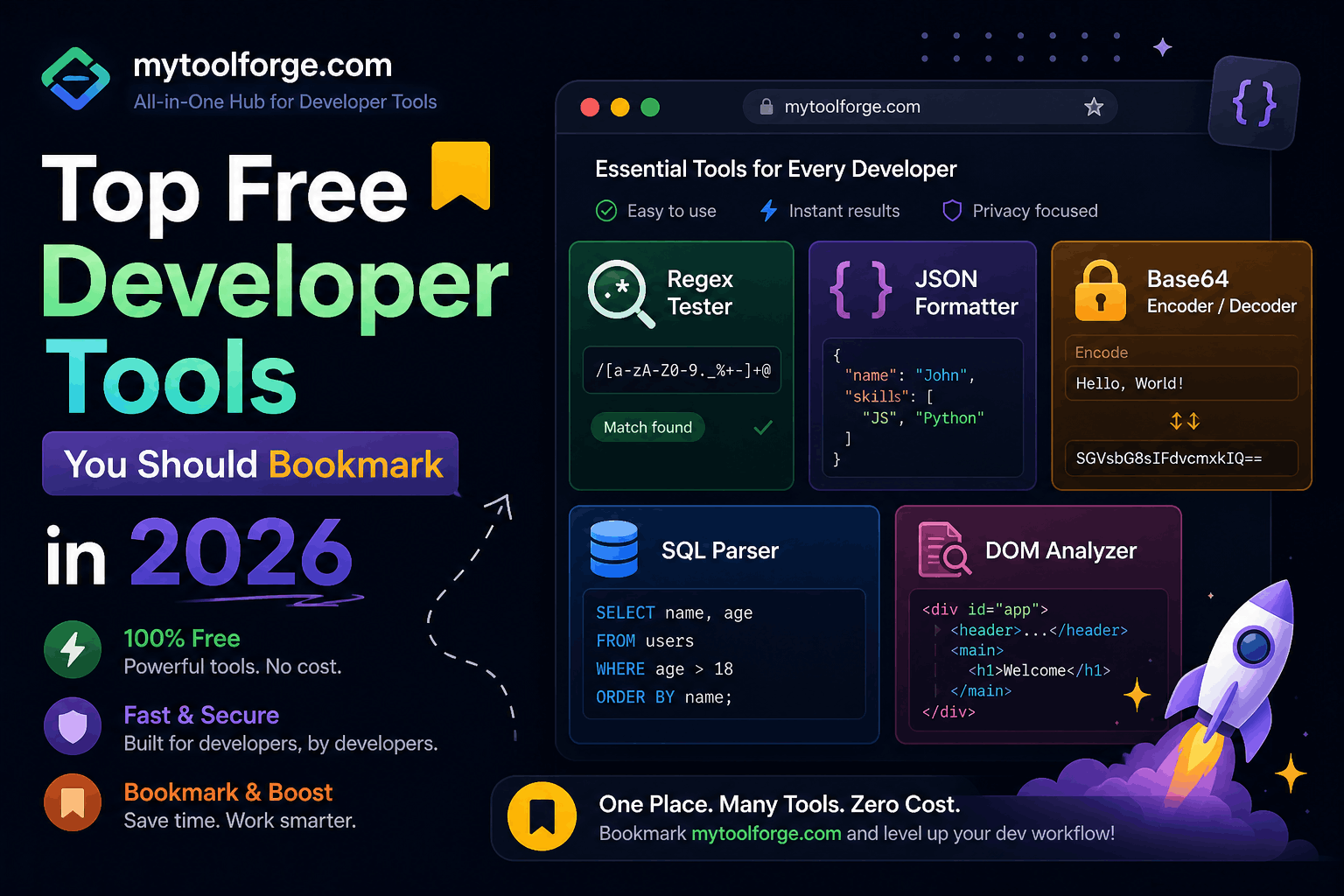
Top Free Developer Tools You Should Bookmark in 2026
Developers rarely need more tools. They need a smaller collection of reliable tools that solve recurring problems quickly.
A useful toolkit should help you:
- Inspect and validate data
- Test APIs
- Debug browser behavior
- Check compatibility
- Measure performance
- Analyze package size
- Format and lint code
- Inspect databases
- Test application security
- Create technical diagrams
- Find trustworthy documentation
This guide covers free and open-source tools worth bookmarking in 2026. Some commercial products offer limited free plans, so always confirm current usage limits before depending on them for a team or production workflow.
Quick Reference
| Task | Recommended tools |
|---|---|
| General developer utilities | MyToolForge, CyberChef |
| Documentation | MDN Web Docs, DevDocs |
| Browser compatibility | Can I Use |
| JSON inspection | MyToolForge, JSON Crack, jq |
| Regex testing | regex101 |
| API testing | Hoppscotch, Bruno |
| Browser debugging | Chrome DevTools, Firefox Developer Tools |
| Performance testing | PageSpeed Insights, Lighthouse, WebPageTest |
| Package-size analysis | Bundlephobia |
| Formatting and linting | Prettier, ESLint |
| Database management | DBeaver Community, SQLite |
| Security testing | OWASP ZAP, SSL Labs |
| Diagrams | Mermaid Live Editor, Excalidraw |
| Version control | Git, GitHub |
| API and data standards | JSON Schema, OpenAPI |
1. MyToolForge
MyToolForge brings several frequently used developer utilities into one website.
Its current tool collection includes:
- Regex Tester
- JSON Formatter
- Base64 Encoder and Decoder
- SQL Parser
- DOM Analyzer
This makes it useful when you need to inspect or transform development data without installing a separate application for every task.
Best use cases
Use MyToolForge for quick tasks such as:
- Formatting an API response
- Checking JSON syntax
- Testing a regular expression
- Decoding a non-sensitive Base64 value
- Inspecting a SQL query’s structure
- Reviewing HTML or DOM structure
Important privacy precaution
Before pasting data into any online utility, remove:
- API keys
- Access tokens
- Session cookies
- Passwords
- Private customer information
- Production database records
- Confidential source code
If you cannot confirm how a website processes or stores input, use a trusted local utility for sensitive data.
2. MDN Web Docs
MDN Web Docs remains one of the most valuable references for frontend and web-platform development.
It provides documentation for:
- HTML
- CSS
- JavaScript
- HTTP
- Web APIs
- Accessibility
- Browser extensions
- Security-related browser features
MDN pages frequently include syntax, examples, compatibility information, specifications, and implementation notes.
Why bookmark it
Use MDN when you need to confirm:
- Whether a browser API exists
- How a JavaScript method behaves
- Which HTTP header to use
- Whether an HTML attribute is valid
- What a CSS property does
- Which exceptions an API may throw
Prefer documentation over copying an unexplained code sample from a random result.
3. Can I Use
Can I Use provides browser-support tables for HTML, CSS, JavaScript APIs, and other web-platform features.
What it helps answer
- Does Safari support this CSS property?
- When did Chromium add this API?
- Is a feature available on mobile browsers?
- Do I need a fallback?
- Can I safely use this feature for my target audience?
Example
Before using a modern CSS feature, check:
- Desktop support
- Mobile support
- Partial implementations
- Known browser notes
- Whether a prefix or fallback is needed
Global support percentages are only a starting point. Compare them with your project’s actual browser analytics.
4. Chrome DevTools
Chrome DevTools is built into Chromium-based browsers and provides far more than basic element inspection.
Its panels and tools cover:
- DOM and CSS inspection
- JavaScript debugging
- Network requests
- Performance recordings
- Memory profiling
- Storage inspection
- Accessibility information
- Security details
- Device emulation
- Coverage analysis
- Local Overrides
Chrome maintains extensive official documentation for these capabilities.
Features worth learning
Start with:
- Conditional breakpoints
- Event-listener breakpoints
- Request blocking
- Network throttling
- Performance Monitor
- Heap snapshots
- Local Overrides
- Coverage
- CSS Grid and Flexbox overlays
- Accessibility inspection
Because it runs against the live page, DevTools is often the fastest place to determine whether a problem comes from HTML, CSS, JavaScript, networking, caching, or rendering.
5. Firefox Developer Tools
Firefox includes its own developer tools for:
- HTML and CSS inspection
- JavaScript debugging
- Network analysis
- Responsive testing
- Accessibility inspection
- Storage inspection
- Performance profiling
The Firefox CSS tools are particularly useful when diagnosing Grid and Flexbox behavior.
Why use more than one browser’s tools?
A page that works in Chrome may behave differently in Firefox or Safari.
Cross-browser inspection helps identify:
- Unsupported features
- Different default styles
- Rendering differences
- Browser-specific console warnings
- Accessibility inconsistencies
Do not make Chrome your only testing environment.
6. regex101
regex101 is an interactive regular-expression editor and debugger.
It supports several regex flavors and provides:
- Live match highlighting
- Capture-group inspection
- Pattern explanations
- Substitution testing
- Flags
- Test cases
- Debugging information
Best use cases
Use it when:
- Extracting values from logs
- Testing validation rules
- Debugging capture groups
- Converting a pattern between languages
- Investigating greedy matching
- Writing search-and-replace operations
Security precaution
Do not paste production logs containing personal information, tokens, internal hostnames, or customer records into a public regex tester. Replace sensitive values with realistic test data.
7. JSON Crack
JSON Crack turns JSON, YAML, XML, and related structured data into interactive visual diagrams.
It is useful when deeply nested data is difficult to understand in a normal text editor.
Good use cases
- Exploring unfamiliar API responses
- Understanding nested configuration files
- Visualizing object relationships
- Reviewing large JSON structures
- Explaining data models to teammates
A visualization can reveal excessive nesting or duplicated structures, but it does not replace JSON Schema or business-rule validation.
8. jq
jq is a command-line processor for JSON.
Unlike a browser-based formatter, it can be incorporated into:
- Shell scripts
- CI pipelines
- Log-processing workflows
- API tests
- Data transformations
The official manual documents its filters, operators, functions, streaming behavior, and command options.
Format JSON
jq . response.jsonExtract selected properties
jq '{
  id,
  name,
  status
}' response.json
Filter an array
jq '.users[] | select(.active == true)' response.jsonRead an API response
curl --silent https://api.example.com/users |
  jq '.users[] | {id, email}'
For sensitive data, a local command-line tool is often safer than pasting the response into an unknown website.
9. JSON Schema
JSON Schema is a standard vocabulary for describing and validating JSON structure.
A schema can define:
- Required properties
- Data types
- String lengths
- Numeric ranges
- Array constraints
- Enumerated values
- Nested structures
- Unknown-property policies
Example:
{
  "$schema": "https://json-schema.org/draft/2020-12/schema",
  "type": "object",
  "required": ["id", "email", "active"],
  "properties": {
    "id": {
      "type": "integer",
      "minimum": 1
    },
    "email": {
      "type": "string",
      "format": "email"
    },
    "active": {
      "type": "boolean"
    }
  },
  "additionalProperties": false
}
Bookmark the JSON Schema documentation when building:
- APIs
- Configuration formats
- Data-import systems
- Validation pipelines
- Event-driven applications
A formatter verifies readability and syntax. JSON Schema verifies whether the data matches an expected contract.
10. Hoppscotch
Hoppscotch is an open-source API development platform available through the browser and other supported environments.
It can help with:
- REST requests
- GraphQL
- WebSocket connections
- Server-Sent Events
- Request headers
- Authentication
- Environment variables
- Response inspection
Best use cases
- Quickly calling a development endpoint
- Testing query parameters
- Inspecting headers
- Debugging authentication
- Exploring an API
- Testing real-time connections
Handle credentials carefully
API clients may store:
- Access tokens
- Environment variables
- Request history
- Authentication headers
Understand where data is stored and whether synchronization is enabled before entering production credentials.
11. Bruno
Bruno is a Git-native API client whose collections are stored as local files.
This makes it useful for teams that want API requests to live alongside project code and version-control workflows.
Why developers use it
- Local collection storage
- Git-friendly text files
- Offline-oriented workflows
- Environment support
- Request organization
- Team review through normal code changes
Good workflow
Store non-secret request definitions in the repository while keeping tokens and private environment values outside version control.
Before committing, confirm that collection files do not include:
- Bearer tokens
- Basic-auth passwords
- Private API keys
- Production cookies
- Personal customer data
12. PageSpeed Insights
PageSpeed Insights analyzes a public webpage using Lighthouse laboratory tests and, when available, field data from the Chrome User Experience Report.
It reports information related to:
- Core Web Vitals
- Loading performance
- Main-thread work
- Image optimization
- Caching
- Render-blocking resources
- Accessibility
- SEO-related technical checks
Understand the two data types
Field data
Field data reflects eligible real-user experiences collected over time.
Lab data
Lab data comes from a controlled test and is useful for diagnosing potential issues.
A high laboratory score does not guarantee that all real users receive a fast experience. Use both lab and field information where available.
13. Lighthouse
Lighthouse is an open-source auditing tool available in Chrome DevTools, from the command line, and through related services.
It evaluates categories such as:
- Performance
- Accessibility
- Best practices
- SEO
Useful workflow
- Run a baseline audit.
- Save the report.
- Fix one group of issues.
- Test the application manually.
- Run the audit again.
- Compare the results.
Do not optimize only for the score. Verify that changes improve real behavior without damaging functionality or accessibility.
14. WebPageTest
WebPageTest provides detailed page-load testing from different locations, browsers, and network conditions.
Depending on current service availability and plan limits, it can provide:
- Request waterfalls
- Filmstrips
- Loading videos
- Core Web Vitals
- Connection timing
- Content breakdowns
- Repeat-view testing
- Network-condition simulation
Why the waterfall matters
A request waterfall can expose:
- Redirect chains
- Slow server responses
- Render-blocking files
- Large images
- Third-party delays
- Connection overhead
- Poor caching behavior
Public tests may expose tested URLs and results. Avoid submitting private staging URLs containing credentials or sensitive query parameters.
15. Bundlephobia
Bundlephobia estimates the download and installation impact of packages published to npm.
It can show information such as:
- Minified size
- Compressed size
- Dependency contribution
- Package composition
- Alternative packages
Use it before installing a dependency
Before adding a package for a small utility, ask:
- How large is it?
- Does it bring many transitive dependencies?
- Can the platform provide the same functionality?
- Can the project import only the required function?
- Is the package actively maintained?
Bundle size is only one factor. Also review security, maintenance, licensing, and browser compatibility.
16. Prettier
Prettier is an opinionated code formatter that supports several languages and file formats.
It helps teams standardize formatting for files such as:
- JavaScript
- TypeScript
- JSON
- CSS
- HTML
- Markdown
- YAML
Why formatters improve productivity
Automated formatting reduces discussions about:
- Indentation
- Line breaks
- Quote style
- Wrapping
- Spacing
A formatter improves consistency, but it does not detect incorrect application logic.
17. ESLint
ESLint analyzes JavaScript and related code for configurable problems and style violations.
It can help identify:
- Unused variables
- Suspicious expressions
- Invalid patterns
- Inconsistent conventions
- Certain framework-specific issues
Formatter vs linter
A formatter changes presentation.
A linter analyzes code according to rules.
Most JavaScript projects benefit from using both:
npx prettier --check .npx eslint .Add them to CI so the same standards apply to every contributor.
18. DBeaver Community
DBeaver Community is a free, open-source database-management application.
It supports many databases through appropriate drivers and can help with:
- Running SQL queries
- Browsing schemas
- Inspecting table data
- Viewing relationships
- Exporting results
- Editing development data
Production safety
Database tools make destructive operations easy.
When connecting to production:
- Prefer read-only accounts
- Verify the selected connection
- Use transactions where supported
- Avoid unrestricted credentials
- Back up data before migrations
- Review every update and delete statement
- Apply result limits to exploratory queries
A convenient graphical interface does not remove database risk.
19. SQLite
SQLite is a small, embedded relational database engine that requires no separate database server.
It is useful for:
- Local applications
- Prototypes
- Automated tests
- Mobile applications
- Data analysis
- Development utilities
- Temporary datasets
The SQLite website provides documentation, downloads, language references, and command-line guidance.
Bookmark it when you need to confirm SQL syntax or SQLite-specific behavior rather than assuming it behaves exactly like MySQL or PostgreSQL.
20. CyberChef
CyberChef is an open-source collection of data-transformation and analysis operations.
Its operations can help with:
- Base64
- URL encoding
- Hashing
- Compression
- Hexadecimal data
- Character encodings
- Date conversion
- Certificate inspection
- Binary data analysis
Why it is useful
CyberChef lets you build a sequence of transformations called a recipe.
For example:
From Base64
→ Gunzip
→ Decode text
→ Parse JSON
Encoding and hashing are not encryption. Understand what each operation does before using it in a security-sensitive workflow.
For confidential data, consider running an approved local instance of the open-source project.
21. OWASP ZAP
ZAP is a free, open-source web-application security scanner maintained through an independent open-source project associated with the OWASP community.
It supports activities such as:
- Intercepting HTTP traffic
- Crawling applications
- Passive scanning
- Active security testing
- API scanning
- Authentication testing
- Automation
Use it legally
Run security scans only against systems you own or have explicit permission to test.
Active scanning can:
- Submit forms
- Modify data
- Trigger security controls
- Create server load
- Affect production behavior
Use a dedicated testing environment whenever possible.
22. Qualys SSL Labs Server Test
SSL Labs provides a public service for analyzing an internet-facing server’s TLS configuration.
It can help identify:
- Certificate-chain problems
- Protocol support
- Cipher-suite configuration
- Key-exchange information
- Known TLS weaknesses
- Compatibility concerns
Appropriate use
Use it for public hosts you are authorized to assess.
Do not assume that a strong TLS grade means the application itself is secure. TLS configuration is only one part of application security.
23. Mermaid Live Editor
Mermaid creates diagrams from text-based definitions.
The Mermaid Live Editor lets you write and preview diagrams in the browser.
Supported diagram types include:
- Flowcharts
- Sequence diagrams
- Class diagrams
- State diagrams
- Entity-relationship diagrams
- Timelines
- Git graphs
Example:
flowchart LR
    Browser --> CDN
    CDN --> WebServer
    WebServer --> Database
Text-based diagrams are useful because they can be:
- Reviewed
- Version controlled
- Updated quickly
- Included in Markdown documentation
24. Excalidraw
Excalidraw is a collaborative virtual whiteboard with a hand-drawn visual style.
It is useful for:
- Architecture sketches
- Data-flow diagrams
- User-flow discussions
- Incident timelines
- Planning meetings
- Quick technical explanations
Use Mermaid when you need a diagram stored as text. Use Excalidraw when you need fast, flexible visual exploration.
Avoid placing confidential architecture or credentials into externally hosted collaborative boards unless your organization approves the service.
25. Git
Git is a free, open-source distributed version-control system.
Every developer should understand at least:
git statusgit diffgit addgit commitgit branchgit switchgit pullgit pushgit loggit restore
Why Git is essential
Git provides:
- Change history
- Branching
- Collaboration
- Code review support
- Rollback options
- Experiment isolation
Version control is valuable even for a one-person project.
Never commit:
- Credentials
- Private keys
- Environment files containing secrets
- Production database exports
- Access tokens
Removing a secret from the latest commit does not automatically remove it from repository history.
26. GitHub
GitHub provides repository hosting, issue tracking, pull requests, automation, and collaboration features.
Its free offering can support:
- Public repositories
- Private repositories
- Pull requests
- Issues
- Discussions
- Limited automation usage
- Basic project management
Features and quotas depend on the current plan and repository type, so check the official plan documentation before designing a workflow around a particular limit.
Bookmark useful repository pages
For an active project, bookmark:
- Open pull requests
- Issues assigned to you
- Actions
- Security alerts
- Release history
- Project documentation
GitHub is not a backup strategy by itself. Maintain recovery plans for important repositories and release artifacts.
27. GitHub Actions
GitHub Actions runs automated workflows in response to repository events.
Common uses include:
- Running tests
- Linting code
- Building applications
- Checking formatting
- Scanning dependencies
- Publishing documentation
- Creating releases
- Deploying approved changes
Example workflow:
name: Test

on:
  pull_request:
  push:
    branches:
      - main

jobs:
  test:
    runs-on: ubuntu-latest

    steps:
      - uses: actions/checkout@v4

      - uses: actions/setup-node@v4
        with:
          node-version: 24

      - run: npm ci
      - run: npm run lint
      - run: npm test
Usage allowances vary between public and private repositories and may change over time.
Review third-party actions before allowing them to access repository secrets.
28. OpenAPI
OpenAPI provides a standard format for describing HTTP APIs.
An OpenAPI document can describe:
- Paths
- Methods
- Parameters
- Request bodies
- Response schemas
- Status codes
- Authentication
- Reusable components
A well-maintained specification can support:
- Interactive documentation
- Client generation
- Server stubs
- Mock APIs
- Contract validation
- Automated testing
Treat the specification as part of the product. If it no longer matches the implementation, generated documentation and clients become misleading.
How to Choose Tools Worth Bookmarking
Do not bookmark a tool simply because it appears in a large list.
Evaluate it using the following criteria.
Does it solve a recurring problem?
A tool used once per year does not need permanent placement in your primary bookmarks.
Can the result be verified?
Prefer tools that expose:
- Clear errors
- Raw output
- Standards references
- Export options
- Reproducible commands
Is sensitive input handled appropriately?
Ask:
- Does processing occur locally or on a server?
- Is input logged?
- Is it retained?
- Is an account required?
- Can the tool be self-hosted?
- Does your organization approve it?
Is it actively maintained?
Check:
- Recent releases
- Documentation quality
- Security advisories
- Repository activity
- Browser support
- Issue responses
Can it integrate with your workflow?
A command-line formatter used in CI may provide more long-term value than a website requiring manual copy and paste.
Build a Practical Bookmark Structure
Organize tools according to the problem they solve.
Developer Tools
├── Documentation
│   ├── MDN
│   ├── Can I Use
│   └── JSON Schema
├── Data
│   ├── MyToolForge
│   ├── regex101
│   ├── JSON Crack
│   └── CyberChef
├── APIs
│   ├── Hoppscotch
│   ├── Bruno
│   └── OpenAPI
├── Performance
│   ├── PageSpeed Insights
│   ├── WebPageTest
│   └── Bundlephobia
├── Security
│   ├── ZAP
│   └── SSL Labs
└── Diagrams
    ├── Mermaid
    └── Excalidraw
Keep your primary toolbar small. Put occasionally used tools in categorized folders.
Online Tool Safety Checklist
Before pasting data into an online tool, remove:
- Passwords
- Authentication tokens
- API keys
- Private URLs
- Session identifiers
- Customer information
- Database connection strings
- Proprietary source code
- Production log details
For sensitive work, prefer:
- Local command-line tools
- Open-source desktop applications
- Approved IDE extensions
- Self-hosted utilities
- Isolated development data
Free does not mean private, secure, or appropriate for confidential information.
Frequently Asked Questions
Are all the tools in this list completely free?
Some are fully free and open source. Others provide limited free access or have optional paid services. Plans and quotas can change, so confirm current terms on the official website.
Is an online formatter safe for production data?
Not automatically. Remove secrets and personal information unless you have verified and approved the tool’s data-processing behavior.
Should developers rely on browser tools or command-line tools?
Use both. Browser utilities are convenient for quick exploration, while command-line tools are better for automation, reproducibility, local processing, and CI.
Is MyToolForge a replacement for all specialized tools?
No. It is useful for quick JSON, regex, Base64, SQL, and DOM tasks. Specialized tools remain better for API automation, database administration, performance profiling, security scanning, and contract testing.
How often should this list be updated?
Review it every few months. Free plans, usage limits, product names, and supported features change frequently.
Final Thoughts
The best developer toolkit is not the one with the most bookmarks. It is the one that helps you solve recurring problems safely and consistently.
A practical starting set is:
- MyToolForge for quick developer utilities
- MDN for web documentation
- Can I Use for browser compatibility
- Chrome DevTools for browser debugging
- regex101 for regular expressions
- Hoppscotch or Bruno for API testing
- PageSpeed Insights for performance checks
- Bundlephobia for npm package analysis
- DBeaver Community for database work
- Git and GitHub for version control
- ZAP for authorized security testing
- Mermaid or Excalidraw for diagrams
Learn a small number of tools deeply, automate recurring checks, and use local alternatives whenever data is sensitive.
Try Next
Other utilities you might find helpful
Regex Tester
Test and debug regular expressions with live matches.
Regex Debugger
Understand regex step-by-step with explanations.
JSON Formatter
Format, validate, and minify JSON instantly.
Base64 Encoder/Decoder
Encode and decode Base64 strings and files.
SQL Explain Parser
Analyze SQL execution plans and optimize queries.
DOM Complexity Analyzer
Analyze HTML DOM structure, detect deep nesting, count nodes, and identify performance issues instantly.