
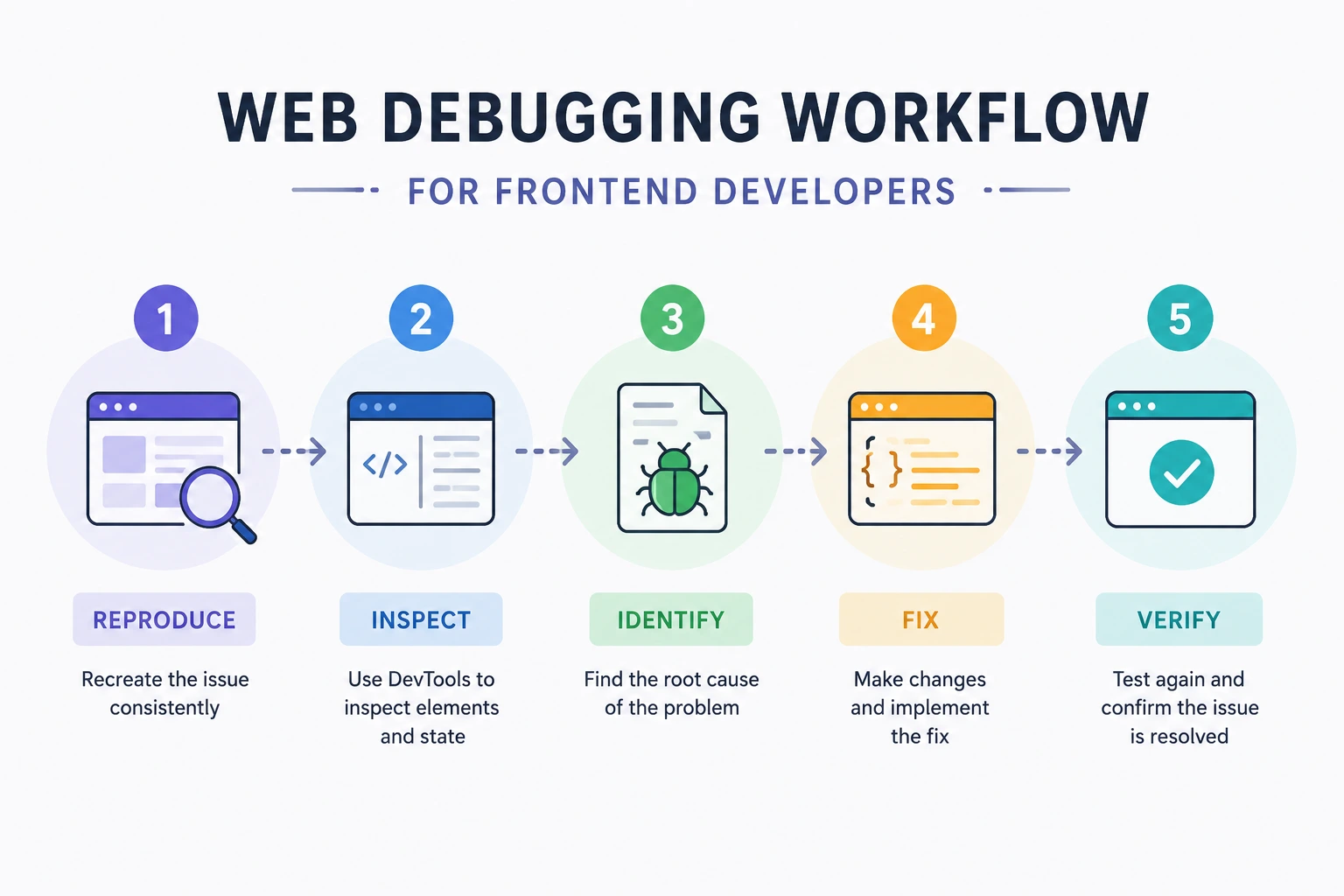
Web Debugging Workflow for Frontend Developers
Effective debugging is not the process of changing code until a symptom disappears.
A reliable workflow is:
Observe
→ Reproduce
→ Reduce
→ Form a hypothesis
→ Gather evidence
→ Fix one cause
→ Add a regression test
→ Verify in the affected environment
This approach works for:
- JavaScript errors
- Broken layouts
- API failures
- Race conditions
- Stale application state
- Browser compatibility problems
- Memory leaks
- Performance regressions
- Service-worker and cache bugs
- Accessibility failures
The objective is not merely to make the current error disappear. It is to understand why it happened and prevent it from returning.
1. Respond to Production Impact First
For a production incident, investigation may not be the first priority.
First ask:
- Is login broken?
- Are purchases failing?
- Is user data at risk?
- Is the issue affecting every user?
- Did the most recent deployment introduce it?
- Can the feature be disabled safely?
- Is rollback faster than diagnosis?
Possible containment actions include:
- Roll back the release
- Disable a feature flag
- Stop a problematic experiment
- Restore the previous API version
- Remove a failing third-party integration
- Display a controlled fallback
- Pause a destructive workflow
Preserve evidence before it disappears:
- Deployment version
- Request IDs
- Error samples
- Screenshots
- Performance traces
- Affected browser versions
- Relevant logs
- Feature-flag values
Do not leave a high-impact failure active merely to make debugging easier.
2. Write a Precise Bug Statement
Avoid:
The checkout is broken.Use:
On Safari 18, clicking “Pay” after applying a percentage
discount leaves the button disabled. No payment request appears
in the Network panel. Chrome is unaffected.
A useful bug statement contains:
- Affected user action
- Expected behavior
- Actual behavior
- Environment
- Scope
- First known occurrence
- Observable evidence
This immediately narrows the possible layers.
3. Record Exact Reproduction Steps
Use a consistent format:
Environment
- Application version: 2026.09.28.3
- Browser: Safari 18
- Operating system: macOS
- Account type: Customer
- Feature flag: new-checkout=true

Starting state
- Signed in
- Cart contains one product
- No saved payment method

Steps
1. Open /checkout.
2. Apply discount code SAVE10.
3. Enter payment details.
4. Select Pay.

Expected
- A payment request is sent.
- A confirmation page appears.

Actual
- The Pay button remains disabled.
- No request is sent.
Also record whether the problem survives:
- Page refresh
- Sign out and sign in
- Private-browsing mode
- Disabled extensions
- Cleared site data
- Different account
- Different network
- Previous release
Do not clear all state before capturing the state that caused the issue.
4. Determine the Scope
Create a small scope matrix:
| Dimension | Works | Fails |
|---|---|---|
| Browser | Chrome, Firefox | Safari |
| Environment | Local, staging | Production |
| Account | Administrator | Customer |
| Network | Office Wi-Fi | Mobile connection |
| Data | Normal cart | Cart with discount |
| Release | Previous | Current |
This helps distinguish among:
- Browser-specific behavior
- Production configuration
- Data-dependent bugs
- Account permissions
- Network timing
- Deployment regressions
- Feature flags
Change one dimension at a time.
5. Identify the Failing Layer
A frontend interaction crosses several layers:
User input
→ Event handler
→ Client validation
→ Application state
→ Request construction
→ Browser security policy
→ Network
→ Server
→ Response parsing
→ State update
→ DOM rendering
Ask where the expected sequence stops.
Example:
Click event fires
Client validation passes
No fetch call occurs
This points toward frontend control flow.
Another example:
Click event fires
Request is sent
Server returns 403
UI reports “Network unavailable”
Here, the network works. The problems are authorization and misleading error handling.
Choose the Right DevTools Panel
| Symptom | Start with |
|---|---|
| JavaScript exception | Console and Sources |
| API failure | Network |
| Incorrect CSS | Elements and Computed |
| Missing click behavior | Event listeners and Sources |
| Slow interaction | Performance |
| Memory growth | Memory |
| Stale cache | Network and Application |
| Cookie problem | Application and Network |
| Accessibility problem | Accessibility tree |
| Unexpected redirect | Network |
| Production stack trace | Source maps and error monitoring |
Do not open every panel and inspect random information.
Start with a question.
6. Use the Console as Evidence
The Console can reveal:
- Uncaught exceptions
- Promise rejections
- Resource failures
- Security-policy violations
- Deprecation warnings
- Framework errors
- Logged diagnostic context
Example:
TypeError: Cannot read properties of null
    at updateTotal (checkout.js:148)
Ask:
- Which value is
null? - Why was it assumed to exist?
- Is the element conditionally rendered?
- Did a selector change?
- Did the function run too early?
- Is a framework replacing the node?
Use the stack trace to reach the failing execution path.
Preserve useful logs
Reloading clears console output unless Preserve log is enabled.
Enable it when debugging:
- Redirects
- Page reloads
- Authentication callbacks
- Multi-page flows
Avoid treating every warning as the root cause
A warning may be unrelated. Reproduce the issue and verify whether the warning occurs at the same time and along the relevant code path.
Structured temporary logging
Instead of:
console.log("here");log useful context:
console.debug(
  "Checkout submission",
  {
    cartId,
    discountCode,
    paymentReady,
    requestId
  }
);
Do not log:
- Passwords
- Access tokens
- Payment details
- Session cookies
- Verification codes
- Complete personal records
Remove noisy temporary logs before merging, or place durable diagnostics behind an appropriate logging policy.
7. Inspect the Network Request
For an API problem, answer these questions in order:
- Was a request sent?
- Is the URL correct?
- Is the method correct?
- Did a redirect occur?
- What status code returned?
- Are request headers correct?
- Is authentication present?
- Is the request body correct?
- Is
Content-Typecorrect? - Is the response actually JSON?
- Did CORS prevent JavaScript access?
- Was the response served from cache?
- Which timing phase was slow?
Request not present
Possible causes include:
- Event handler did not run
- Validation returned early
- Button remained disabled
- Exception occurred first
- Conditional code path was not entered
- Request was cancelled
- Component unmounted
- Form submission navigated away
Set a breakpoint in the handler.
Request failed before receiving a response
Possible causes include:
- DNS failure
- TLS failure
- Offline state
- Blocked mixed content
- Browser extension
- Request cancellation
- CORS preflight failure
- Connection timeout
Server returned an error status
Inspect the response rather than calling it a network failure.
Examples:
400: malformed request or API policy401: missing or invalid authentication403: authenticated but not permitted404: incorrect route or missing resource409: state conflict422: application validation failure429: rate limit500: unexpected server error502,503,504: gateway or upstream problem
Check fetch() correctly
fetch() normally resolves for HTTP responses such as 404 or 500.
const response =
  await fetch("/api/orders");

if (!response.ok) {
  throw new Error(
    `Request failed: ${response.status}`
  );
}
Do not assume a resolved promise means a successful status.
CORS debugging
A CORS message does not necessarily mean the server was unreachable.
Check:
- Request origin
- Preflight request
Access-Control-Allow-Origin- Allowed methods
- Allowed headers
- Credential policy
- Redirect behavior
CORS is enforced by browsers. It must normally be fixed by the API or proxy configuration—not by adding random headers to frontend JavaScript.
Protect exported traces
HAR files and “Copy as cURL” output may contain:
- Cookies
- Authorization headers
- Query parameters
- Request bodies
- Personal information
Redact them before sharing.
8. Pause JavaScript with Breakpoints
Breakpoints are more reliable than adding dozens of log statements.
Useful breakpoint types include:
- Line-of-code breakpoint
- Conditional breakpoint
- Logpoint
- Exception breakpoint
- Event-listener breakpoint
- DOM-change breakpoint
- XHR/fetch breakpoint
Chrome DevTools provides these breakpoint types for pausing at the relevant execution point.
Conditional breakpoint
Pause only for one affected record:
order.id === "ord_1042"This avoids stopping for every item.
Logpoint
A logpoint prints information without editing source code:
"Updating order", order.id, order.statusThis is useful when the code path runs frequently.
Pause on exceptions
Enable:
- Pause on uncaught exceptions
- Pause on caught exceptions when necessary
A library may catch an error and replace it with a vague fallback. Pausing where the error is thrown can reveal the original cause.
Inspect runtime state
While paused, inspect:
- Local variables
- Closures
this- Call stack
- Async stack
- Watch expressions
- Event object
- Function arguments
- Return values
Avoid changing several runtime values and then treating the modified behavior as proof of the fix.
Source maps
Production JavaScript is often:
- Bundled
- Minified
- Transpiled
- Code-split
Source maps connect deployed code to authored source and allow DevTools to display original files.
Decide whether maps should be:
- Publicly served
- Uploaded privately to error monitoring
- Accessible only in internal environments
Source maps can reveal proprietary source code. Align distribution with your security policy.
Also confirm that the deployed source map matches the deployed JavaScript version.
9. Debug Async and Race Conditions
Timing bugs often disappear when breakpoints change execution speed.
Common symptoms include:
- Older search results replacing newer results
- State updates after component unmount
- Loading indicators never clearing
- Multiple form submissions
- Duplicate API requests
- Results appearing in random order
- Intermittent failures on slow networks
Simulate slower conditions
Use Network throttling to test:
- Slow API responses
- Offline behavior
- Failed requests
- Delayed images
- Delayed JavaScript chunks
Use CPU throttling to reveal:
- Long tasks
- Timing assumptions
- Hydration delays
- Input responsiveness problems
Stale search result example
let controller = null;

async function search(query) {
  controller?.abort();

  controller =
    new AbortController();

  try {
    const response = await fetch(
      `/api/search?q=${
        encodeURIComponent(query)
      }`,
      {
        signal: controller.signal
      }
    );

    if (!response.ok) {
      throw new Error(
        `Search failed: ${response.status}`
      );
    }

    const results =
      await response.json();

    renderResults(results);
  } catch (error) {
    if (error.name !== "AbortError") {
      showSearchError(error);
    }
  }
}
Without cancellation or sequence checking, an older request may overwrite a newer result.
Verify cleanup
async function submitForm() {
  submitButton.disabled = true;

  try {
    await saveForm();
    showSuccess();
  } catch (error) {
    showError(error);
  } finally {
    submitButton.disabled = false;
  }
}
The finally block prevents the button from remaining disabled after a rejected promise.
10. Debug State, Not Just the DOM
The DOM shows rendered output. It does not always reveal why the application produced it.
Inspect:
- Component props
- Local state
- Global store
- Derived selectors
- Query cache
- Route state
- Feature flags
- Server-provided initial state
Ask:
- Which event changed this state?
- Was the update immutable where required?
- Is the component reading stale closure data?
- Did two requests update the same state?
- Is cached data scoped to the correct user?
- Did hydration use different initial data?
- Is an effect running more often than expected?
Use framework-specific developer tools to inspect component and store updates.
Do not directly modify framework-owned DOM and assume the underlying state is fixed.
11. Debug DOM and CSS Methodically
For a visual issue, select the affected element in the Elements panel.
Inspect:
- Matched CSS rules
- Crossed-out declarations
- Computed styles
- Box model
- Inherited values
- Custom properties
- Active media queries
- Container queries
- Pseudo-elements
- Flexbox or grid overlays
- Stacking contexts
- Overflow and clipping
Element is present but not visible
Check:
display
visibility
opacity
content-visibility
position
z-index
overflow
clip-path
transform
width and height
color and background
Also check whether:
- An ancestor is hidden
- The element is outside the viewport
- Another element covers it
- A transform created a new stacking context
- It has zero dimensions
- It was moved into a different DOM root
- CSS loaded in a different order
Avoid guessing with z-index
A large z-index does not escape its stacking context.
Inspect ancestor properties that can create stacking contexts, including certain uses of:
- Position and
z-index - Transform
- Opacity
- Filter
- Isolation
- Containment
Understand which elements are being compared within the same context.
Toggle rules one at a time
Disable one declaration and observe the result.
Do not delete several rules simultaneously, because that hides which rule caused the behavior.
12. Check Browser Storage and Cookies
Inspect:
- Cookies
- Local storage
- Session storage
- IndexedDB
- Cache Storage
- Service workers
Possible problems include:
- Expired session cookie
- Incorrect cookie domain
- Missing
Secure - Inappropriate
SameSite - Stale feature flag
- Outdated cached schema
- Old access token
- User-specific data under a shared cache key
- Failed storage migration
Do not manually insert a production token into browser storage as a normal debugging technique.
If temporary test credentials are required, use an approved test environment and account.
13. Debug Service Workers and Caches
A service worker can make the browser run old assets after deployment.
Symptoms include:
- Hard refresh does not fix the issue
- One user sees an older application
- HTML and JavaScript versions do not match
- Requests show “from ServiceWorker”
- Offline fallback appears unexpectedly
- A deleted API response remains cached
Inspect:
- Active service worker
- Waiting worker
- Cache Storage
- Fetch handlers
- Versioned cache names
- Update lifecycle
- Cache invalidation
Test with service-worker bypass only to isolate the cause. Then fix the update and caching strategy.
Do not tell users to clear all browser data as the permanent solution.
14. Reduce the Reproduction
A smaller reproduction removes unrelated variables.
Reduction techniques include:
- Remove unrelated components
- Replace the API with a fixed fixture
- Disable one feature flag
- Use one affected record
- Remove third-party scripts
- Reproduce outside the framework
- Create a minimal HTML/CSS/JS page
- Use a clean browser profile
- Disable extensions
- Compare previous and current builds
A minimal reproduction is useful for:
- Browser bug reports
- Library bug reports
- Team handoff
- Automated tests
- Confirming framework involvement
Use binary isolation
Disable half of the suspected code path or components.
If the problem remains, discard the other half. Repeat.
This is more efficient than reviewing every line sequentially.
Use version-control history
If the problem is a regression:
git bisect start
git bisect bad
git bisect good <known-good-commit>
Test each selected revision and mark it good or bad until Git identifies the likely first failing commit.
This works best when:
- Builds are reproducible
- Commits are independently testable
- A script can detect the failure
15. Debug Performance Separately from Correctness
Do not diagnose a slow interaction by staring at normal console output.
Record it in the Performance panel.
Look for:
- Long JavaScript tasks
- Repeated component rendering
- Forced synchronous layout
- Large style recalculations
- Large paint areas
- Excessive event-handler work
- Third-party scripts
- Request waterfalls
- Delayed resource discovery
Chrome DevTools’ Performance panel records main-thread work and rendering behavior for analysis.
Define the user-visible symptom:
The filter input takes 600 ms to update after the fourth
character.
Then correlate it with the recorded work.
16. Investigate Memory Leaks
Memory problems often appear only after repeating an action.
Use a repeatable test:
- Open the page.
- Record a baseline.
- Open and close the feature 20 times.
- Trigger garbage collection in the test environment.
- Take another heap snapshot.
- Compare retained objects.
Look for:
- Detached DOM nodes
- Growing event-listener counts
- Undisconnected observers
- Uncleared intervals
- Caches without eviction
- Global arrays retaining components
- Subscriptions not removed on unmount
- Large closures
A rising memory graph alone is not proof of a leak. Garbage collection is not immediate.
Focus on objects that remain reachable when they should have been released.
17. Check Browser Compatibility with Evidence
When one browser fails:
- Confirm the exact browser version.
- Check whether the API exists.
- Inspect syntax and build targets.
- Check CSS support.
- Check permission behavior.
- Check storage and cookie policy.
- Check autoplay and media restrictions.
- Test touch and pointer input.
- Check browser-specific console messages.
Use feature detection:
if ("ResizeObserver" in window) {
  // Supported path
} else {
  // Fallback
}
Avoid browser-name detection unless there is no reliable capability check.
Test actual target devices, especially Safari on iOS, rather than relying only on desktop emulation.
18. Test Accessibility Failures
A feature can appear correct with a mouse and still be broken.
Test:
- Keyboard navigation
- Visible focus
- Focus order
- Focus restoration
- Screen-reader name
- Semantic role
- Expanded and selected states
- Error announcements
- Color contrast
- Zoom and text resizing
- Reduced motion
Inspect the accessibility tree in DevTools.
Do not assume that adding ARIA automatically fixes incorrect HTML. Prefer native semantic elements.
19. Fix One Cause at a Time
A good debugging change tests a hypothesis.
Example hypothesis:
The stale search results occur because previous requests are
not cancelled.
Targeted change:
Abort the previous request before starting the next one.Test the specific scenario under throttling.
Avoid combining:
- State refactor
- API rewrite
- CSS cleanup
- Dependency update
- Performance optimization
into one debugging patch.
Large patches make it difficult to prove which change fixed the issue and increase regression risk.
20. Add the Right Regression Test
Choose the lowest test level that reliably catches the bug.
Unit test
Use for pure data or state logic.
Component test
Use for component behavior and rendering.
Integration test
Use for interactions among client state, API layers, and routing.
End-to-end test
Use for critical user journeys that require a real browser and complete system.
Visual regression test
Use for layout and styling changes where image comparison is meaningful.
Performance test
Use for measurable latency or resource regressions.
A regression test should fail before the fix and pass afterward.
Do not create an unstable end-to-end test when a deterministic unit or component test captures the cause.
21. Confirm the Fix Properly
Verify:
- Original reproduction no longer fails
- Neighboring workflows still work
- Error state works
- Slow-network behavior works
- Affected browser works
- Keyboard behavior works
- Automated tests pass
- Production build works
- Monitoring shows improvement
- Logs contain no new errors
If the issue was production-only, validate in a production-like build before release.
Development and production can differ because of:
- Minification
- Tree shaking
- Environment values
- Source maps
- Caching
- Service workers
- CDN behavior
- API origins
- Security headers
22. Improve Production Observability
Intermittent bugs require context from real failures.
Useful frontend error data includes:
- Application version
- Route
- Browser and OS
- Error type
- Stack trace
- Feature flags
- Request or trace ID
- Safe user state
- Previous navigation action
- Network status
Do not collect sensitive form content or authentication credentials.
Correlate client and server errors
Send or receive a request ID:
X-Request-ID: req_1042Include it in the controlled frontend error report:
Unable to save order.
Reference: req_1042
Support and engineering teams can then locate the matching backend logs.
Debugging Worksheet
Problem
What exactly is wrong?Expected behavior
What should happen?Actual behavior
What happens instead?Environment
Version:
Browser:
Operating system:
Device:
Account:
Feature flags:
Reproduction
1.
2.
3.
Scope
Works:
Fails:
Evidence
Console:
Network:
DOM/CSS:
State:
Performance:
Memory:
Hypothesis
I believe _____ because _____.Test
If the hypothesis is correct, changing or observing _____
should produce _____.
Root cause
What allowed the issue to occur?Fix
What was changed?Regression protection
Which test, monitor, or validation prevents recurrence?Common Debugging Mistakes
- Editing code before reproducing the problem
- Changing several variables at once
- Treating the visible symptom as the root cause
- Calling every HTTP error a network failure
- Ignoring timing and race conditions
- Clearing state before preserving evidence
- Testing only on a fast development computer
- Disabling security controls as a permanent fix
- Sharing unredacted HAR files
- Logging tokens or personal information
- Fixing framework-rendered DOM manually
- Stopping after the symptom disappears
- Skipping a regression test
- Assuming production matches development
- Using Lighthouse as a substitute for targeted debugging
Final Workflow
Use this order:
- Contain production impact.
- Record the exact symptom.
- Reproduce it consistently.
- Determine its scope.
- Identify the failing layer.
- Gather evidence from the relevant DevTools panel.
- Reduce the problem.
- Form one testable hypothesis.
- Change one cause.
- Add a regression test.
- Verify across affected environments.
- Monitor after release.
- Document the root cause.
Final Thoughts
Good debugging is evidence-driven.
The most important questions are:
- What exactly failed?
- Where does expected behavior stop?
- Which facts support the hypothesis?
- What observation would disprove it?
- Can the problem be reduced?
- Does the fix address the cause?
- Which test prevents recurrence?
Browser DevTools provide the evidence, but the workflow determines whether that evidence leads to the correct conclusion.
A developer who can reproduce, isolate, measure, and verify a problem will usually solve it faster than someone who knows more tools but changes code without a hypothesis.
Try Next
Other utilities you might find helpful
Regex Tester
Test and debug regular expressions with live matches.
Regex Debugger
Understand regex step-by-step with explanations.
JSON Formatter
Format, validate, and minify JSON instantly.
Base64 Encoder/Decoder
Encode and decode Base64 strings and files.
SQL Explain Parser
Analyze SQL execution plans and optimize queries.
DOM Complexity Analyzer
Analyze HTML DOM structure, detect deep nesting, count nodes, and identify performance issues instantly.