
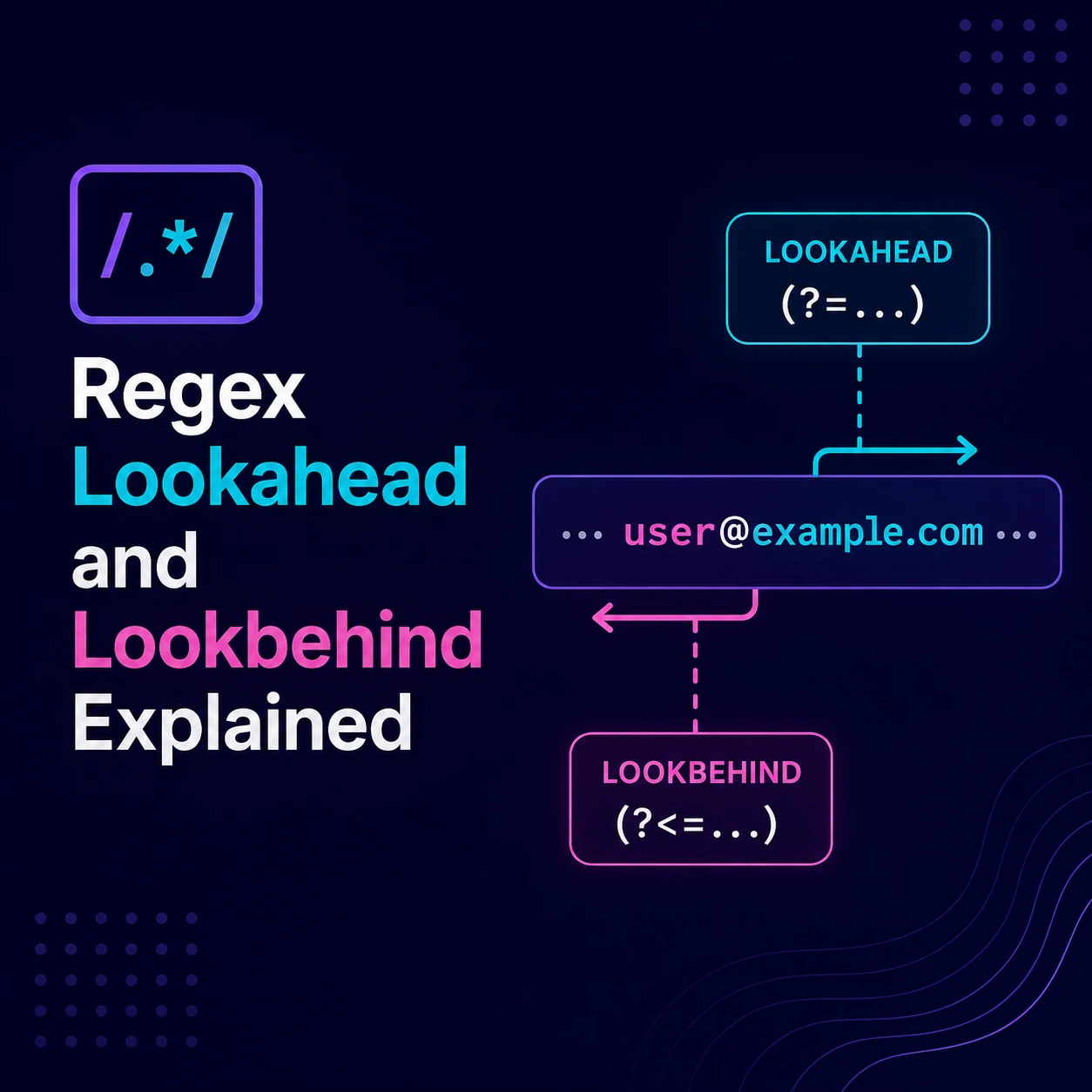
Regex Lookahead and Lookbehind Explained
Lookahead and lookbehind are regular-expression assertions that test the text surrounding a potential match.
They are useful when you want to:
- Match a value only when specific text follows it
- Match a value only when specific text precedes it
- Exclude values based on nearby text
- Apply several conditions to the same input
- Find overlapping matches
- Replace content without including its surrounding delimiters
The important detail is that lookarounds are zero-width assertions. They check whether a condition is true at the current position, but they do not consume the surrounding characters.
This guide uses JavaScript syntax and explains portability considerations for other regex engines.
What Is a Zero-Width Assertion?
Most regex tokens consume characters.
For example:
USDmatches and consumes the three characters USD.
A lookahead checks the same characters without consuming them:
(?=USD)It asks:
Is the current position followed by
USD?
If the answer is yes, the assertion succeeds, but the current matching position remains unchanged.
MDN defines lookahead as an assertion that tests subsequent input without consuming it.
Lookbehind works in the opposite direction by testing the text before the current position.
The Four Lookaround Types
| Type | Syntax | Condition |
|---|---|---|
| Positive lookahead | (?=pattern) | The pattern must follow |
| Negative lookahead | (?!pattern) | The pattern must not follow |
| Positive lookbehind | (?<=pattern) | The pattern must precede |
| Negative lookbehind | (?<!pattern) | The pattern must not precede |
A simple way to remember them:
=means the condition must be true.!means the condition must be false.<indicates that the assertion looks behind.
Positive Lookahead
A positive lookahead matches only when the required pattern follows the current position.
Syntax
(?=pattern)Example: numbers followed by USD
Input:
100USD 250 USD 300EURPattern:
\b\d+(?=\s?USD\b)JavaScript:
const input =
  "100USD 250 USD 300EUR";

const values = input.match(
  /\b\d+(?=\s?USD\b)/g
) ?? [];

console.log(values);
// ["100", "250"]
How it works
\bstarts at a word boundary.\d+consumes one or more digits.(?=\s?USD\b)requires the digits to be followed by an optional space andUSD.- The lookahead checks the currency text without including it in the result.
The matches are:
100
250
not:
100USD
250 USD
Positive Lookahead for Replacement
Lookahead is useful when the replacement should affect only a value, not its suffix.
Input:
width: 100px; height: 50px; opacity: 1;Increase only the numbers followed by px:
const input =
  "width: 100px; height: 50px; opacity: 1;";

const result = input.replace(
  /\d+(?=px\b)/g,
  value => String(Number(value) * 2)
);

console.log(result);
// width: 200px; height: 100px; opacity: 1;
The px suffix is checked but remains outside the match.
For actual CSS processing, use a CSS parser when the input can contain calculations, variables, comments, or other complex syntax.
Negative Lookahead
A negative lookahead succeeds only when the specified pattern does not follow.
Syntax
(?!pattern)Example: exclude one exact username
Suppose a username must:
- Start with a lowercase letter
- Contain lowercase letters, numbers, or underscores
- Be between 3 and 16 characters
- Not equal
admin
Pattern:
^(?!admin$)[a-z][a-z0-9_]{2,15}$JavaScript:
const usernamePattern =
  /^(?!admin$)[a-z][a-z0-9_]{2,15}$/;

console.log(
  usernamePattern.test("john_123")
);
// true

console.log(
  usernamePattern.test("admin")
);
// false

console.log(
  usernamePattern.test("administrator")
);
// true
How it works
At the beginning of the input:
(?!admin$)asserts that the complete value is not exactly admin.
The remaining pattern then validates the accepted username format.
If several names are reserved:
^(?!(?:admin|root|system)$)[a-z][a-z0-9_]{2,15}$Application code may be clearer when the reserved list is large or stored in a database:
const reservedNames =
  new Set(["admin", "root", "system"]);

function isValidUsername(value) {
  return (
    /^[a-z][a-z0-9_]{2,15}$/.test(value) &&
    !reservedNames.has(value)
  );
}
Not every condition belongs inside one regex.
Negative Lookahead After a Match
Input:
app apple application applyPattern:
\bapp(?!lication\b)JavaScript:
const input =
  "app apple application apply";

const matches = input.match(
  /\bapp(?!lication\b)/g
) ?? [];

console.log(matches);
// ["app", "app", "app"]
It matches:
- The complete word
app - The beginning of
apple - The beginning of
apply
It does not match the beginning of application.
If you want only the complete word app, use:
\bapp\bA lookahead adds a condition; it does not automatically enforce complete-word matching.
Positive Lookbehind
A positive lookbehind requires specific text immediately before the match.
Syntax
(?<=pattern)Example: extract dollar amounts
Input:
$100 €200 $300.50Pattern:
(?<=\$)\d+(?:\.\d{2})?JavaScript:
const input =
  "$100 €200 $300.50";

const values = input.match(
  /(?<=\$)\d+(?:\.\d{2})?/g
) ?? [];

console.log(values);
// ["100", "300.50"]
The dollar symbol is checked but not included in the match.
MDN documents lookbehind as an assertion that checks preceding input without consuming it.
Currency limitation
This is a deliberately simple text pattern. It does not handle:
- Thousands separators
- Negative amounts
- Spaces after the symbol
- Other decimal conventions
- Currency codes
- Accounting formats
- Locale-specific numbers
Use a currency or number parser for financial application data.
Positive Lookbehind Without Lookbehind
Lookbehind can often be replaced with a capture group:
const input =
  "$100 €200 $300.50";

const pattern =
  /\$(\d+(?:\.\d{2})?)/g;

const values = [
  ...input.matchAll(pattern)
].map(match => match[1]);

console.log(values);
// ["100", "300.50"]
This alternative is useful when:
- The target regex engine does not support lookbehind
- The surrounding text is easy to capture
- Portability matters
- The capture-based version is clearer
Lookbehind is a convenience, not a requirement.
Negative Lookbehind
A negative lookbehind succeeds when the specified pattern does not occur immediately before the current position.
Syntax
(?<!pattern)A Common Incorrect Pattern
This pattern is often presented as “match numbers without a dollar sign”:
(?<!\$)\d+It is incorrect for that purpose.
Given:
$100the first digit fails because it is preceded by $. However, the regex engine may try again at the second digit, which is preceded by 1. It can therefore match a suffix such as:
00Corrected shape for simple integer tokens
(?<![\d$])\d+(?!\d)JavaScript:
const input =
  "$100 200 €300 $450 600";

const values = input.match(
  /(?<![\d$])\d+(?!\d)/g
) ?? [];

console.log(values);
// ["200", "300", "600"]
How it works
(?<![\d$])requires the number not to be preceded by a digit or dollar sign.\d+consumes the number.(?!\d)requires the match not to end before another digit.
The added digit checks prevent the engine from matching only a suffix of $100.
The exact boundaries should reflect your input format. If numbers may be adjacent to letters, decimal separators, or other currency symbols, use a tokenizer or parser.
Combining Lookbehind and Lookahead
Input:
$100USD $250 EUR €300USDPattern:
(?<=\$)\d+(?=USD\b)JavaScript:
const input =
  "$100USD $250 EUR €300USD";

const values = input.match(
  /(?<=\$)\d+(?=USD\b)/g
) ?? [];

console.log(values);
// ["100"]
The number must be:
- Preceded by
$ - Followed by
USD
Neither surrounding value becomes part of the match.
Applying Multiple Conditions to One Input
Lookaheads can validate several independent conditions from the same starting position.
Suppose an internal product code must:
- Be 8–12 characters
- Use uppercase ASCII letters and digits
- Include at least one letter
- Include at least one digit
Pattern:
^(?=[A-Z0-9]{8,12}$)(?=.*[A-Z])(?=.*\d)[A-Z0-9]+$JavaScript:
const productCodePattern =
  /^(?=[A-Z0-9]{8,12}$)(?=.*[A-Z])(?=.*\d)[A-Z0-9]+$/;

console.log(
  productCodePattern.test("PRODUCT1")
);
// true

console.log(
  productCodePattern.test("12345678")
);
// false

console.log(
  productCodePattern.test("ABCDEFGH")
);
// false
The assertions test different requirements without consuming input. The final character class consumes the code.
For complex validation, separate application checks can produce better error messages:
function validateProductCode(value) {
  const errors = [];

  if (!/^[A-Z0-9]{8,12}$/.test(value)) {
    errors.push(
      "Use 8–12 uppercase letters or digits."
    );
  }

  if (!/[A-Z]/.test(value)) {
    errors.push("Include at least one letter.");
  }

  if (!/\d/.test(value)) {
    errors.push("Include at least one digit.");
  }

  return errors;
}
Use one regex when a Boolean result is sufficient. Use separate checks when users need specific feedback.
Do Not Use This as a Password Policy
Password examples frequently use several lookaheads:
^(?=.*[a-z])(?=.*[A-Z])(?=.*\d)(?=.*[!@#$]).{8,}$The expression tests composition rules, but it does not determine whether a password is strong.
For example:
Password1!may satisfy the pattern while remaining predictable.
A production password policy should consider:
- Sufficient length
- Passphrase support
- Compromised-password screening
- Rate limiting
- Secure password hashing
- Multi-factor authentication
- No silent truncation
- Acceptance of a broad character set
Lookaheads can demonstrate regex mechanics, but they should not be presented as complete password security.
Finding Overlapping Matches
A normal global regex resumes after the previous consumed match.
Input:
12345Pattern:
\d{3}Result:
"12345".match(/\d{3}/g);
// ["123"]
To find every overlapping three-digit sequence, use a zero-width positive lookahead:
(?=(\d{3}))JavaScript:
const input = "12345";

const values = [
  ...input.matchAll(/(?=(\d{3}))/g)
].map(match => match[1]);

console.log(values);
// ["123", "234", "345"]
The lookahead does not consume the digits, so the engine can test again at the next position.
This also demonstrates an important detail: a lookaround does not consume input, but a capture group inside it can still capture text.
Why Lookaround Placement Matters
Compare these patterns:
foo(?=bar)(?=foobar)fooBoth can match foo in:
foobarBut the assertion is evaluated at a different position.
Now compare:
\d+(?!USD)with:
(?!\d+USD)\d+Depending on the input and backtracking, the first expression may match only part of a longer number.
For example, with:
100USDthe engine may reduce \d+ and find that a shorter suffix is not immediately followed by USD.
Safer token boundaries might be:
(?<!\d)\d+(?!\d|USD\b)The correct pattern depends on whether the goal is to validate a complete value, search within text, or tokenize structured input.
Always test:
- Full matches
- Partial matches
- Prefixes
- Suffixes
- Nearly matching input
- Repeated values
Lookbehind Portability
Lookahead is widely supported across popular regex engines.
Lookbehind support is less consistent:
- Modern JavaScript engines support lookbehind.
- Python’s built-in
remodule requires fixed-length lookbehind patterns. - PCRE2 support depends on the pattern and engine version.
- Some performance-oriented regex engines omit lookaround entirely.
- Older browsers and embedded runtimes may not support lookbehind.
A pattern that works in an online JavaScript tester may fail in Python, PHP, a database, or a web server.
Before using lookbehind:
- Identify the production regex engine.
- Check its version.
- Verify lookbehind restrictions.
- Add runtime tests.
- Consider a capture-group alternative.
Do not assume all “regex” implementations support the same syntax.
Lookarounds and Performance
Lookarounds are not automatically slow. Performance depends on:
- Where the assertion is placed
- How many positions the engine tests
- Whether the pattern is anchored
- Whether alternatives overlap
- Whether quantifiers are bounded
- Input length
- Failure behavior
- Regex-engine implementation
Potentially expensive shape:
(?=.*something).*When applied repeatedly to a large input, broad .* assertions may rescan substantial amounts of text.
Prefer narrow, anchored conditions when possible:
^(?=[A-Z0-9]{8,12}$)(?=.*[A-Z])(?=.*\d)For untrusted input:
- Limit input length.
- Avoid ambiguous nested quantifiers.
- Test worst-case failures.
- Benchmark with production-like data.
- Use application logic when it is clearer.
- Consider an engine with predictable execution guarantees.
A logically correct regex can still create a denial-of-service risk if it backtracks excessively.
Lookarounds Are Not File-Security Controls
A regex such as:
\.(?!exe$)[a-z0-9]+$may exclude filenames ending in .exe, but it does not make uploads safe.
An unsafe file could use:
- An uppercase extension
- Multiple extensions
- A misleading extension
- No extension
- Encoded characters
- Content that does not match the filename
- A format containing active content
For uploads, validate:
- Actual file content
- File signature
- Detected media type
- Maximum size
- Storage location
- Authorization
- Serving headers
- Malware policy where appropriate
Use lookahead for text matching—not as the primary file-security mechanism.
Lookarounds Are Not Complete Email Validation
A negative lookahead can reject consecutive periods:
^(?!.*\.\.)But that condition alone does not validate an email address.
A production email workflow should use:
- Browser email input for user feedback
- Maintained server-side validation
- Reasonable length limits
- Conservative normalization
- A time-limited verification link
Do not keep adding lookaheads until one regex attempts to represent the entire email standard.
Practical Lookaround Cheat Sheet
Followed by USD
\d+(?=USD\b)Not followed by USD
\d+(?!USD\b)Add token boundaries when searching unstructured text.
Preceded by $
(?<=\$)\d+Not part of a dollar-prefixed integer
(?<![\d$])\d+(?!\d)Exact username except admin
^(?!admin$)[a-z][a-z0-9_]{2,15}$Text inside a dollar amount using a capture group
\$(\d+(?:\.\d{2})?)Overlapping three-digit sequences
(?=(\d{3}))Number between $ and USD
(?<=\$)\d+(?=USD\b)Testing Checklist
Before deploying a lookaround pattern, test:
- Expected matches
- Expected nonmatches
- Empty input
- Start and end boundaries
- Partial numbers or words
- Repeated input
- Newlines
- Unicode input
- Very long input
- Nearly matching input
- Global matching behavior
- Capture-group results
- Production-engine compatibility
For the dollar-amount example, tests should include:
const pattern =
  /(?<![\d$])\d+(?!\d)/g;

const tests = [
  {
    input: "$100 200",
    expected: ["200"]
  },
  {
    input: "$100",
    expected: []
  },
  {
    input: "100",
    expected: ["100"]
  },
  {
    input: "$100 $250",
    expected: []
  }
];

for (const test of tests) {
  const actual =
    test.input.match(pattern) ?? [];

  console.assert(
    JSON.stringify(actual) ===
      JSON.stringify(test.expected),
    test.input
  );
}
Test with the same language and runtime version used in production.
Final Thoughts
Lookahead and lookbehind are context checks.
- Positive lookahead requires following text.
- Negative lookahead forbids following text.
- Positive lookbehind requires preceding text.
- Negative lookbehind forbids preceding text.
- Lookarounds do not consume surrounding characters.
- Capture groups inside lookarounds can still capture values.
They are most useful when the surrounding text determines whether a value should match, but that surrounding text should remain outside the result.
Use them when they make a pattern clearer. Prefer capture groups or normal application logic when lookbehind harms compatibility or when several assertions make the expression difficult to explain.
A good lookaround pattern should have:
- A clearly defined input format
- Explicit token boundaries
- Positive and negative tests
- Known engine compatibility
- Acceptable worst-case performance
- Documented limitations
Try Next
Other utilities you might find helpful
Regex Tester
Test and debug regular expressions with live matches.
Regex Debugger
Understand regex step-by-step with explanations.
JSON Formatter
Format, validate, and minify JSON instantly.
Base64 Encoder/Decoder
Encode and decode Base64 strings and files.
SQL Explain Parser
Analyze SQL execution plans and optimize queries.
DOM Complexity Analyzer
Analyze HTML DOM structure, detect deep nesting, count nodes, and identify performance issues instantly.